Set Up ION API User in Infor Cloud Suite
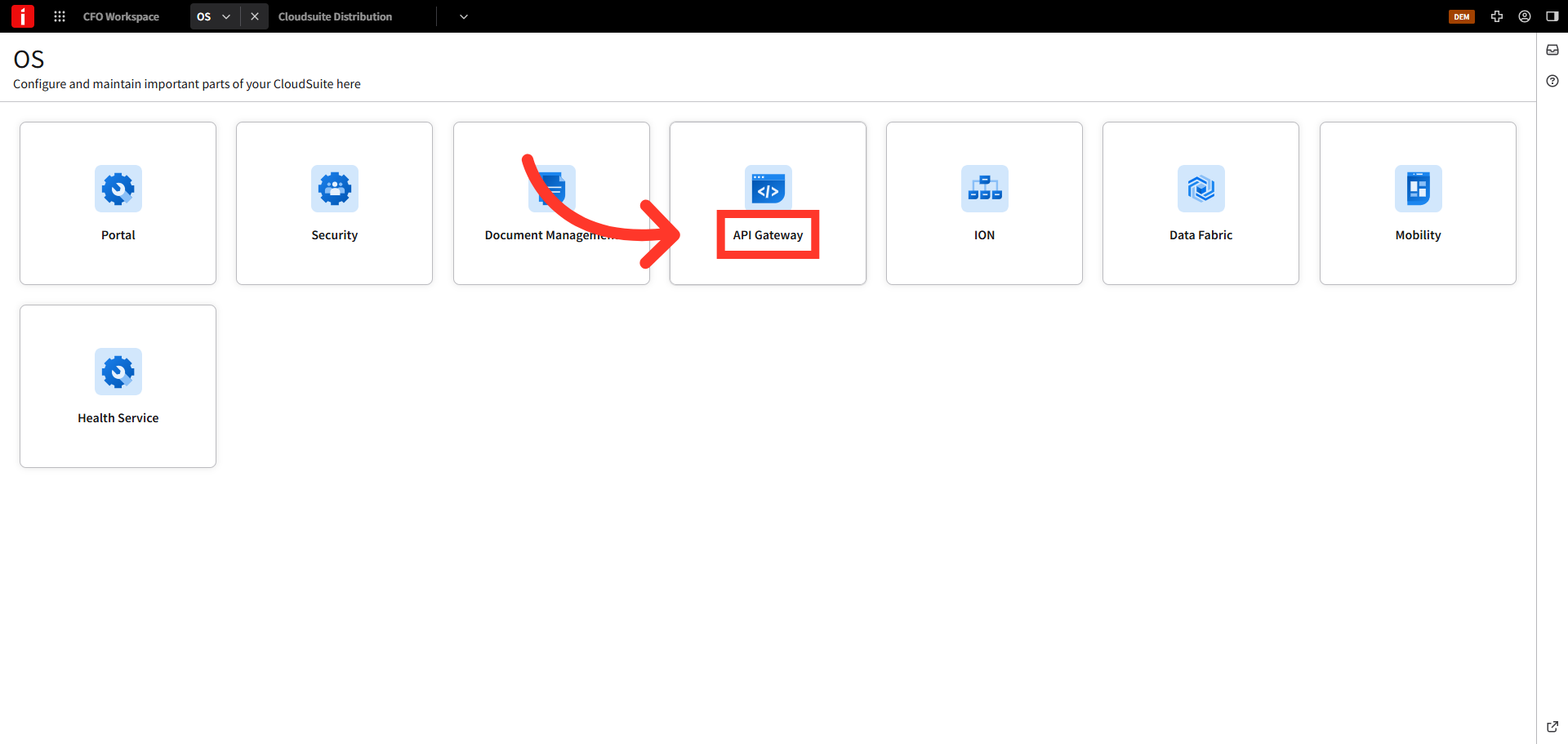
Click API Gateway
To set up an ION API User in Infor Cloud Suite, log into Infor OS and click "API Gateway".
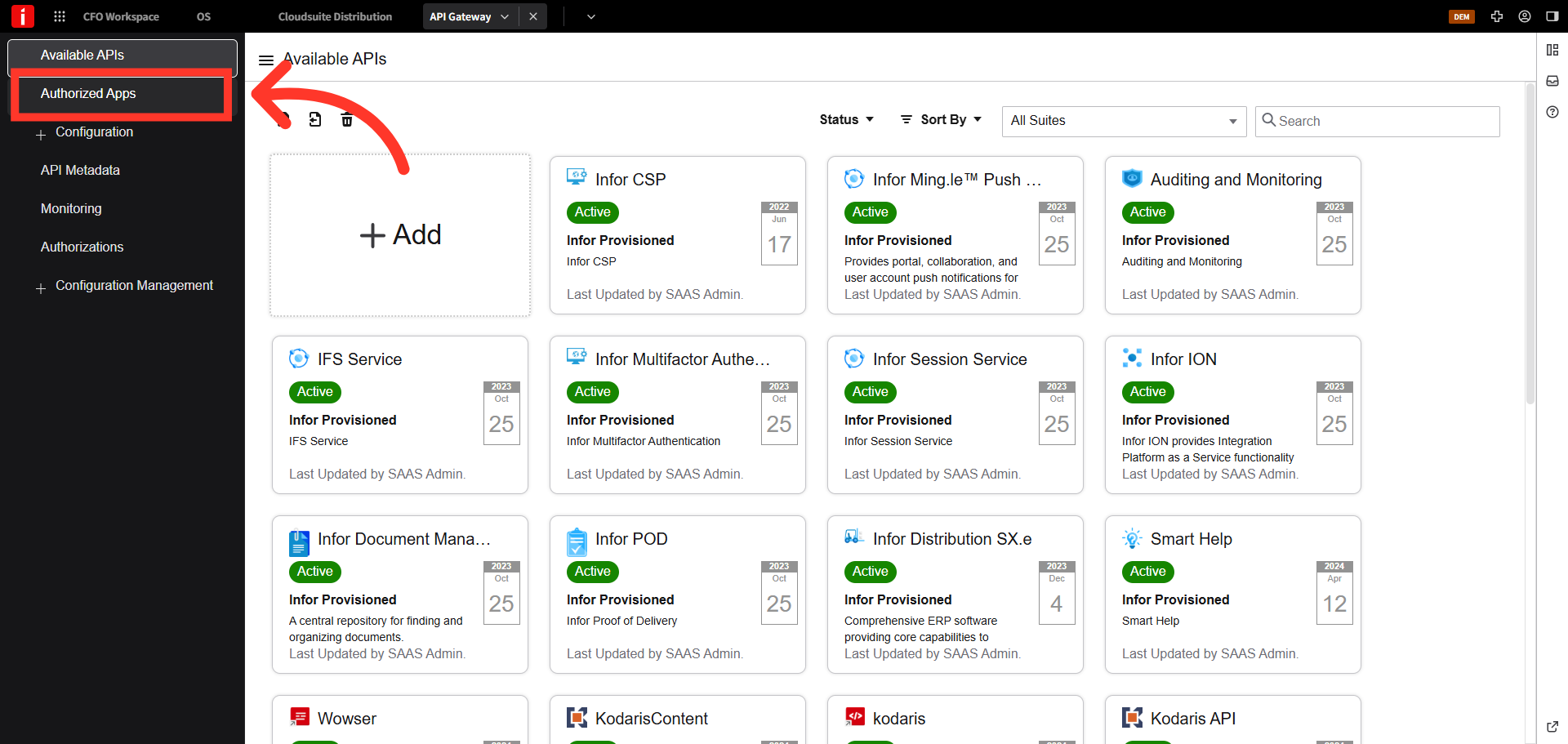
Select "Authorized Apps"
Select the "Authorized Apps" tab.
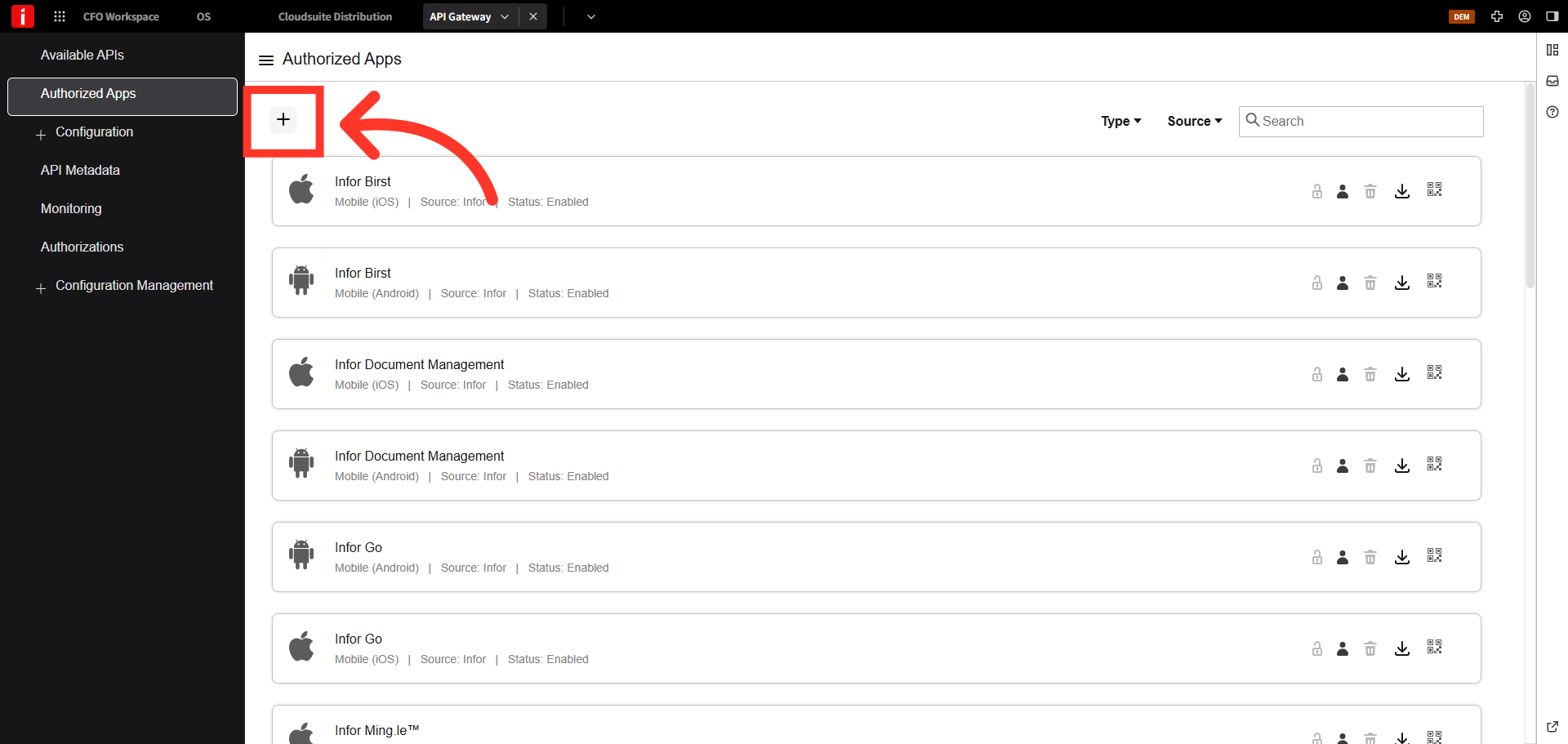
Click the + icon to add a new app
Click the + icon to add a new app.
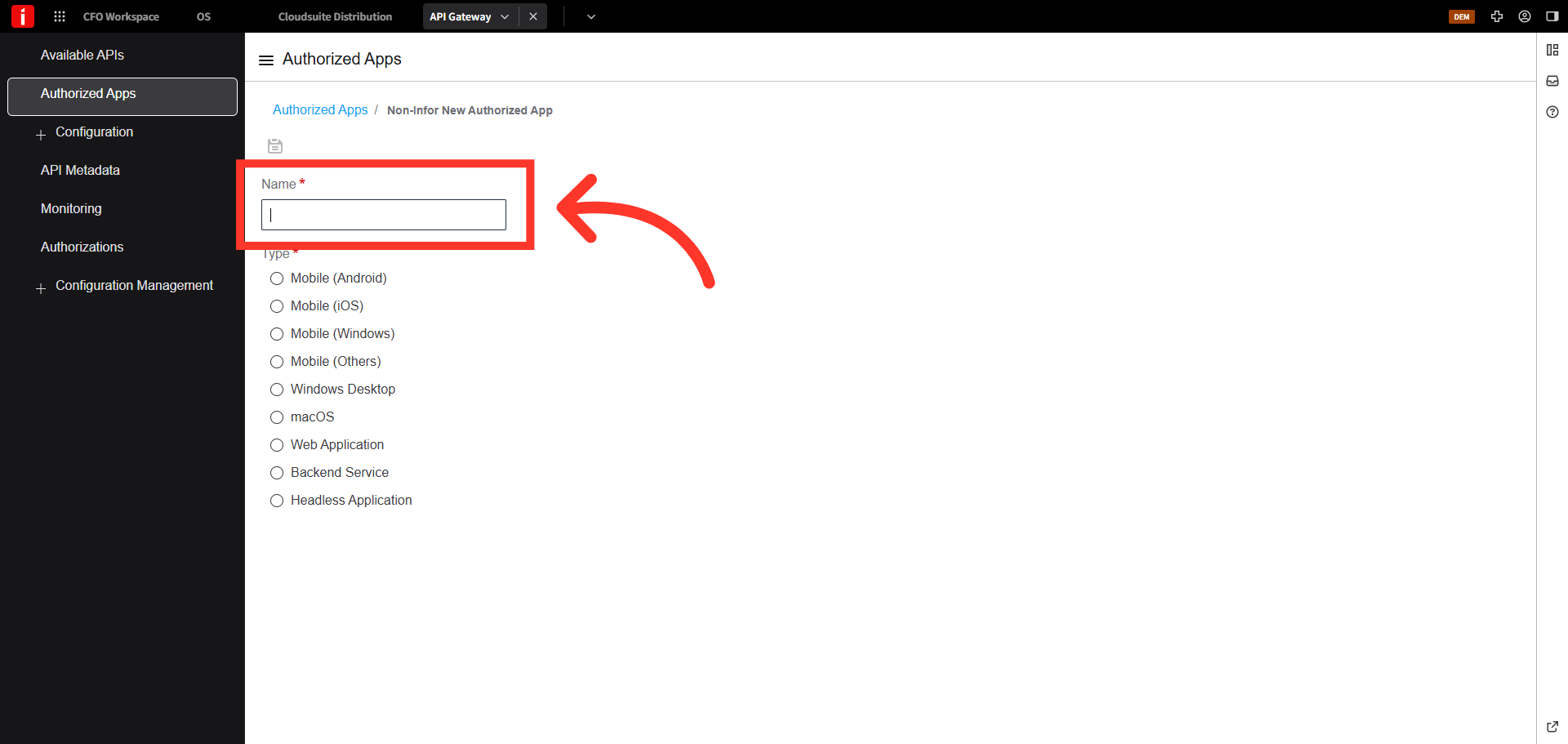
Name as "Kodaris"
Name as "Kodaris" or similar term.
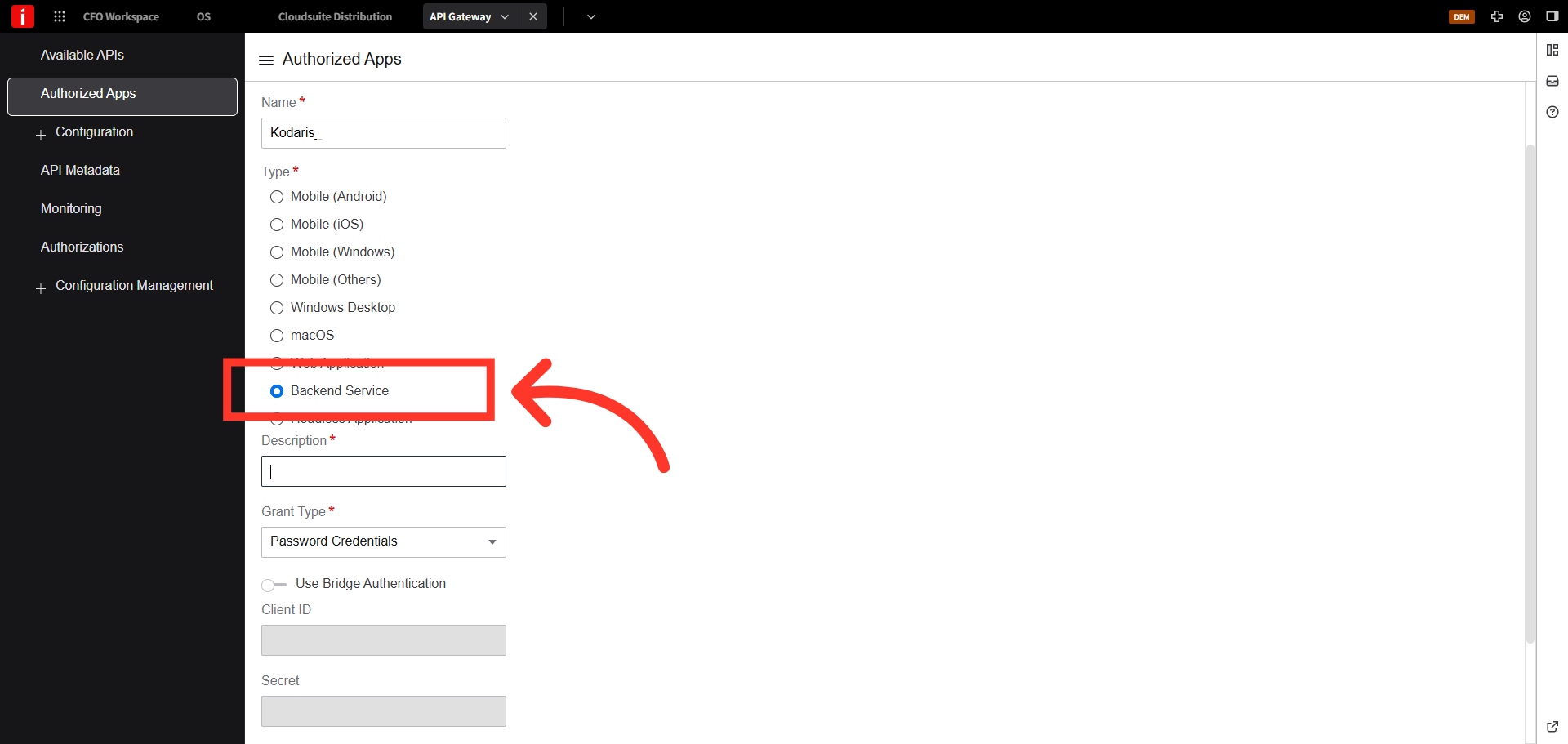
Select "Backend Service"
Select "Backend Service" option.
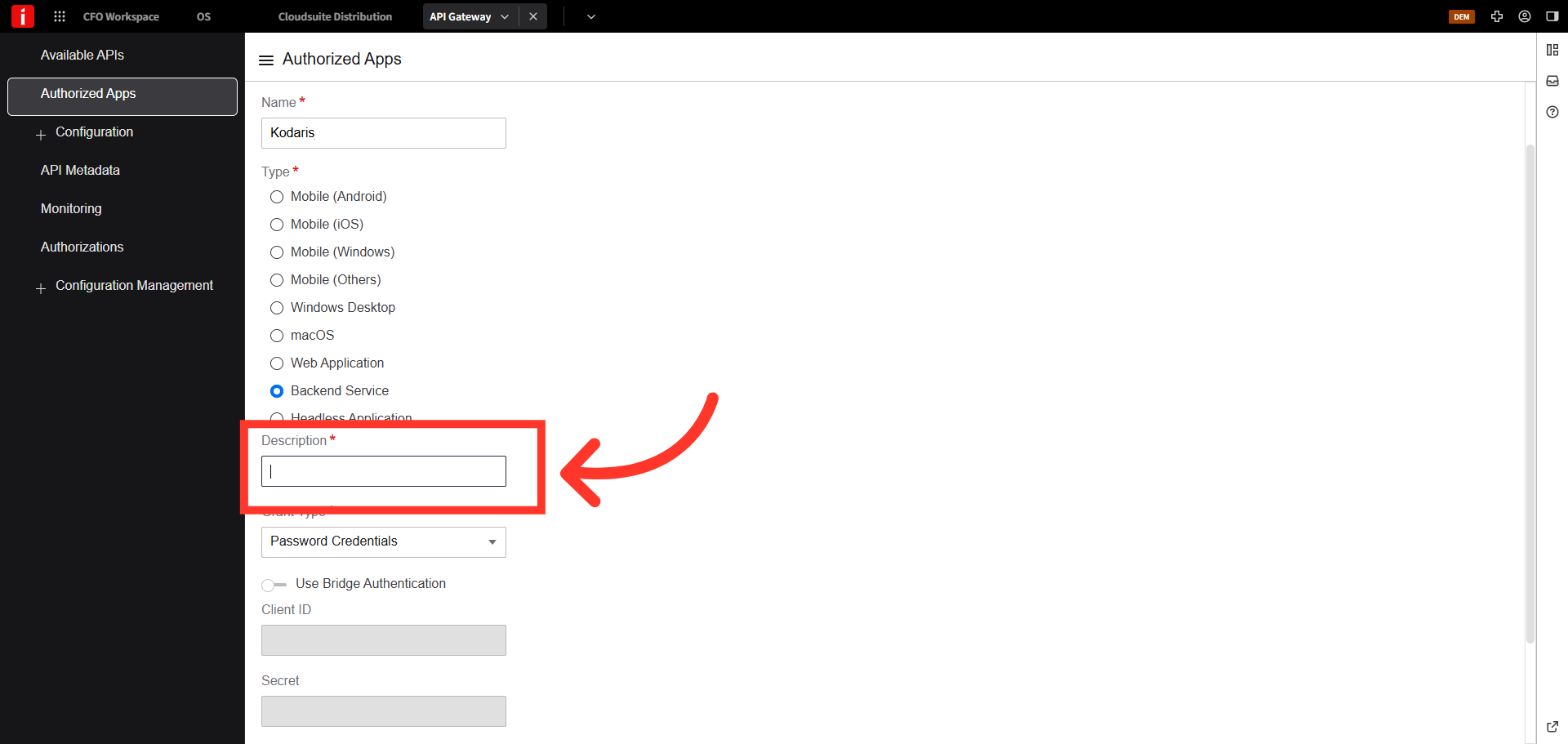
Description is required
Description is required. You can enter the same term used for name.
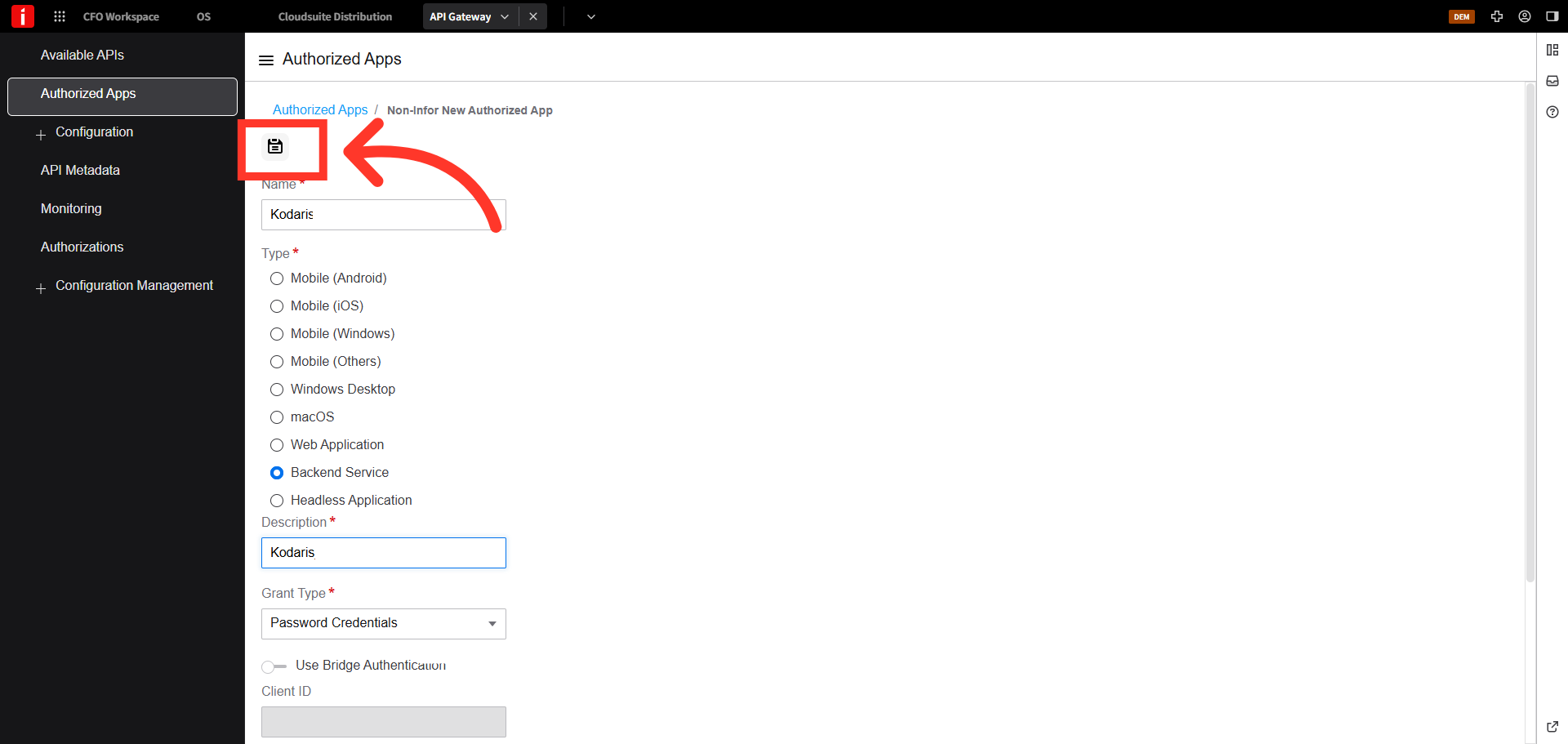
Click the "Save" icon
Click the "Save" icon.
Navigate back to the main Infor OS screen
Navigate back to the main Infor OS screen.
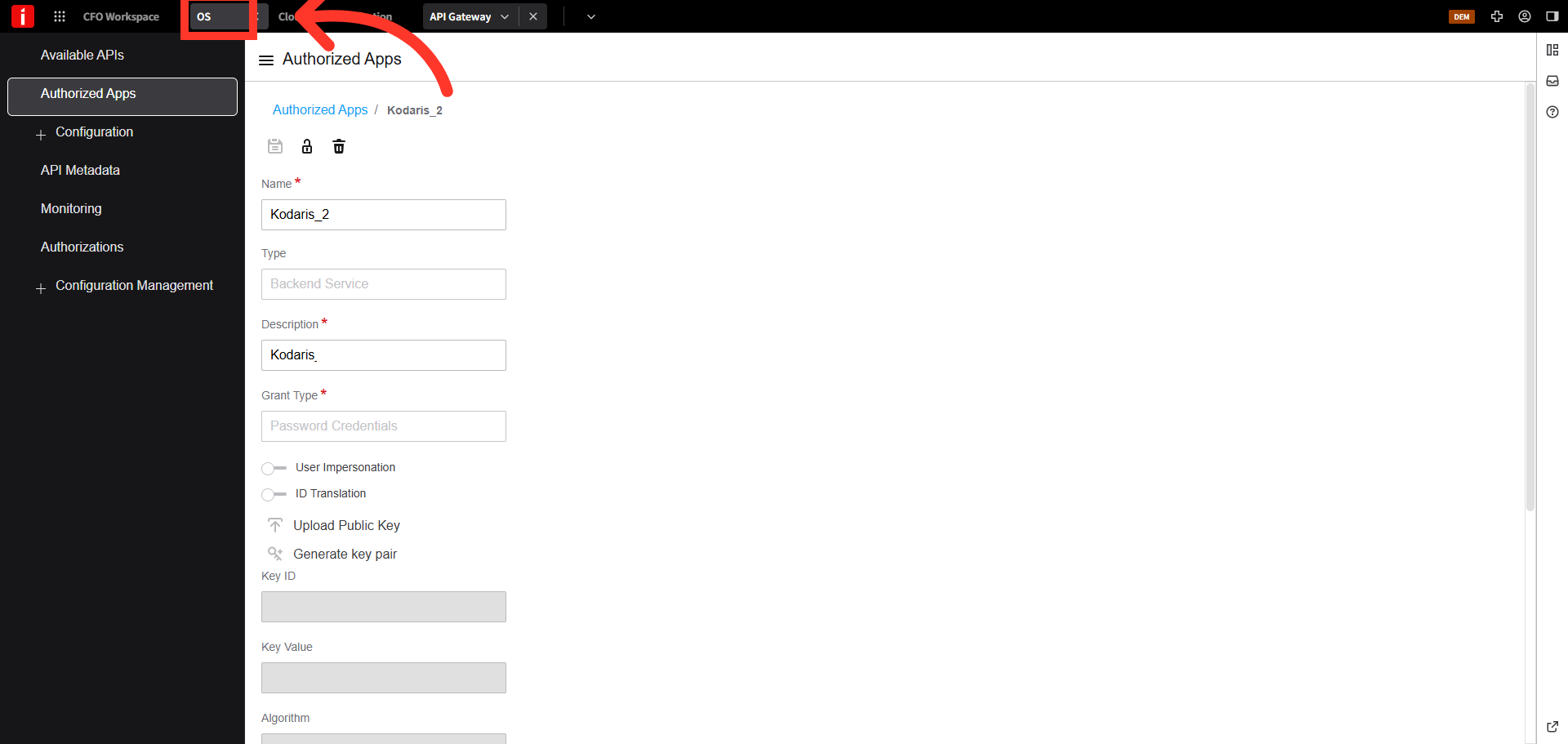
Click the "Security" option
Select the "Security" option.
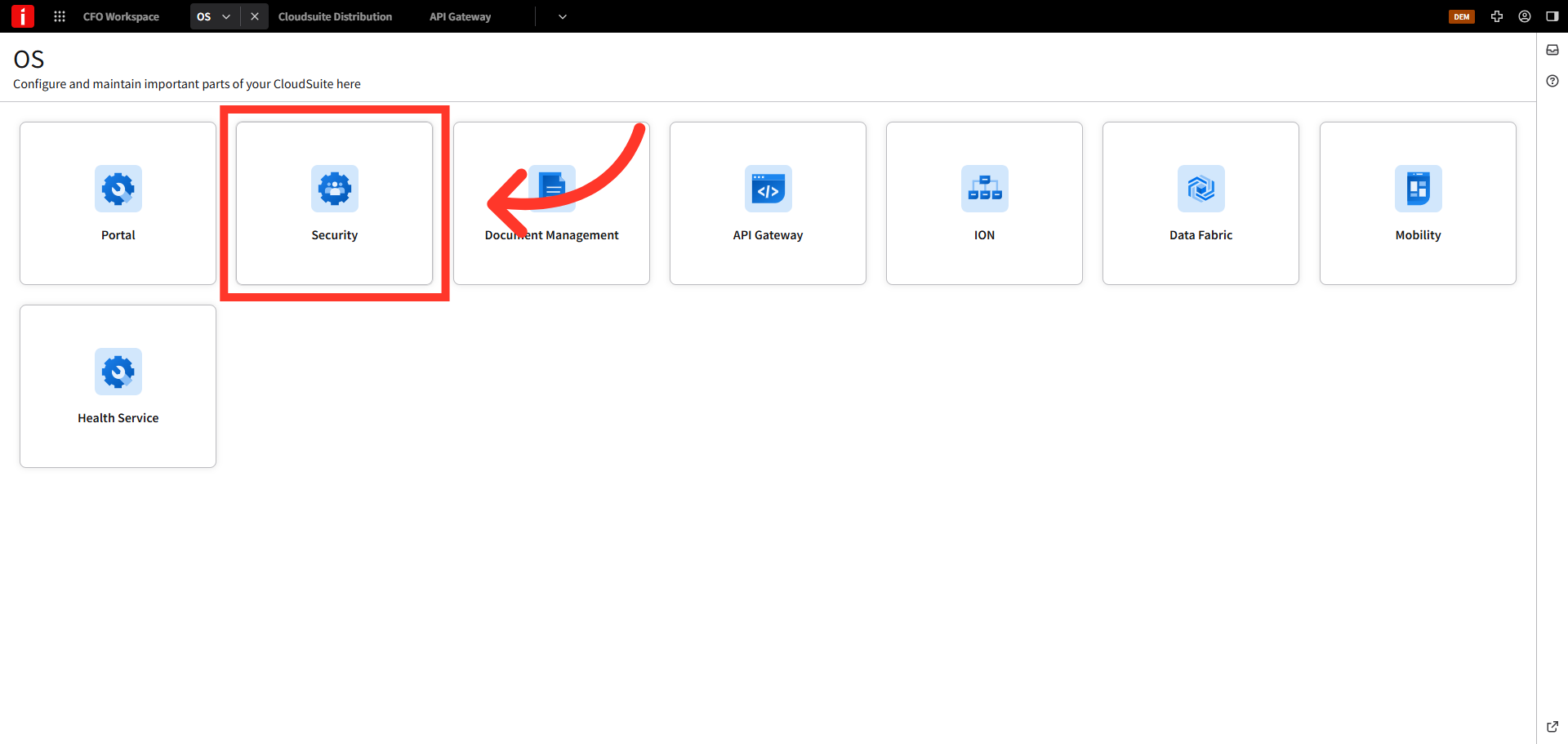
Add a new user
Click the "+" icon to add a new security user.
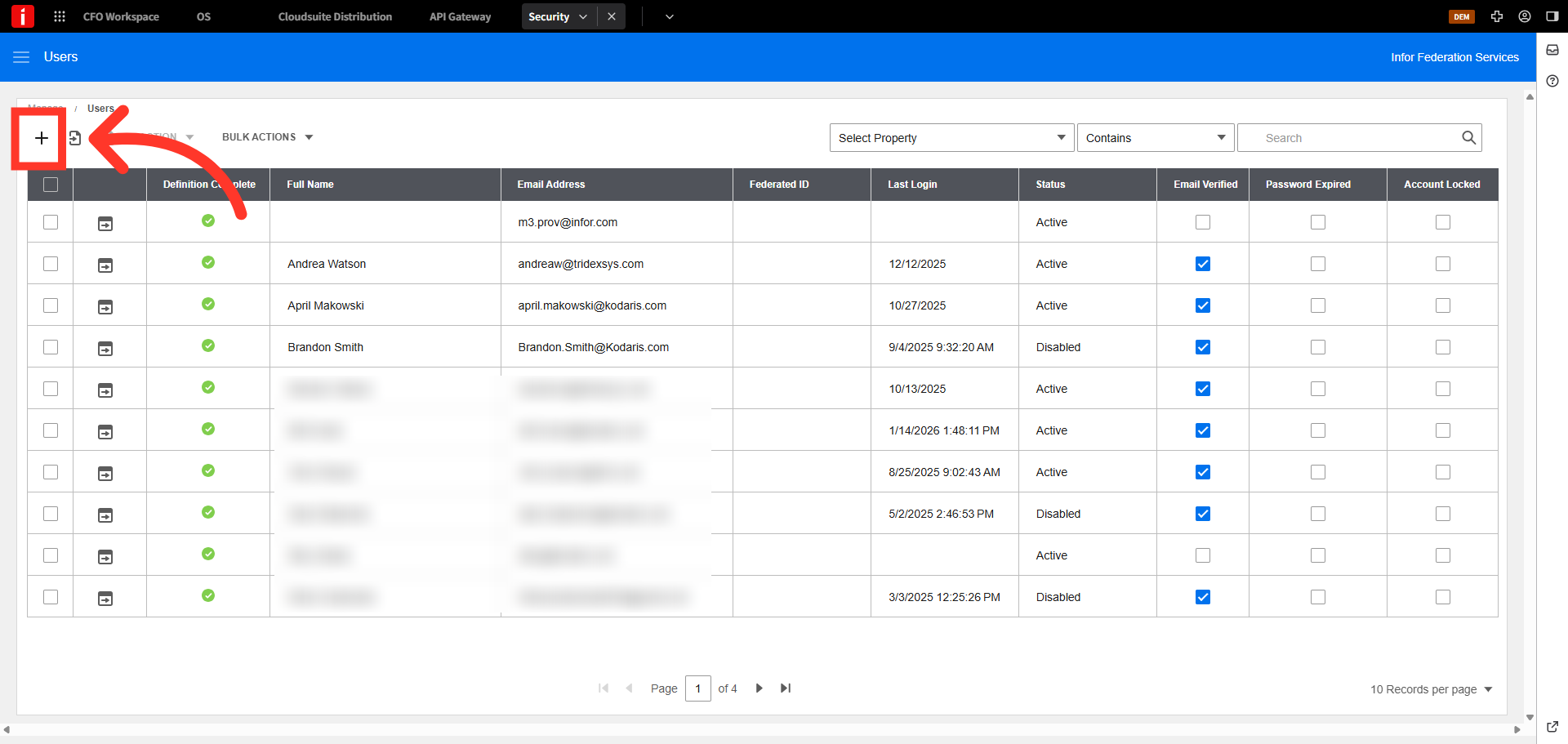
Enter first name
Enter a name in the "First Name" field. For this example we used "Kodaris"
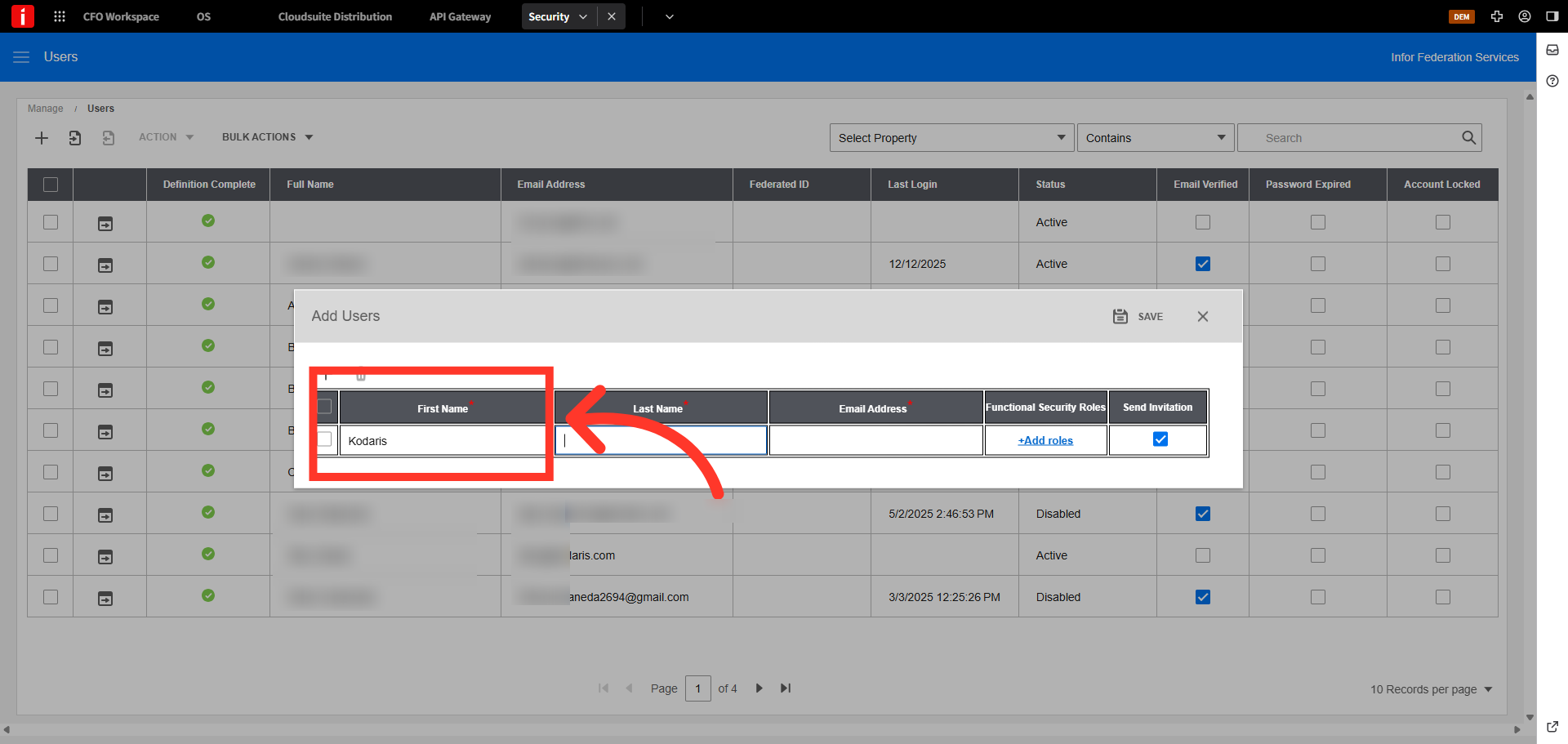
Enter last name
Enter the last name. We've used "User_1" for this example.
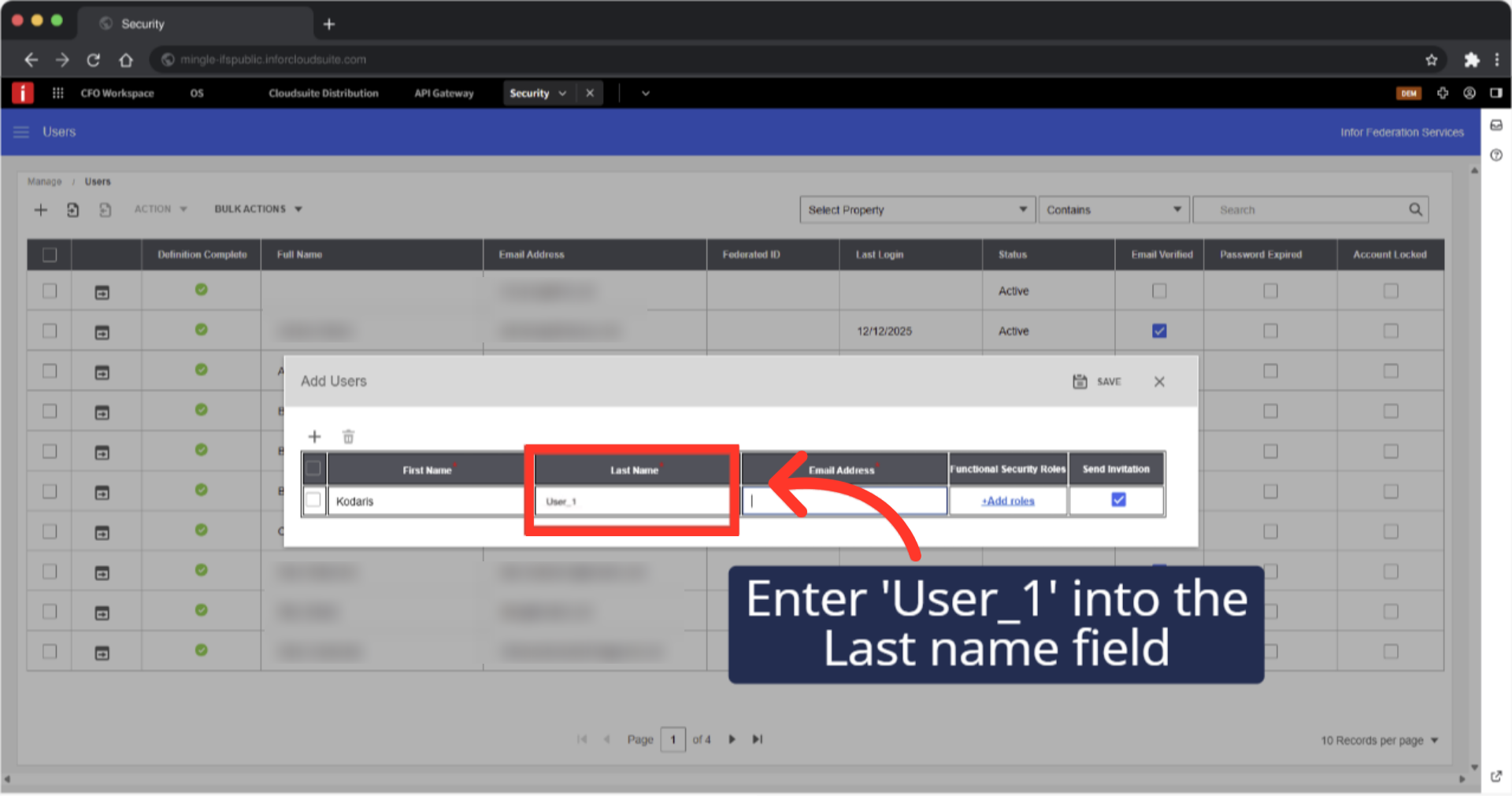
Enter email address
Enter the email address for the user "operations@kodaris.com".
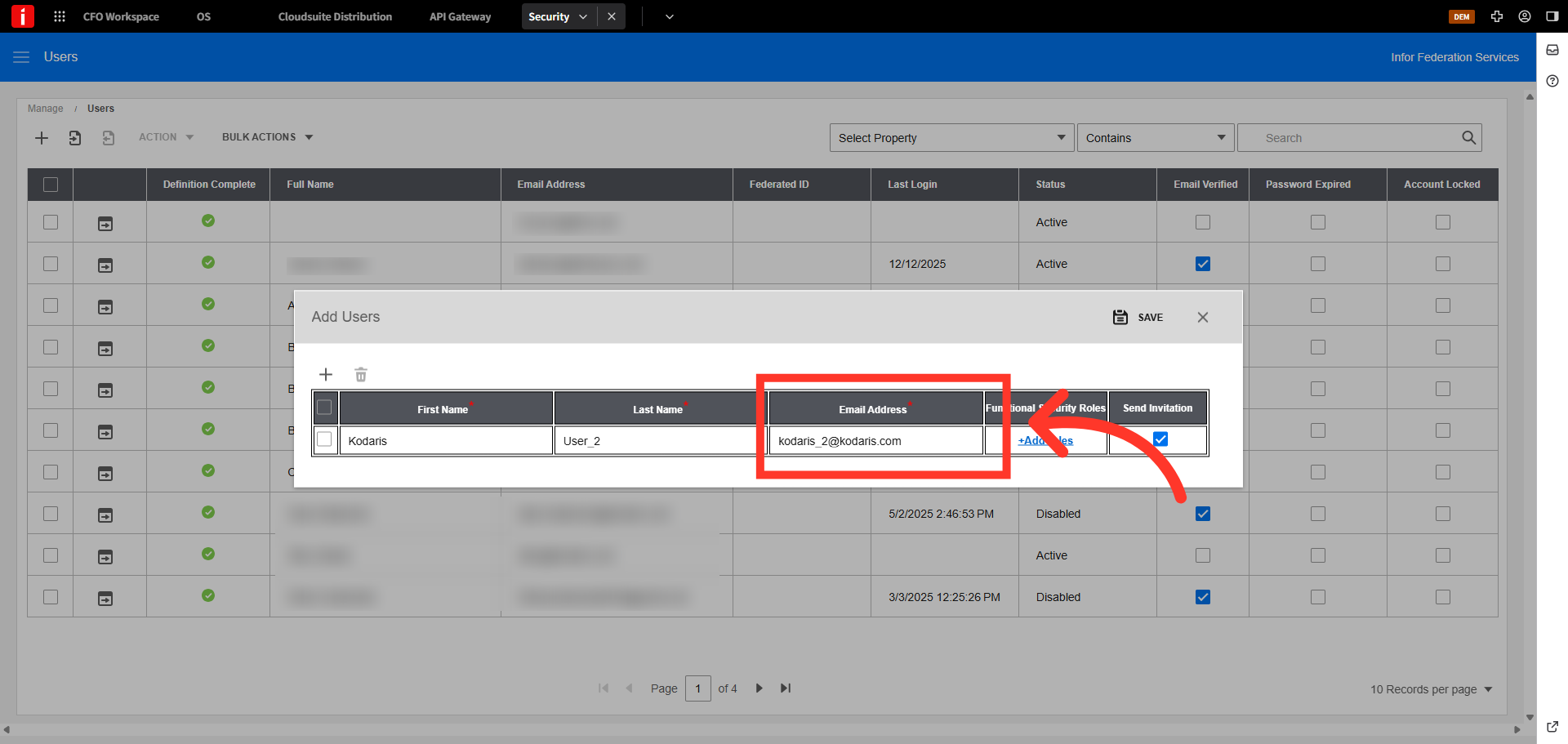
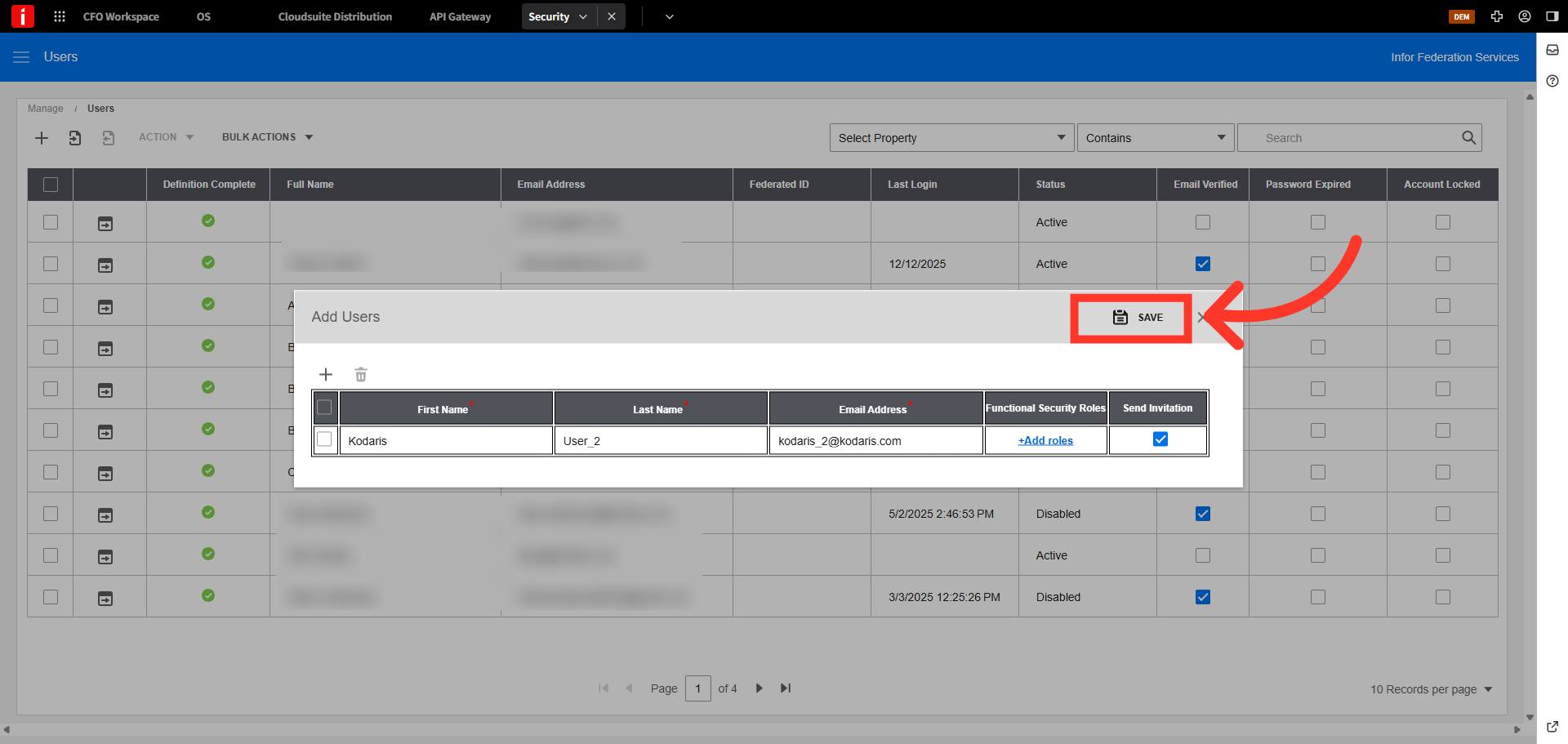
Click "Save" icon
Click "Save" icon.
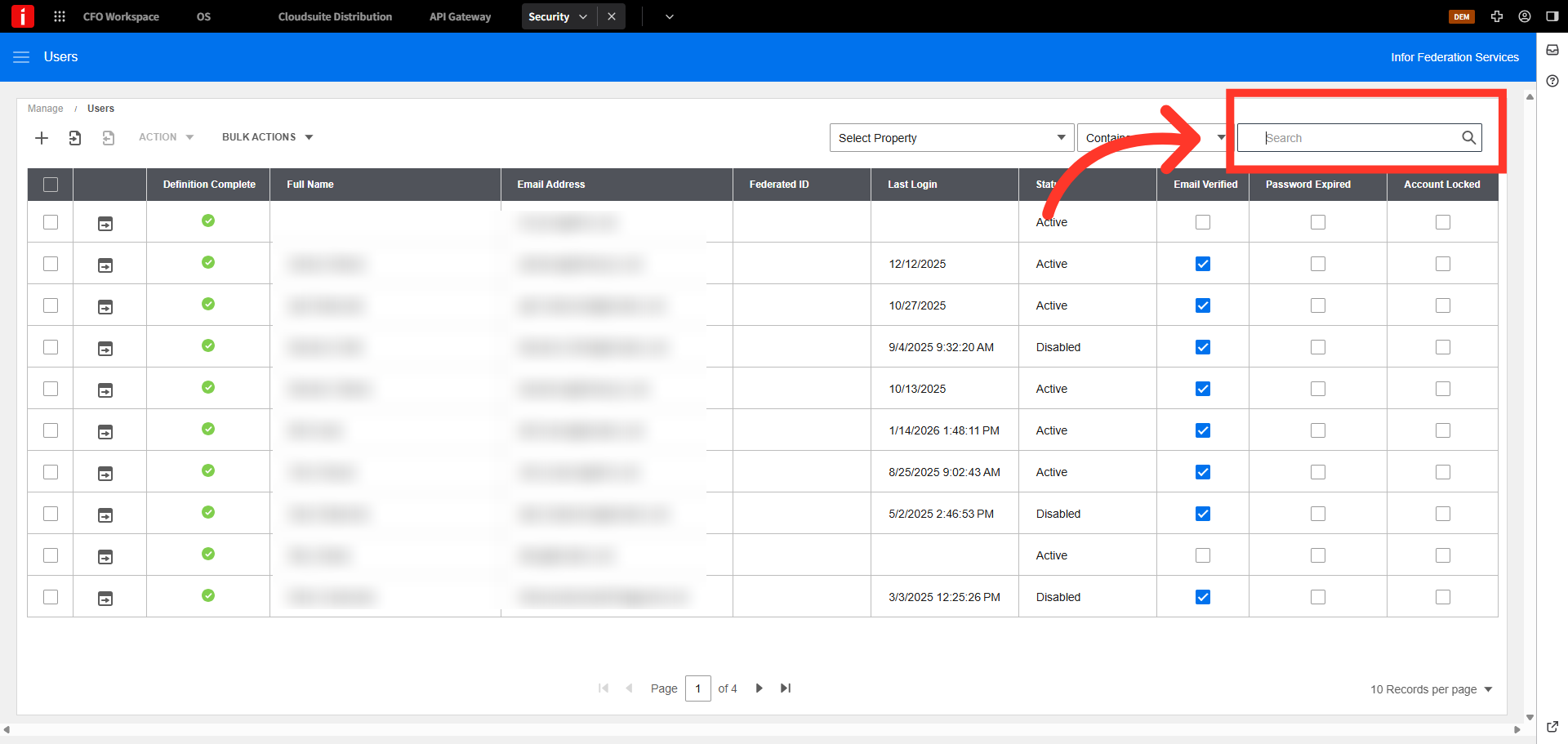
Search for your new security user
You will need to add a role to your new user. Search for your new security user. For this example we are using "Kodaris".
Click "User details" icon to go into your user's details
Click "User details" icon to go into your user's details.
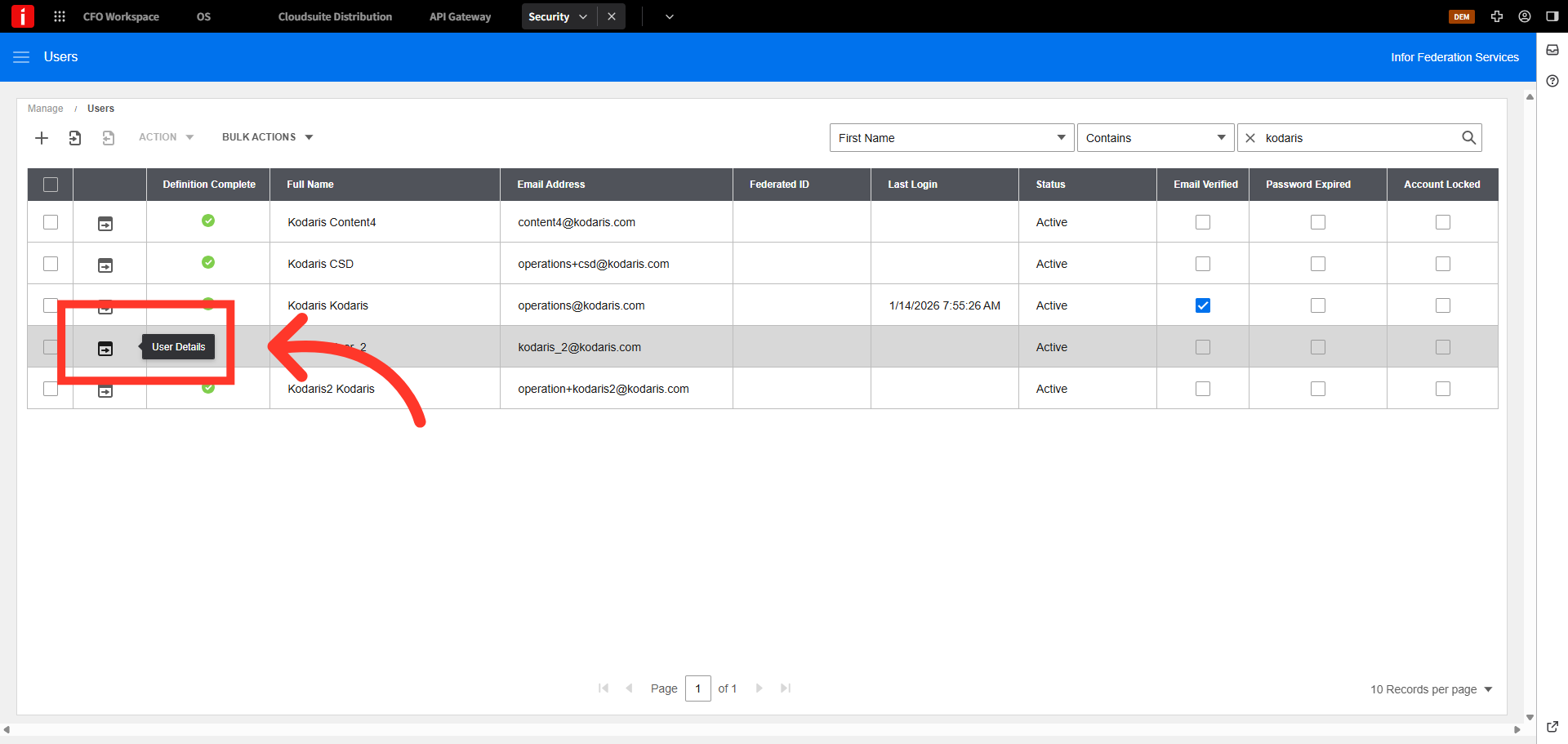
Click on the "Security Roles" tab
Click on the "Security Roles" tab.
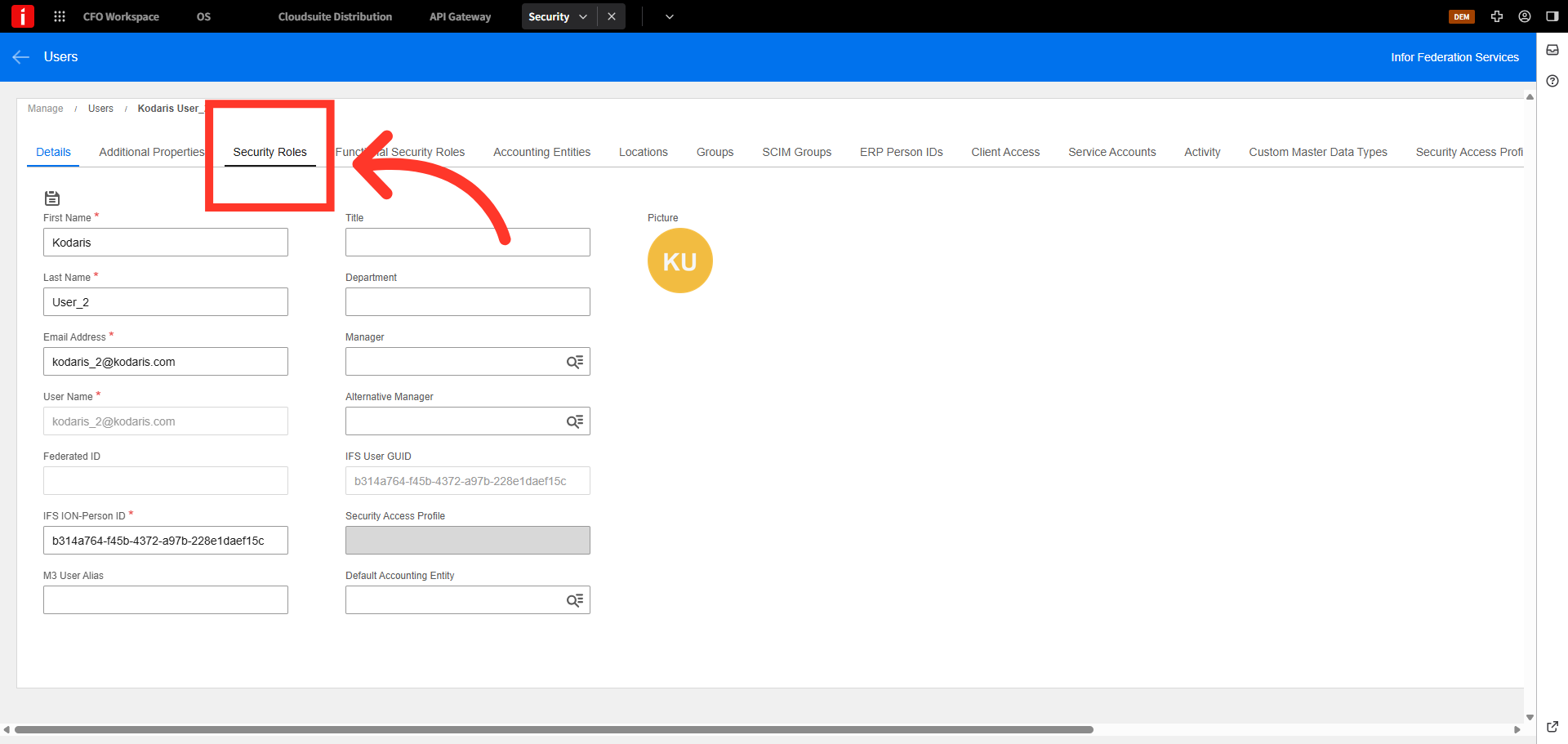
Click "+" to add a new role
Click "+" to add a new role.
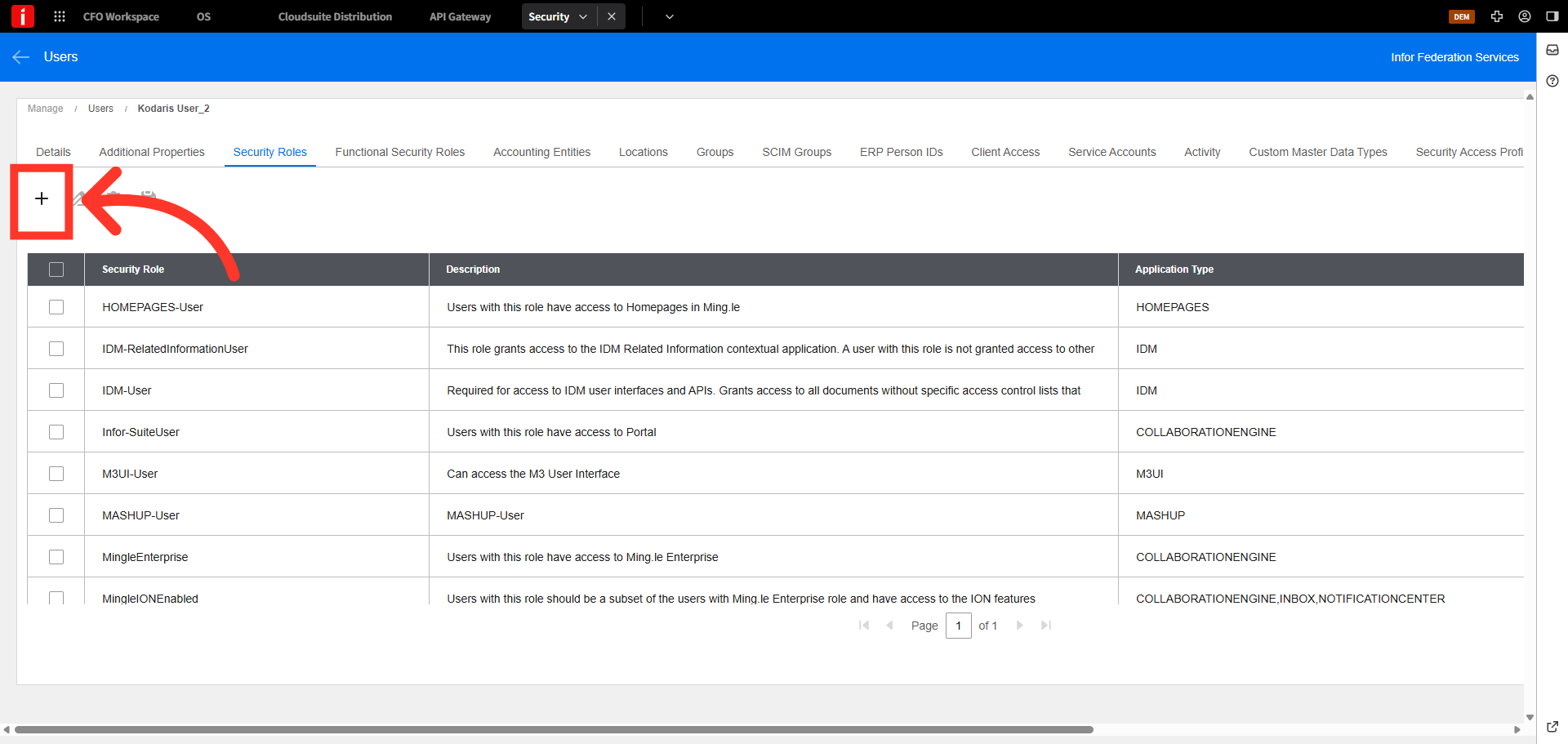
Search "data"
Search on the term "data".
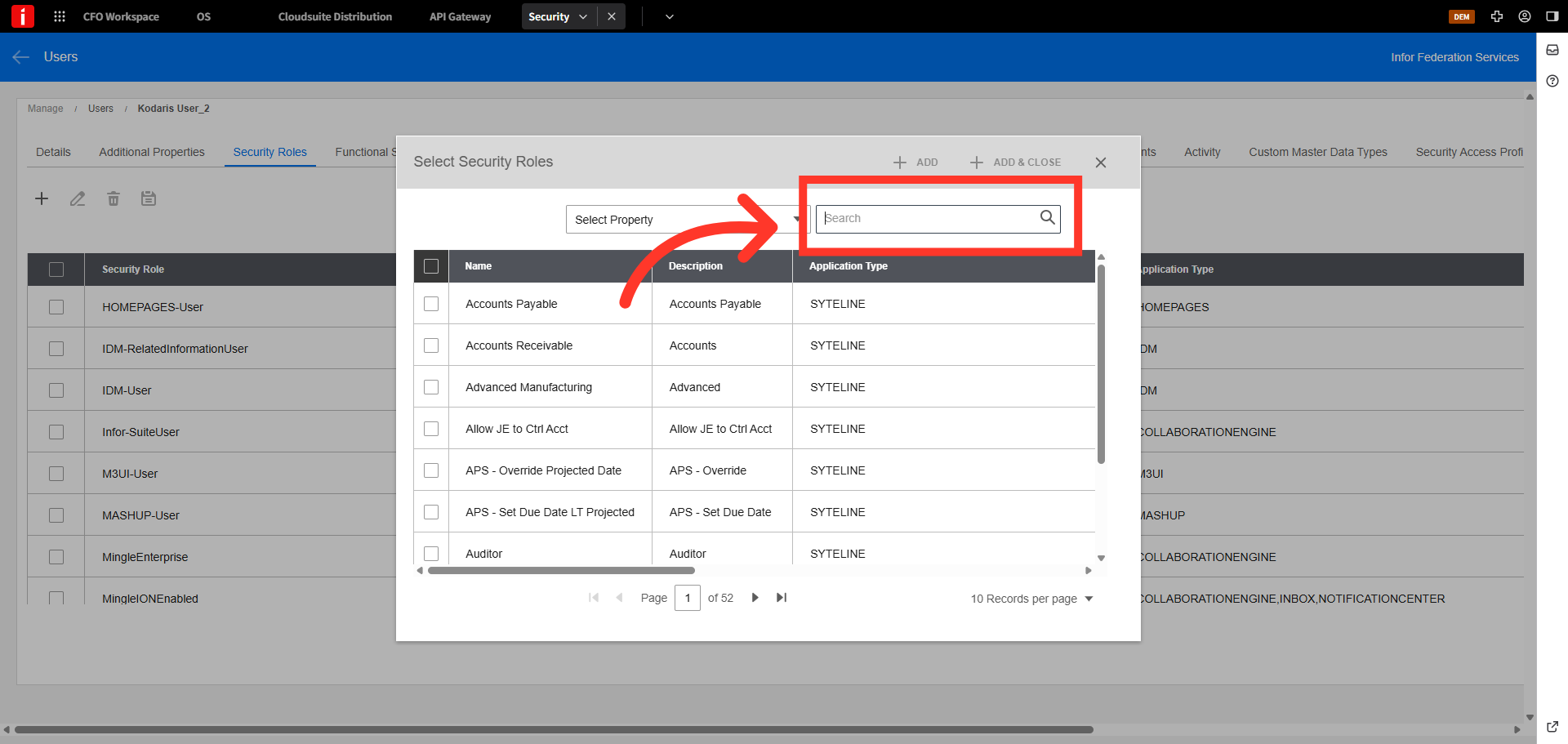
Select "DATAFABRIC-user" role
Select "DATAFABRIC-user" role.
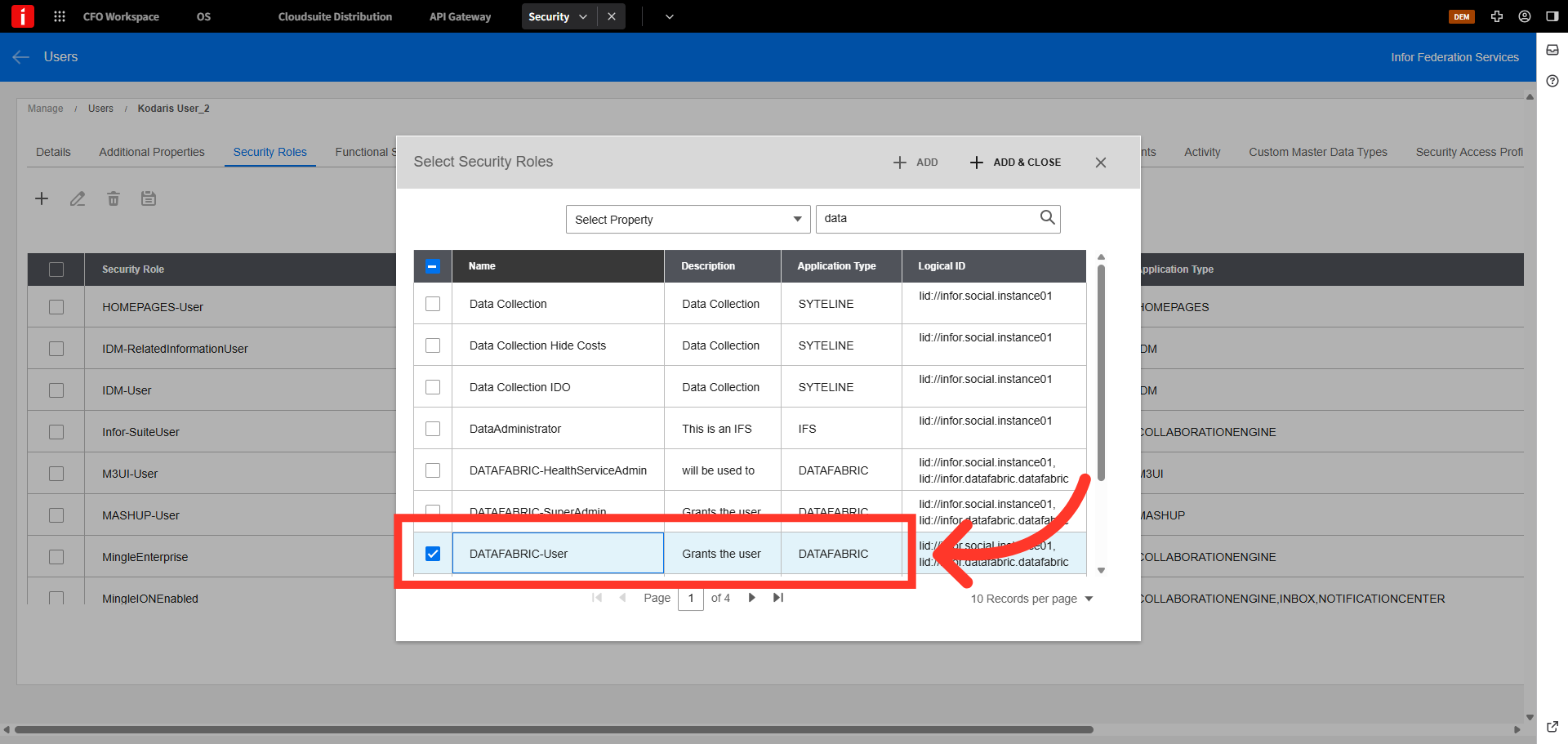
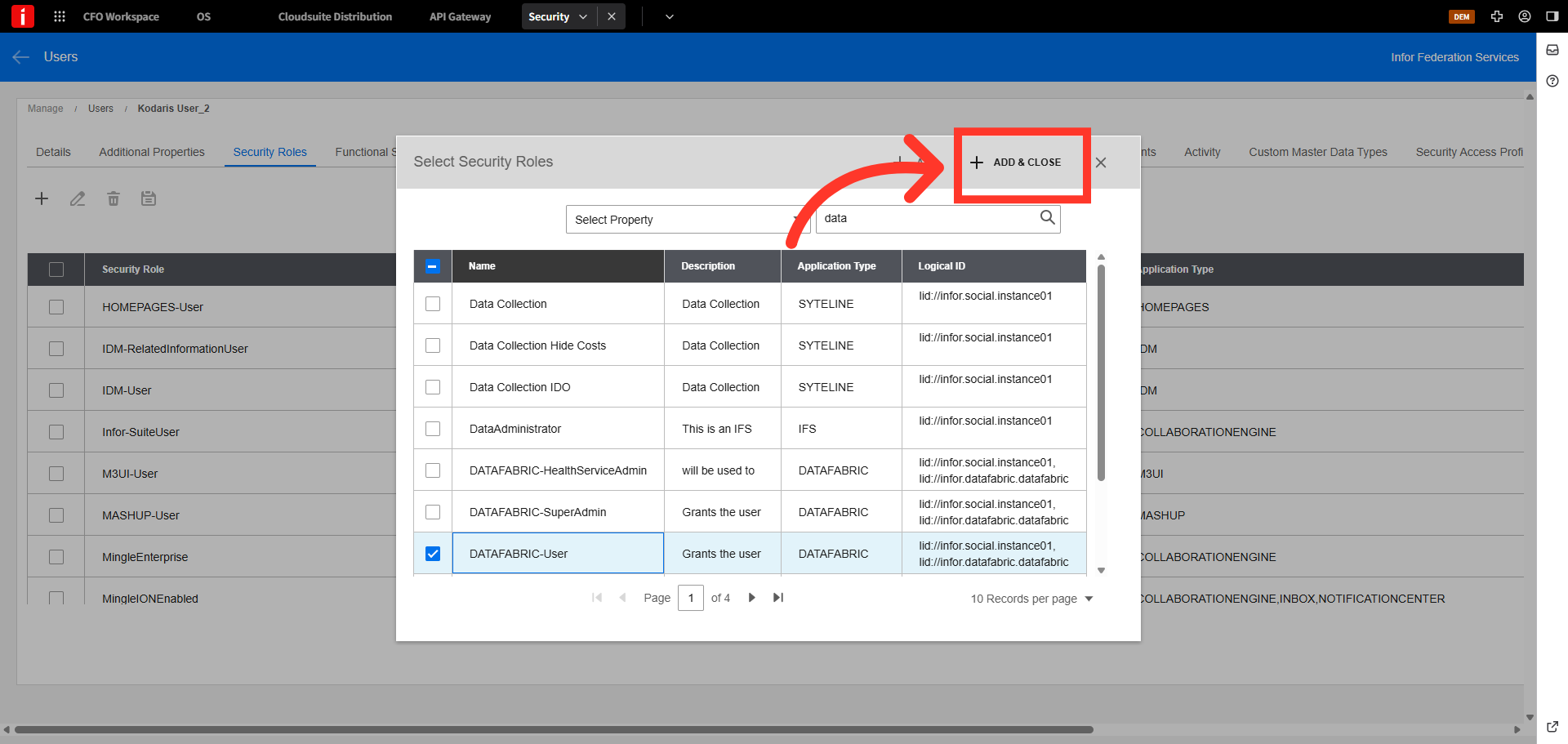
Click "Save & Close"
Click "Save & Close".
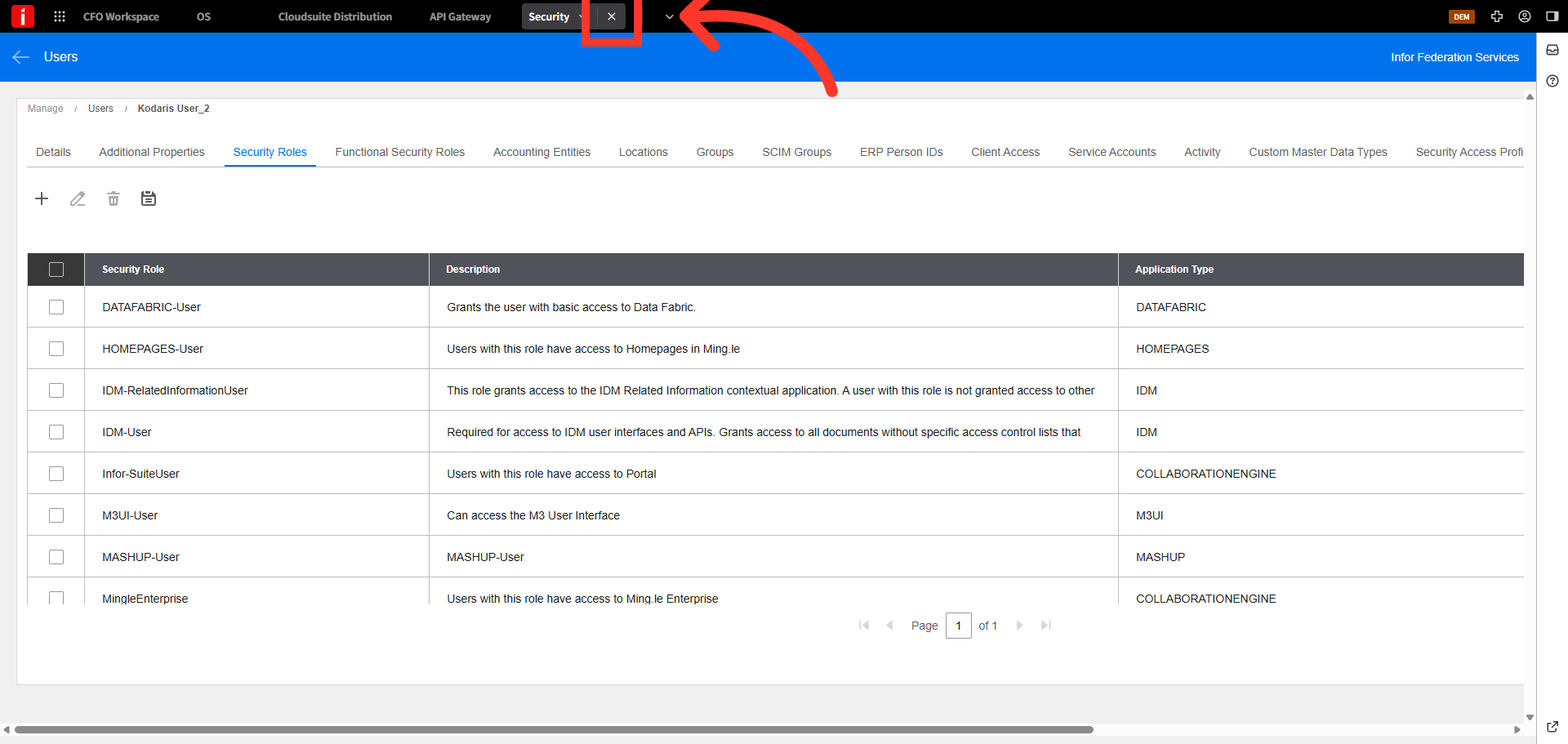
Close security Tab
Click "x" to close the security tab
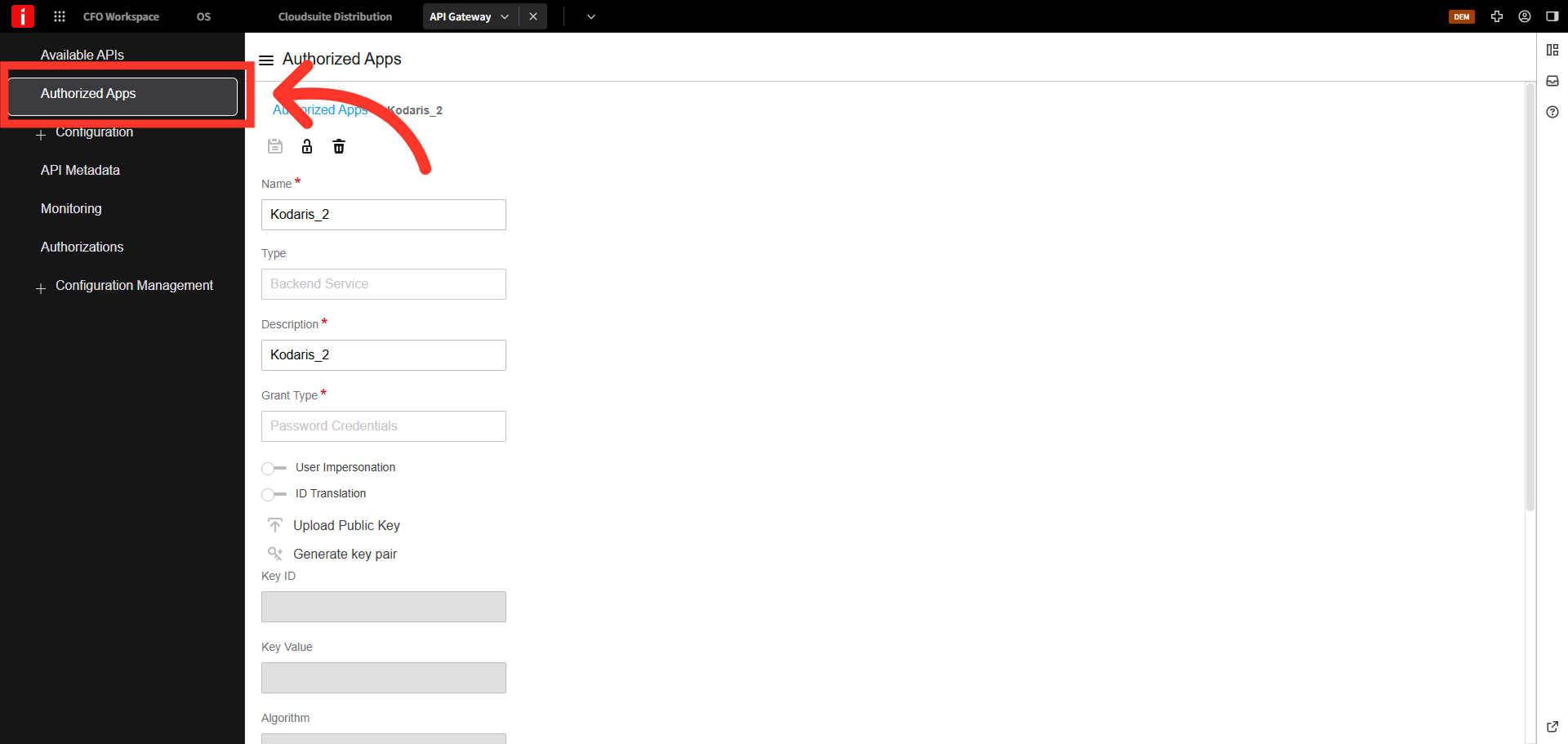
Navigate back to "Authorized Apps" main page
Navigate back to "Authorized Apps" main page.
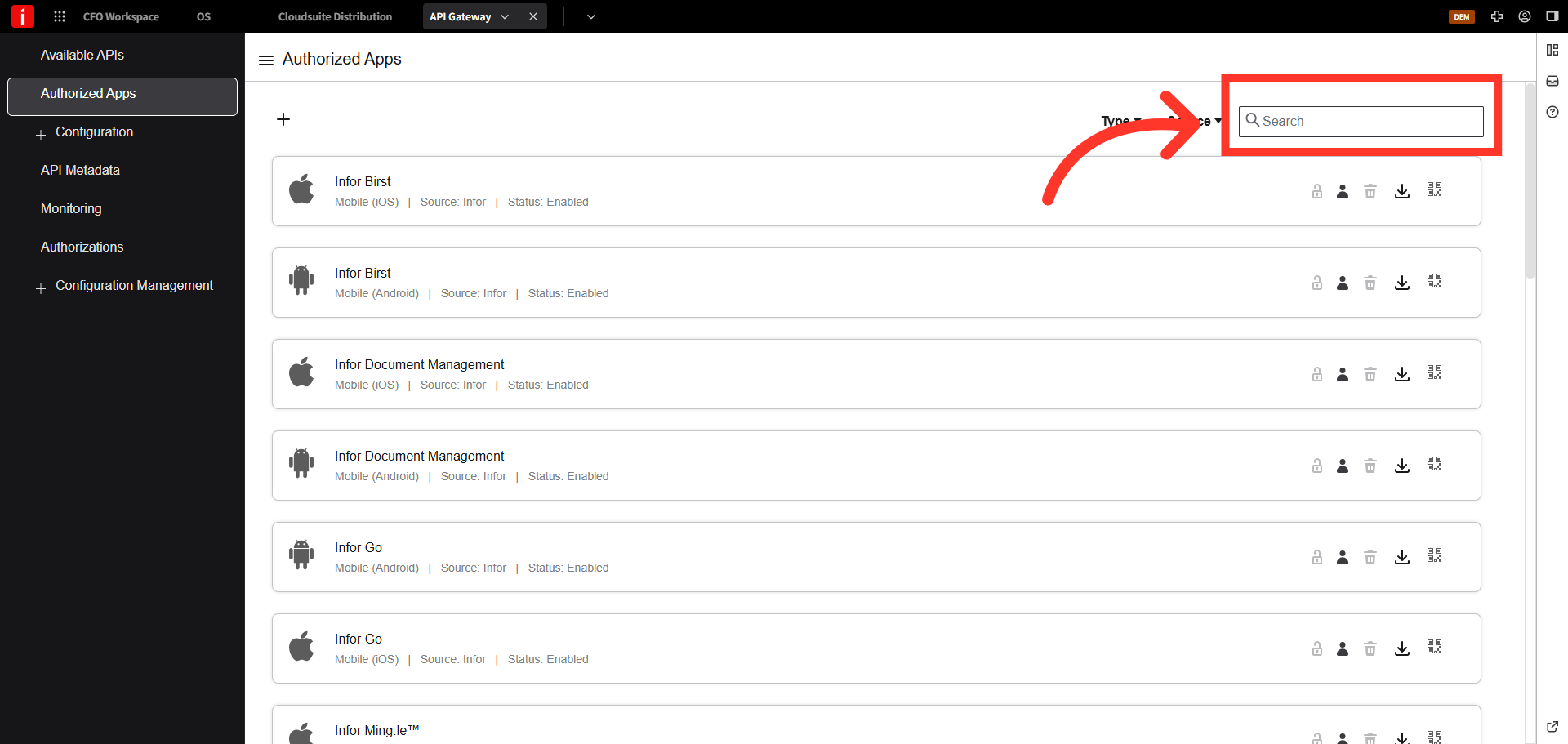
Search for the app you created
Search for the Authorized App you created. In this example, we will search for "Kodaris".
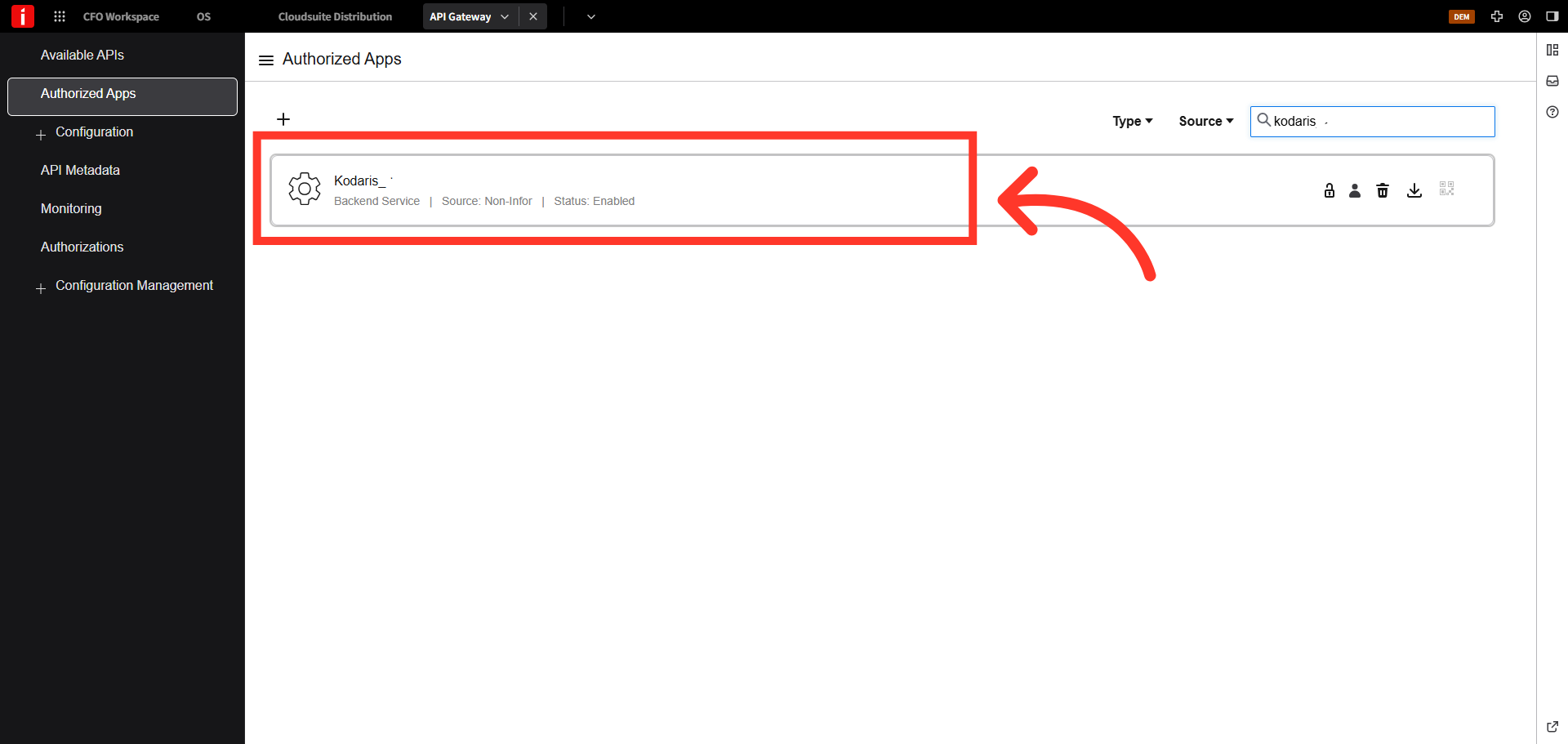
Click to open the app
Click to open the app.
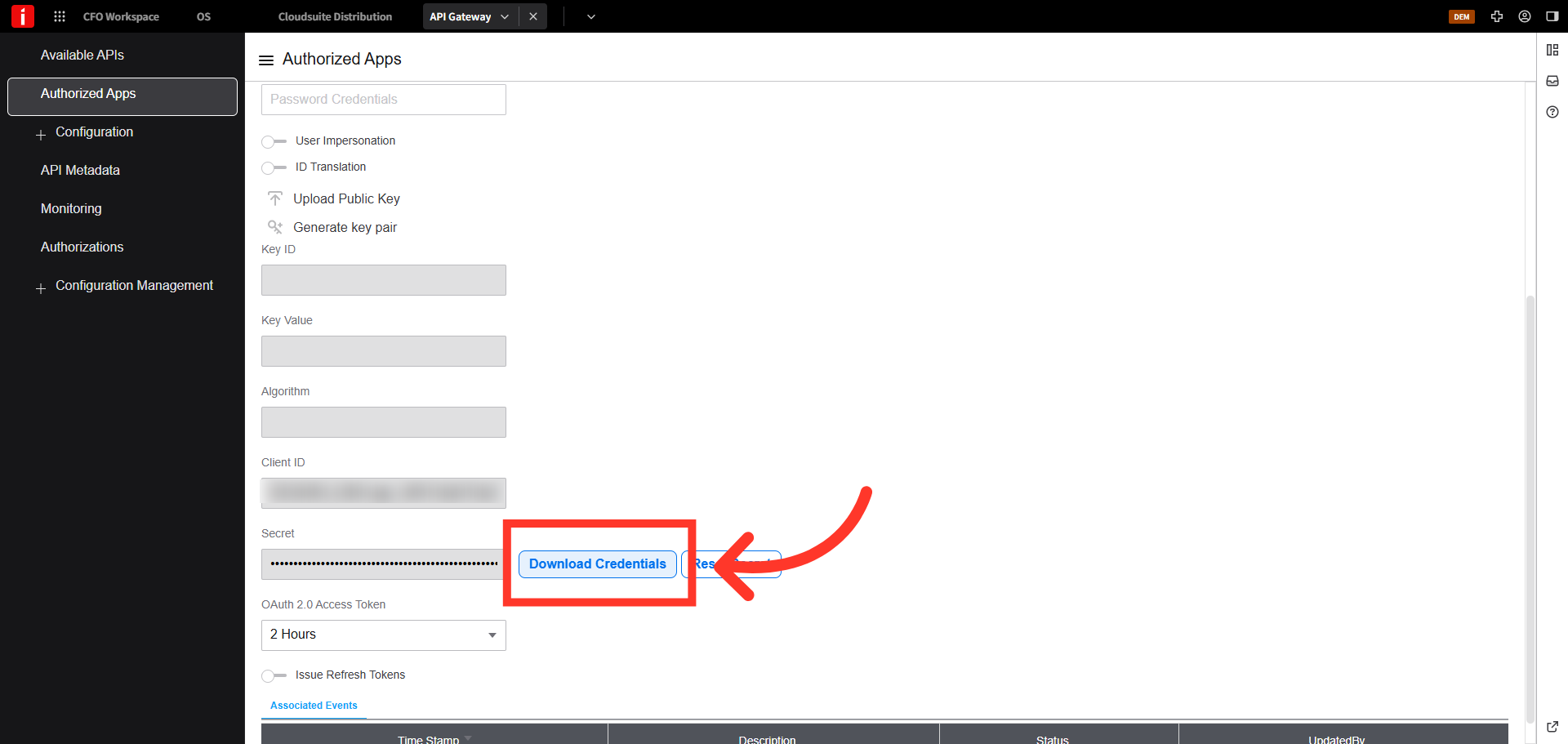
Download Credentials
Click the "Download Credentials" button.
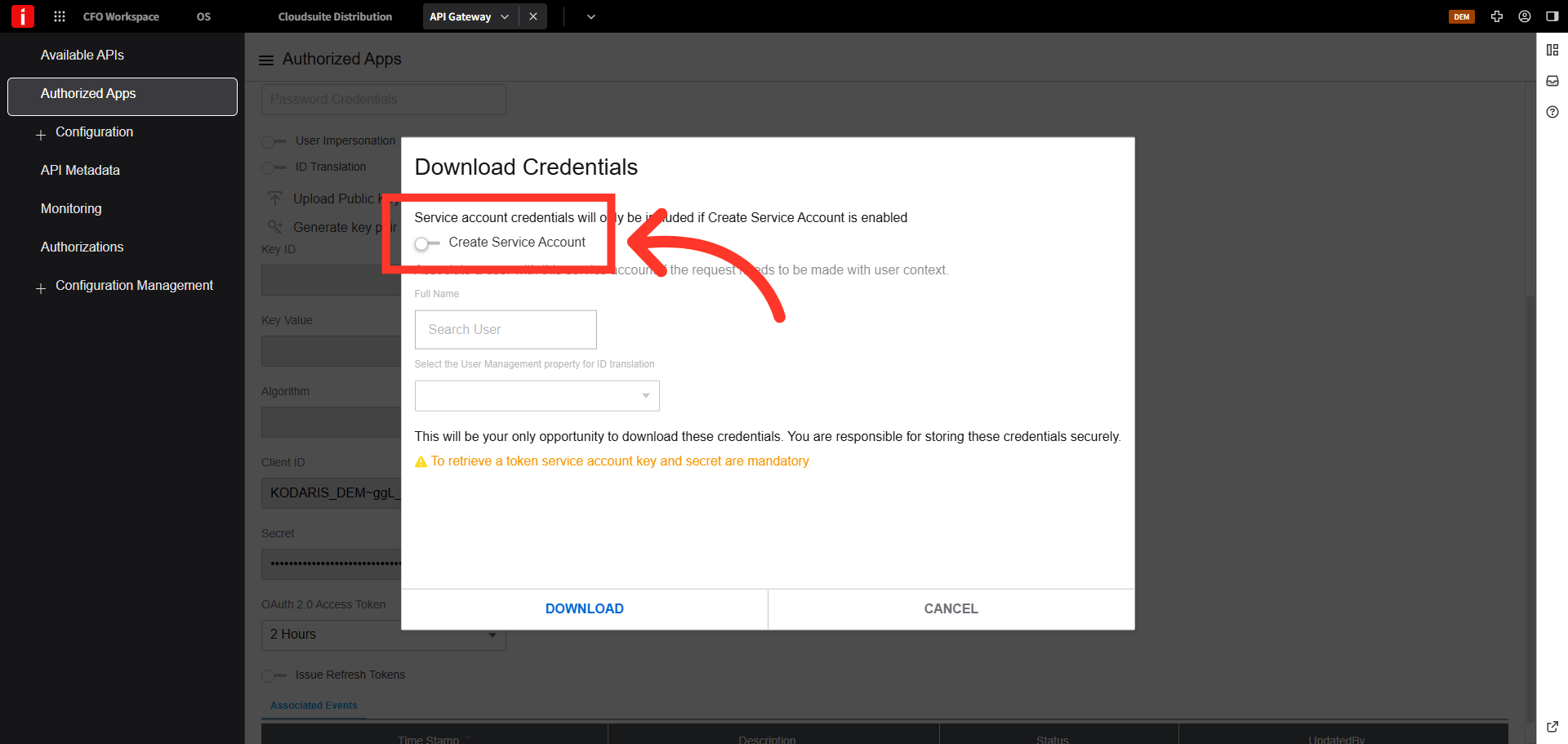
Confirm Service Account Creation
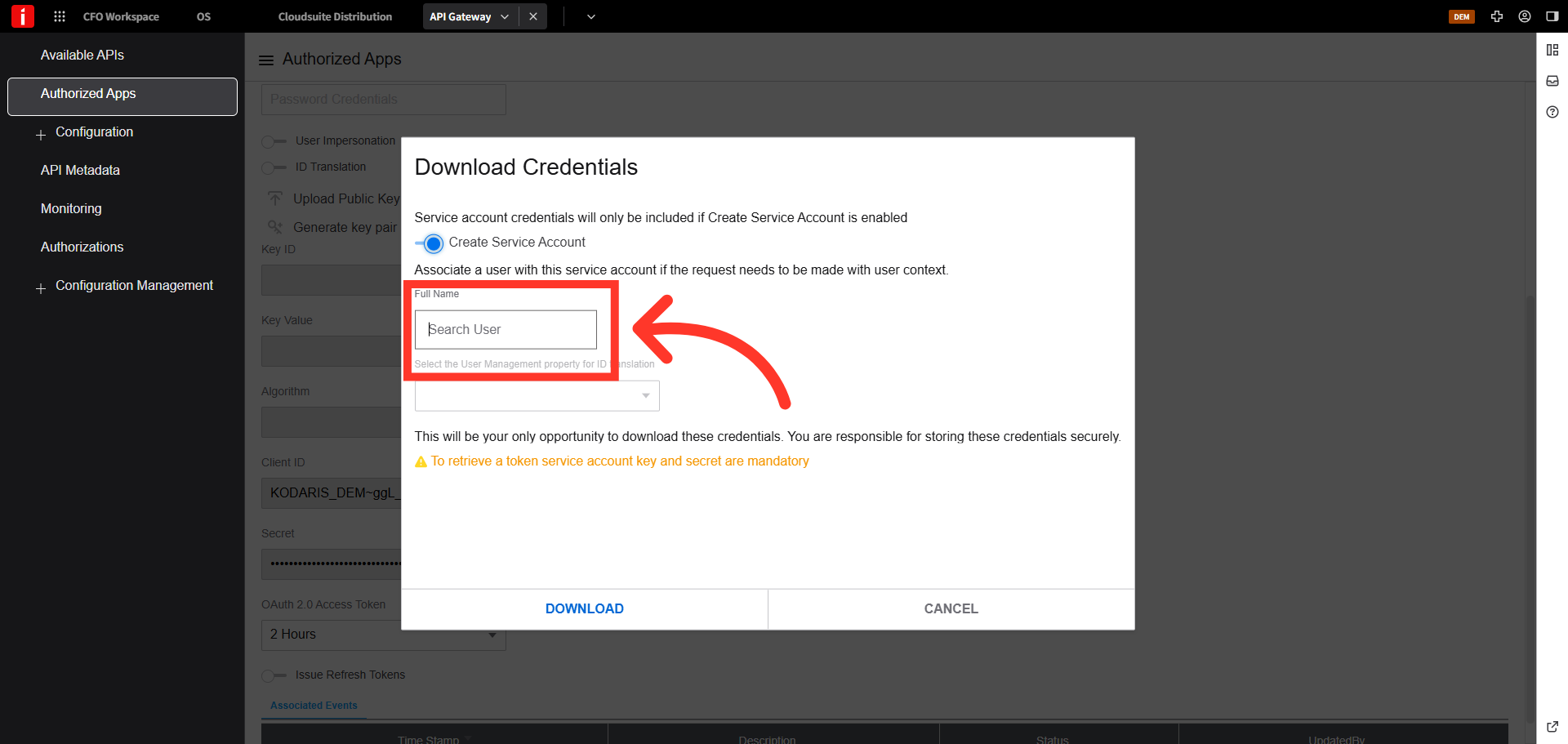
Click the toggle to turn "Create Service Account" on.
Search for the Security User
Search for the security user you created. For this example, we will search for "Kodaris".
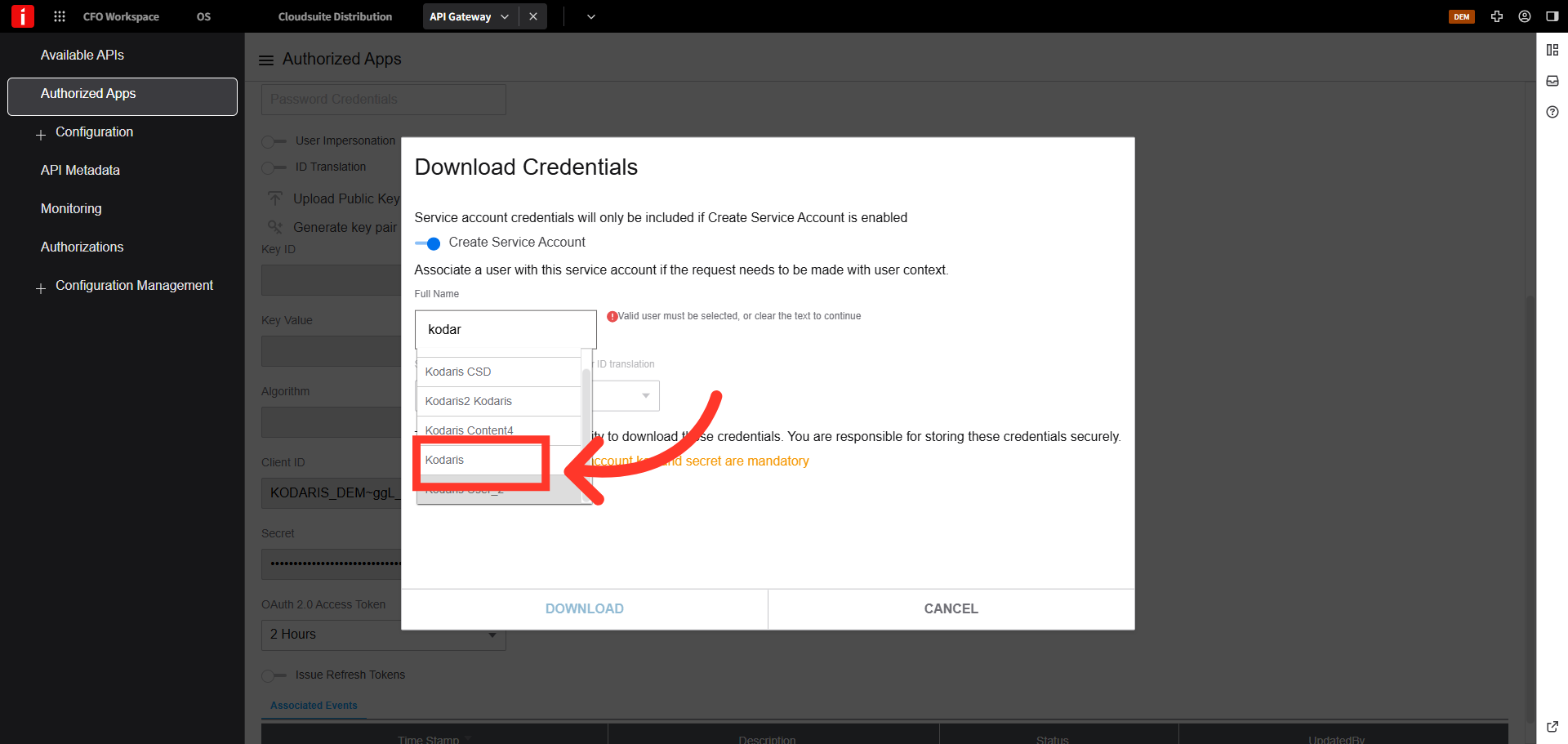
Select User Profile
Select the user profile to associate with the service account.
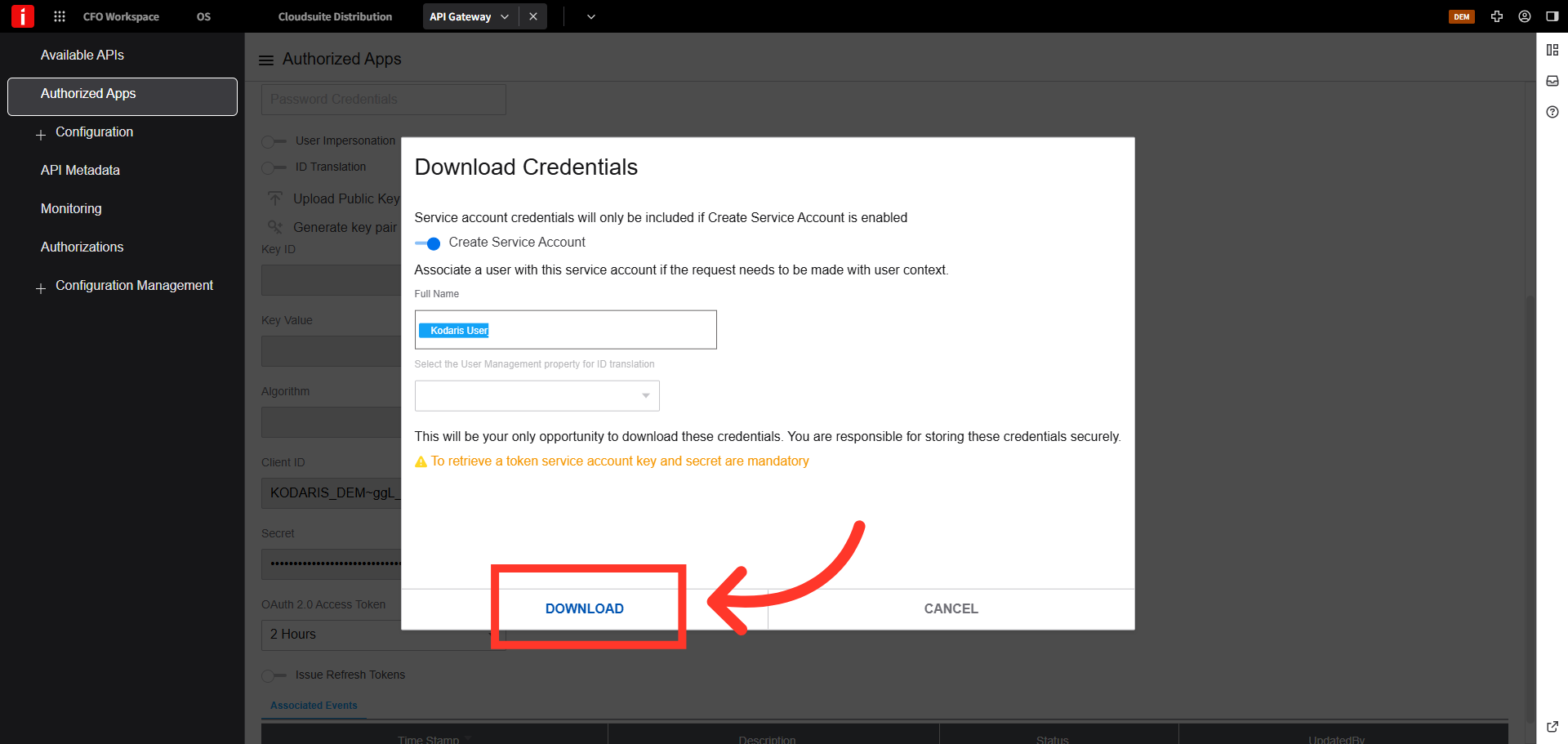
Download Service Credentials
Note: This is your only opportunity to download these credentials.
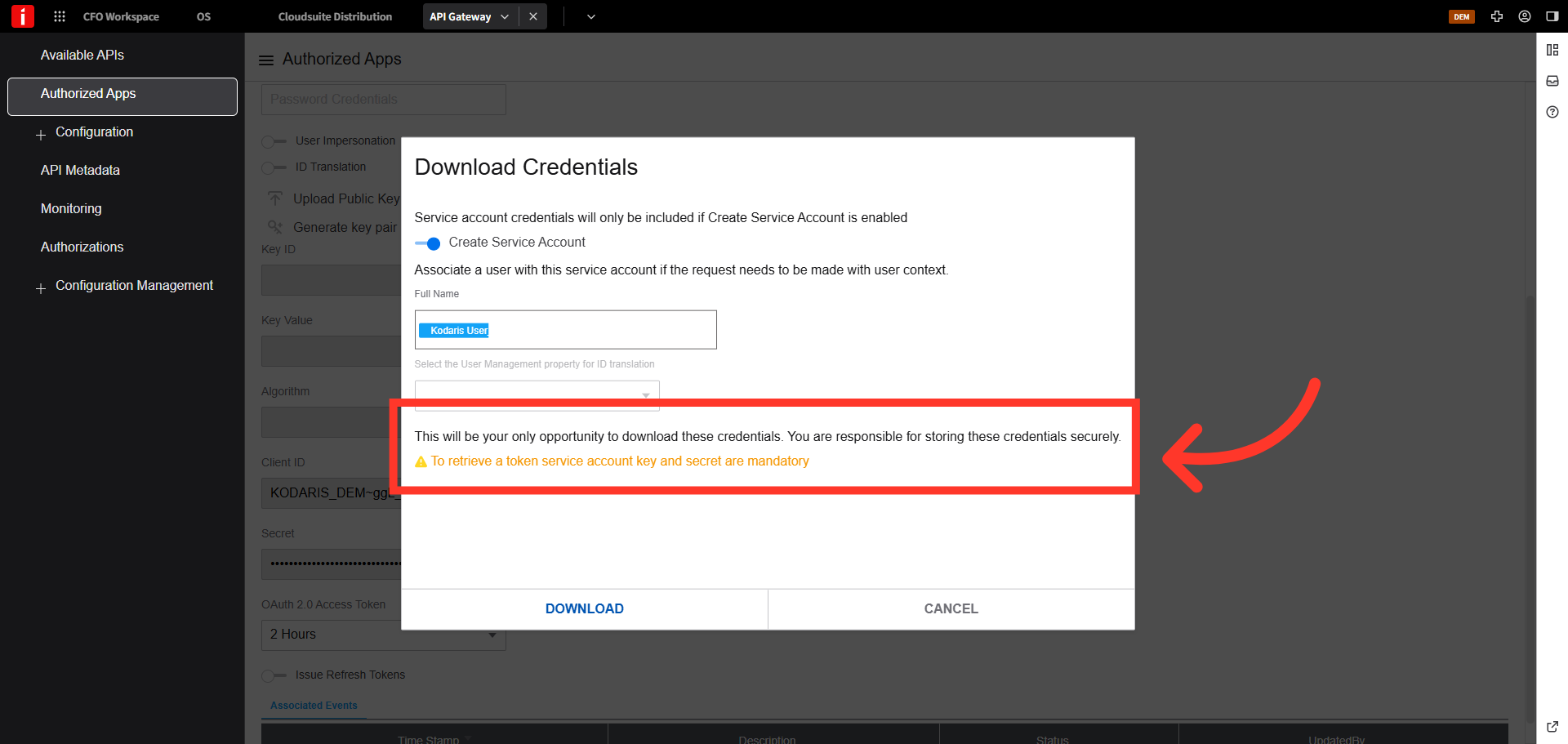
Click to download the credentials
Click to download the credentials.This is confidential information. Please store in a secure location. This downloaded information will be used within the Kodaris platform.