
Customer Portal - Add Comments to Invoices
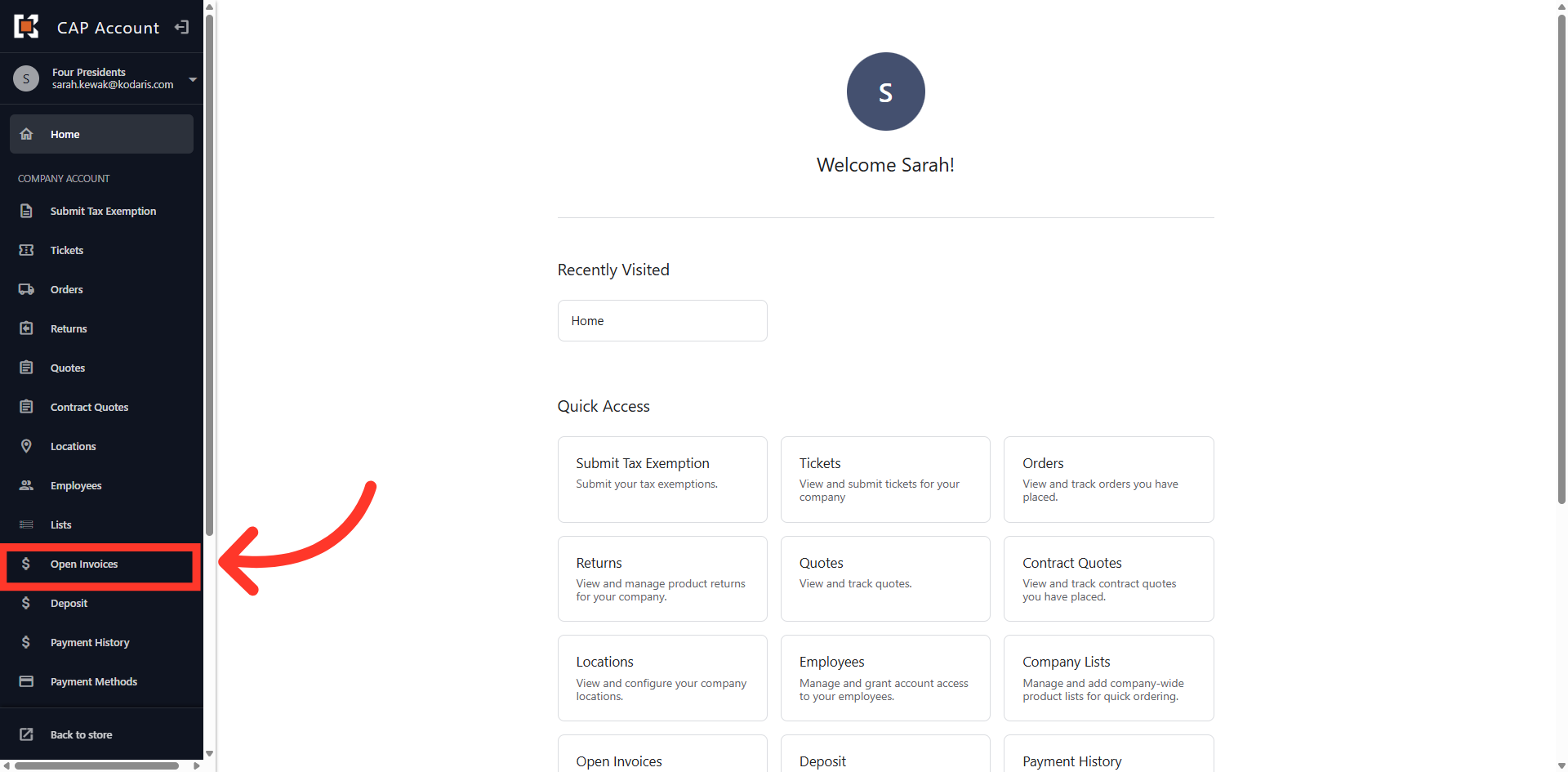
Navigate to "Open Invoices"
You can quickly add comments to invoices in the Customer Portal by navigating to the "Open Invoices" section. In order to add comments to open invoices you will need the "Accounts Payable" permission.
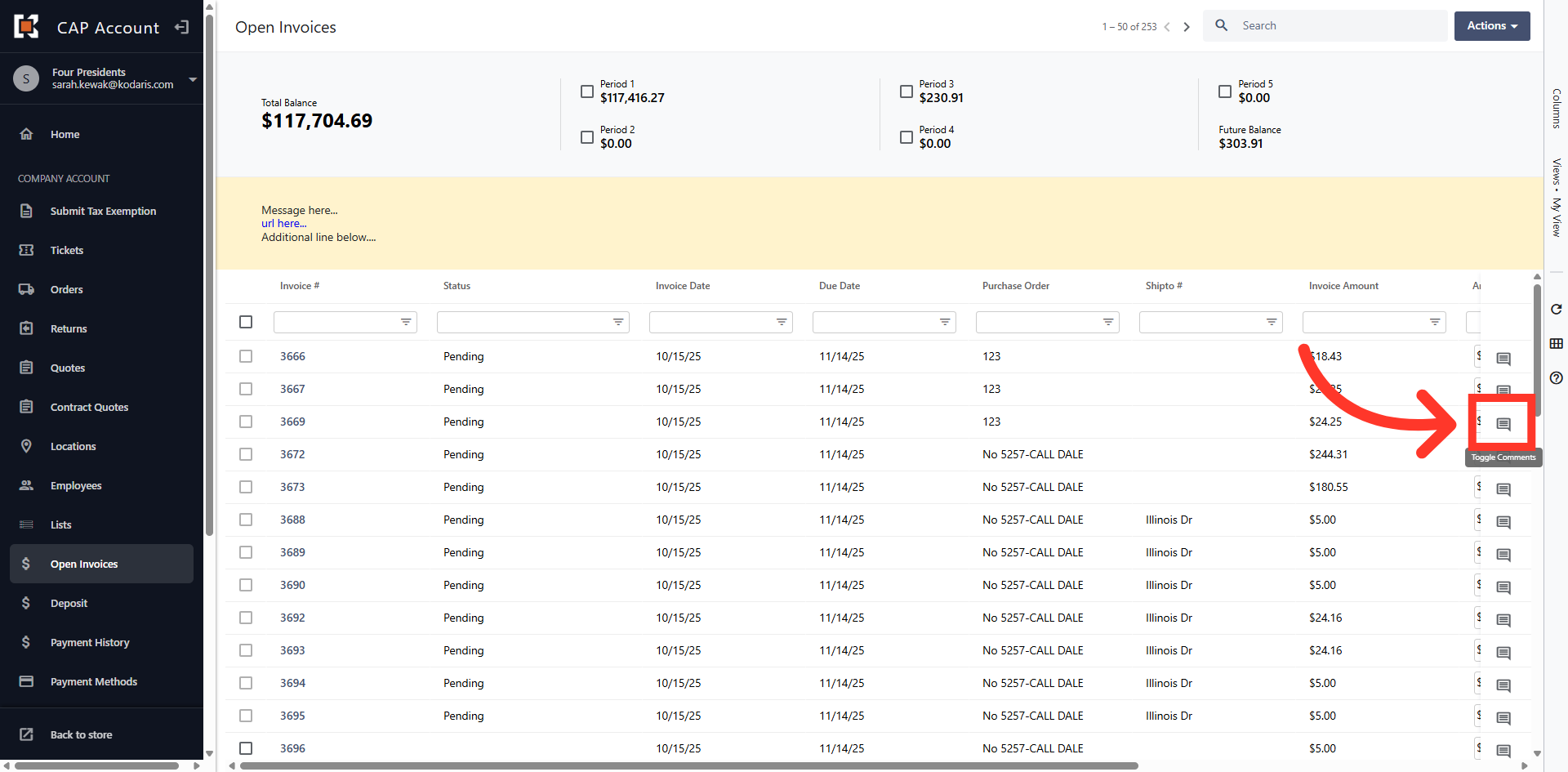
Click the "Comments" icon
Next, click the "Comments" icon on the invoice you wish to leave a comment.
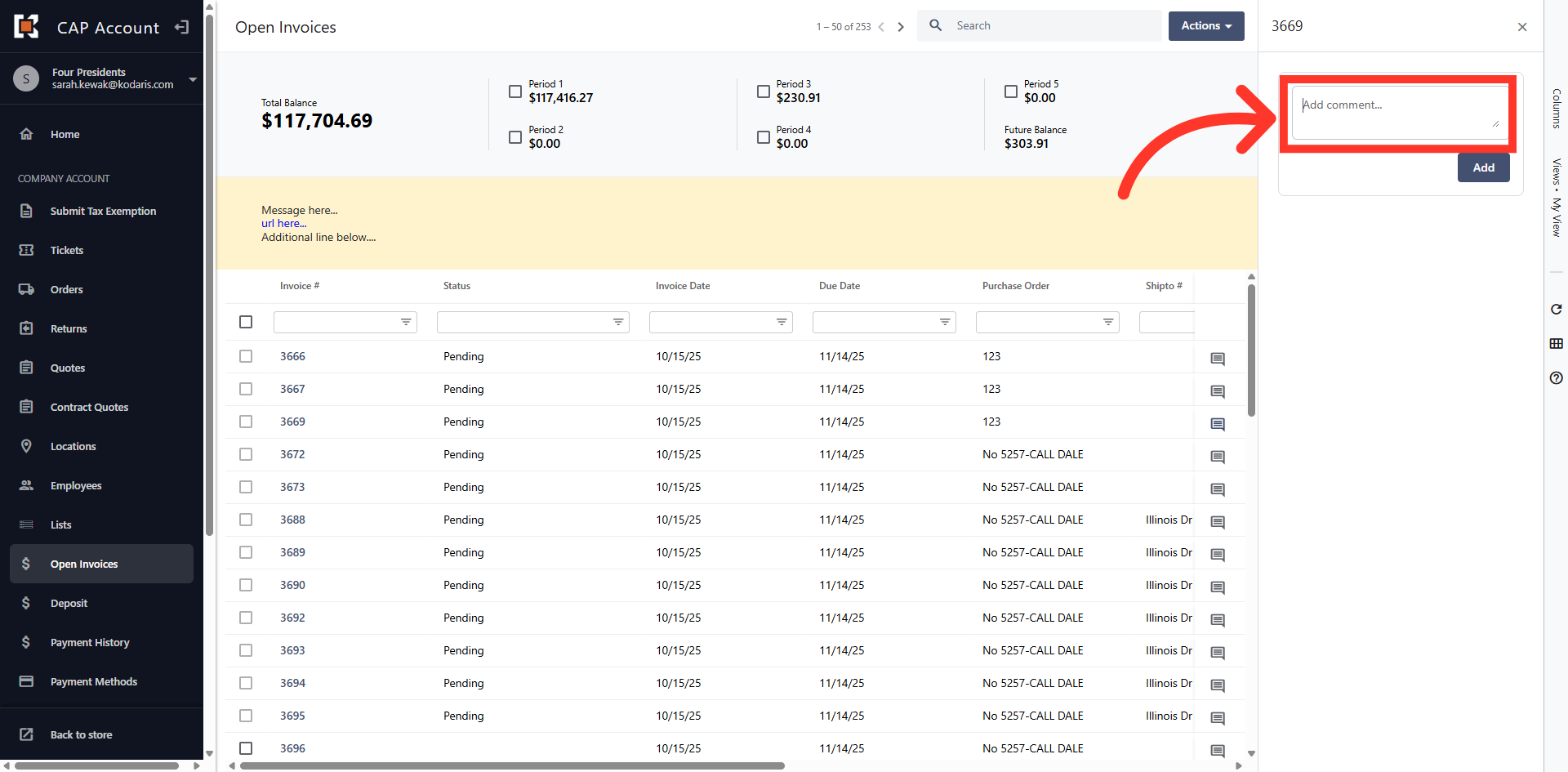
Enter your Comment
Then, enter your comment in the "Comment" dialog box.
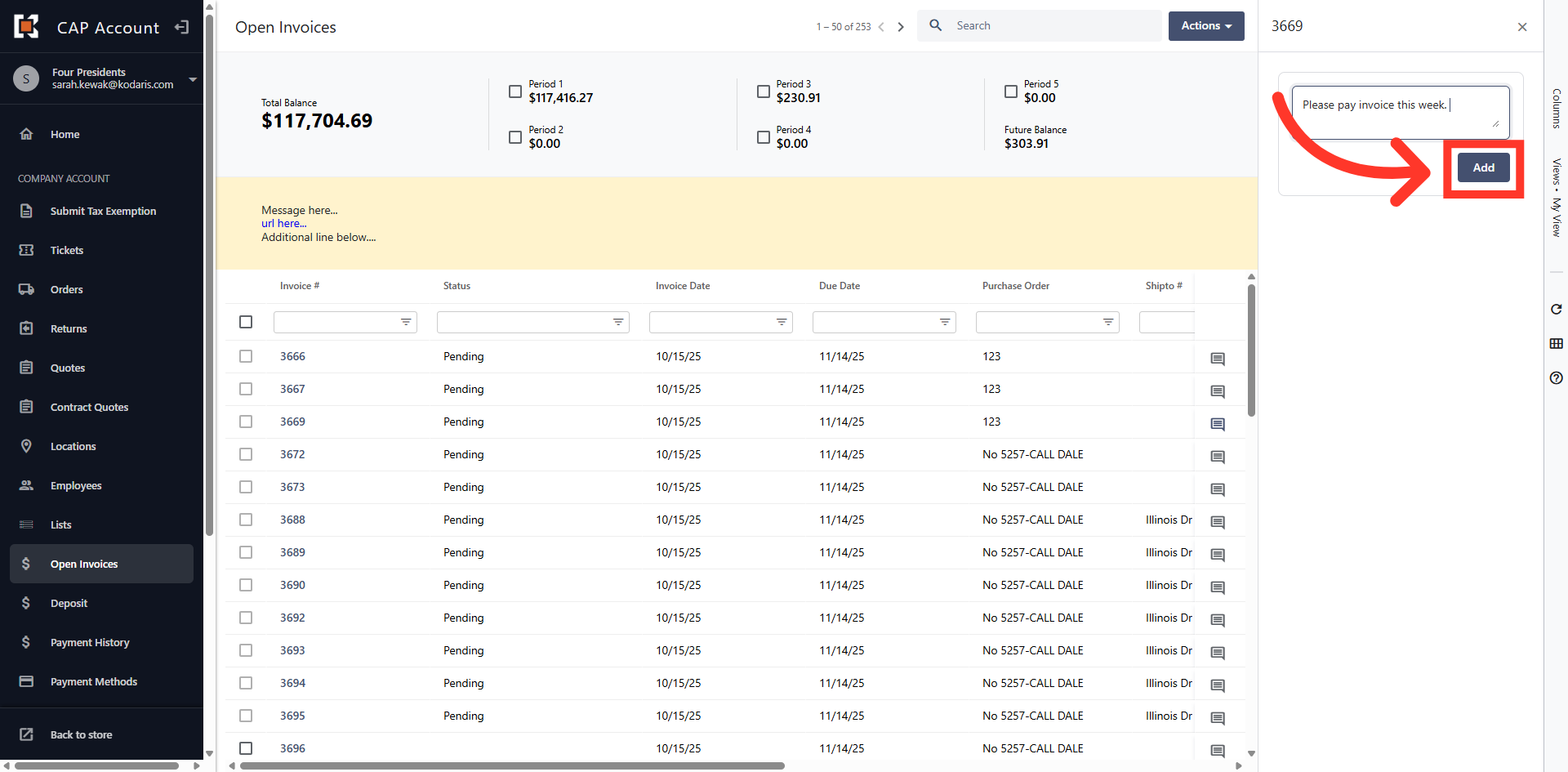
Click "Add"
Click the "Add" button to submit your comment and attach it to the selected invoice.
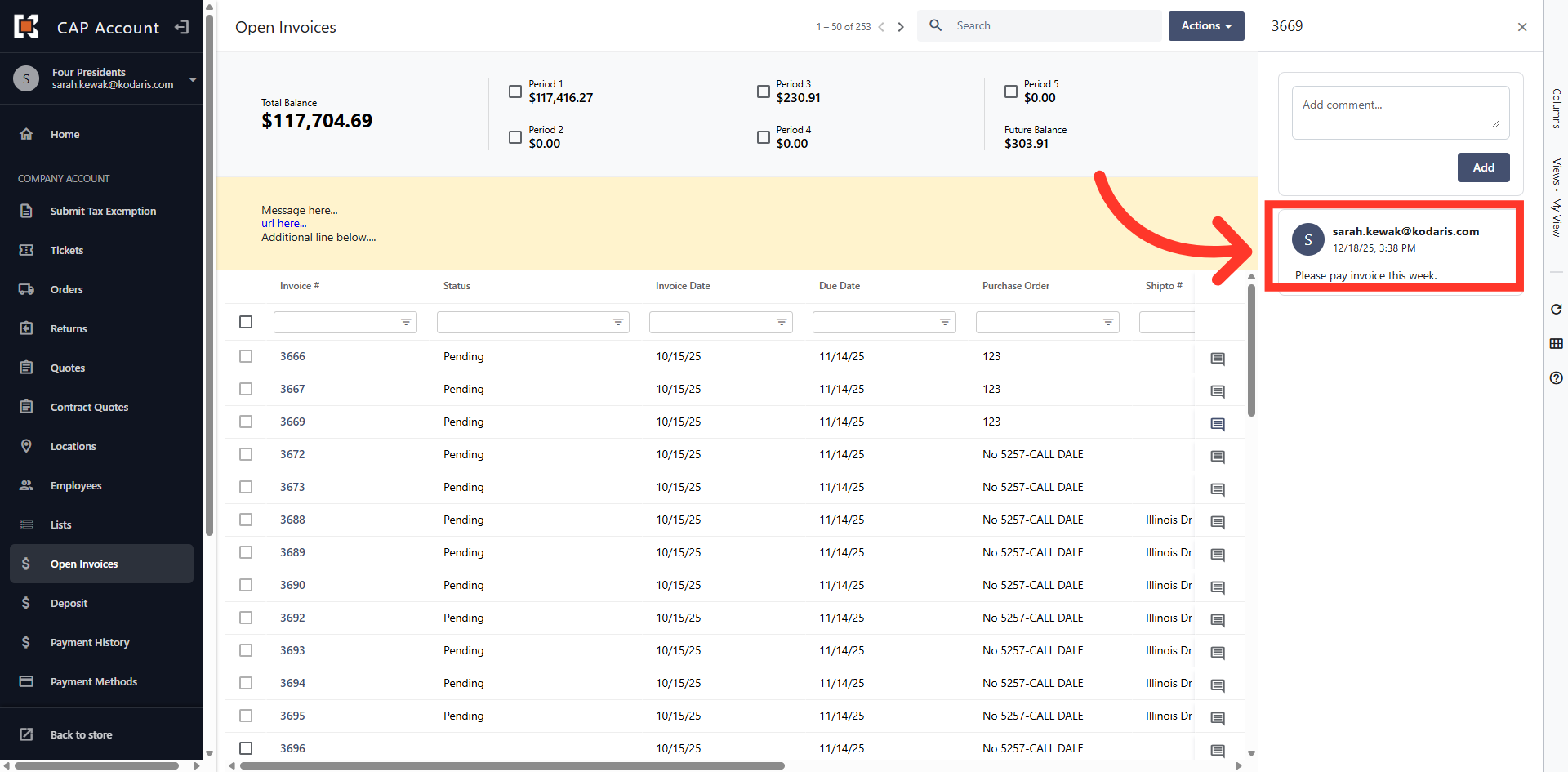
Comment has been Saved
The comment has been saved with a date/time stamp and will also be visible to your sales rep.
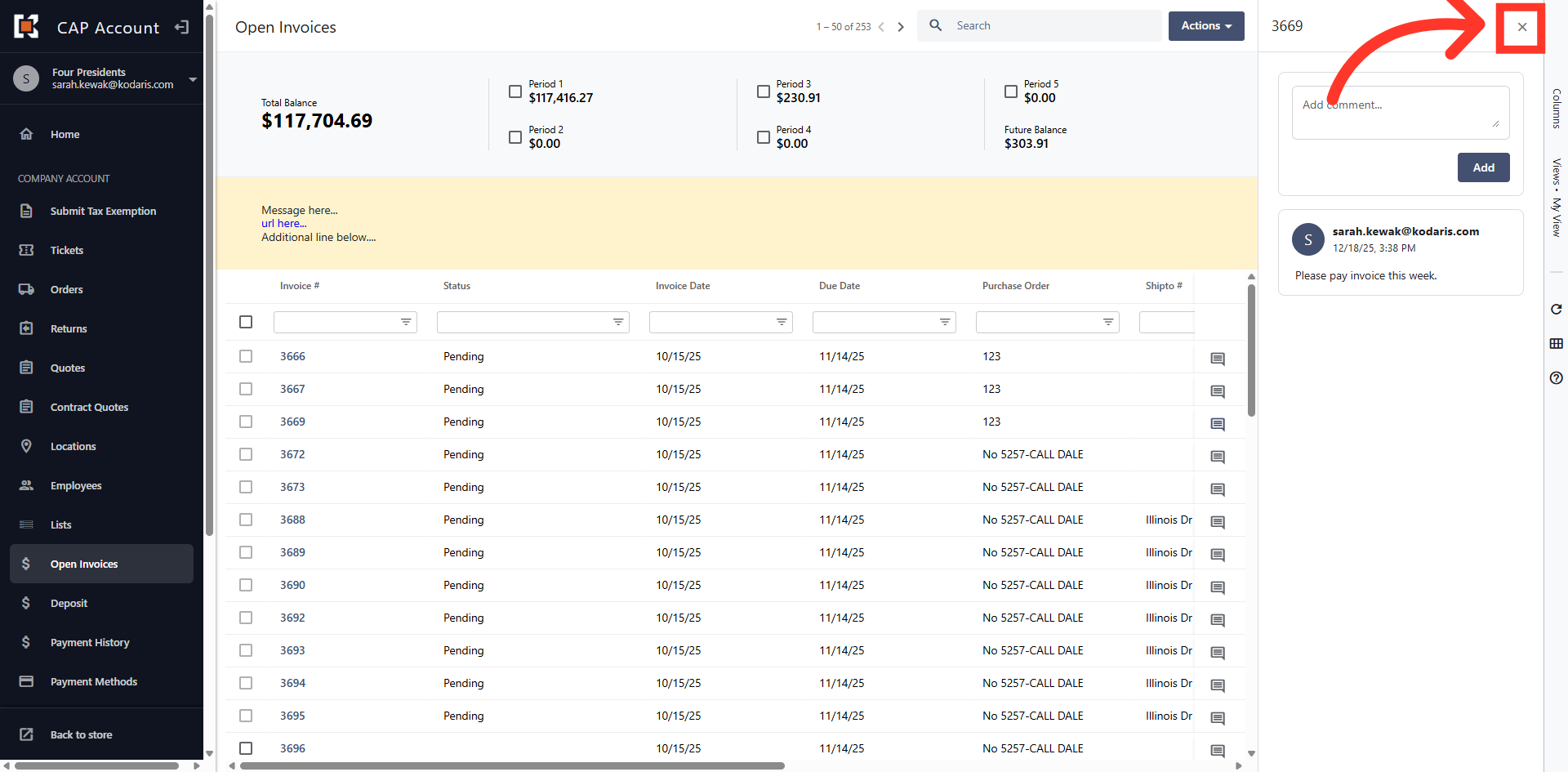
Close the Dialog Box
Click the "x" to close the dialog box and return to the grid view.
In this article