
Customer Portal Returns - Select a Delivery Location When Starting a General Return
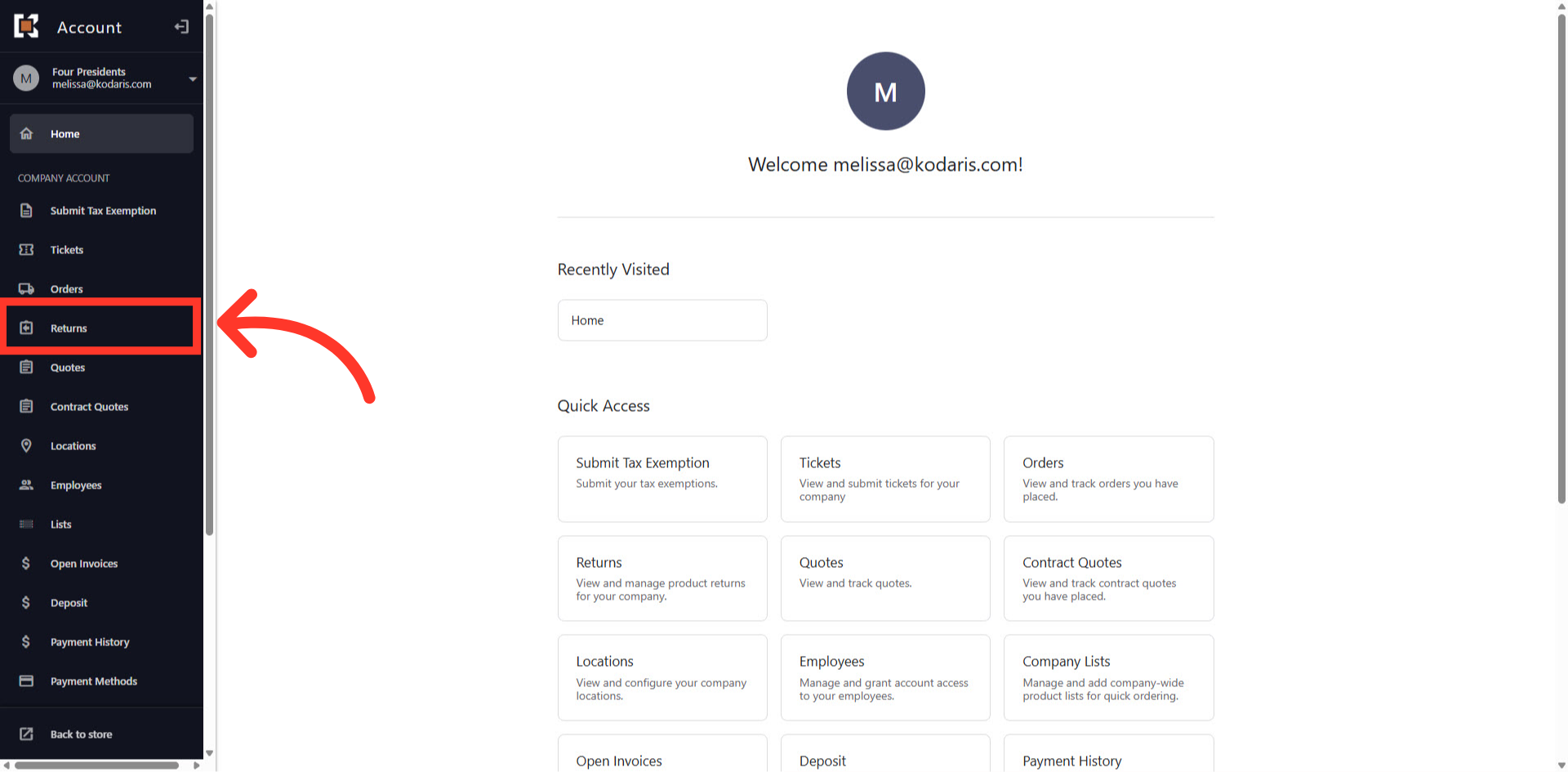
Navigate to "Returns"
To select a Delivery Location when starting a general return, navigate to the "Returns" section in the Customer Portal.
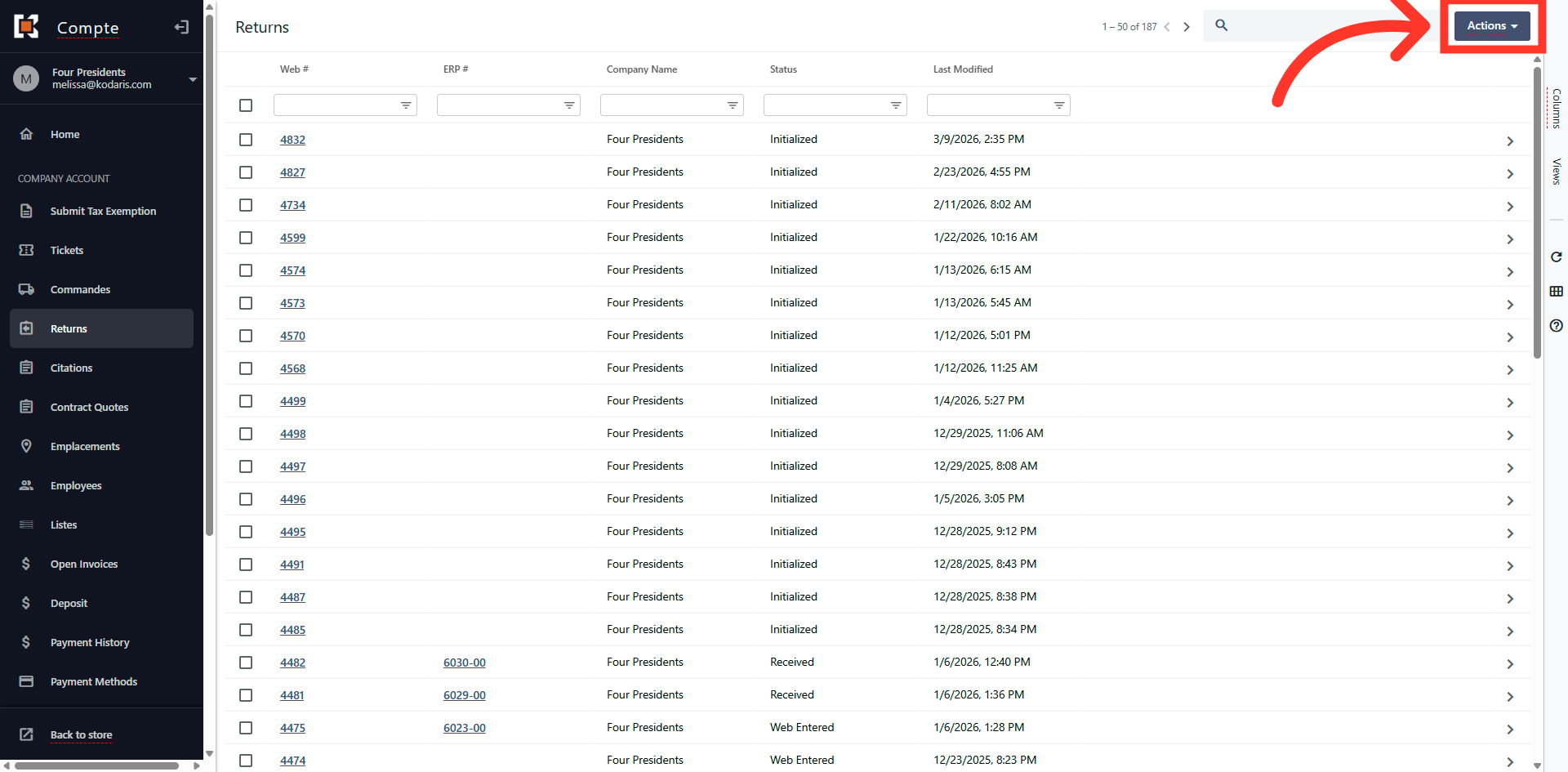
Click the "Actions" button
Then, in the right corner of the screen, click on the "Actions" dropdown.
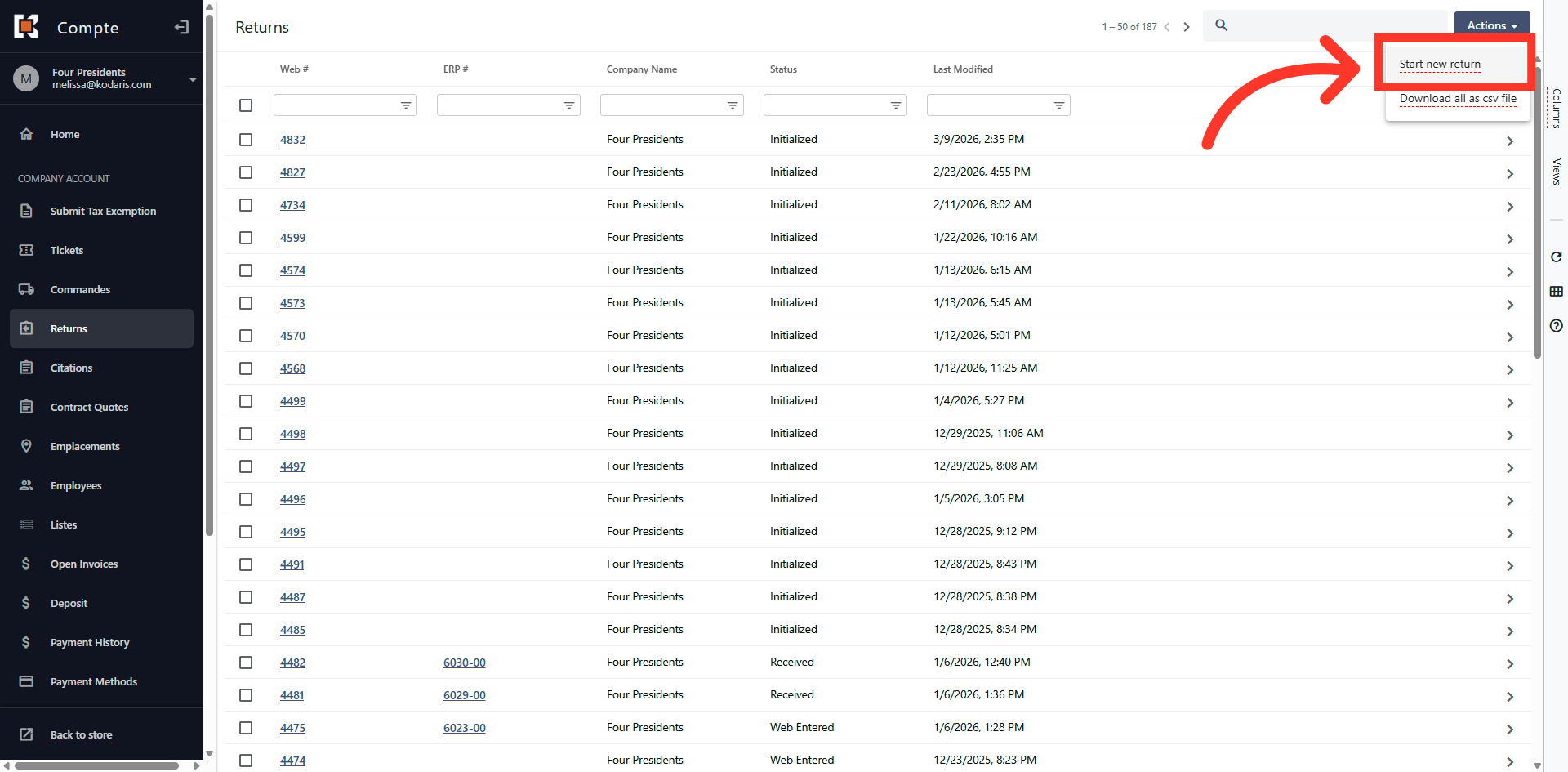
Click "Start new return"
Next, select "Start new return".
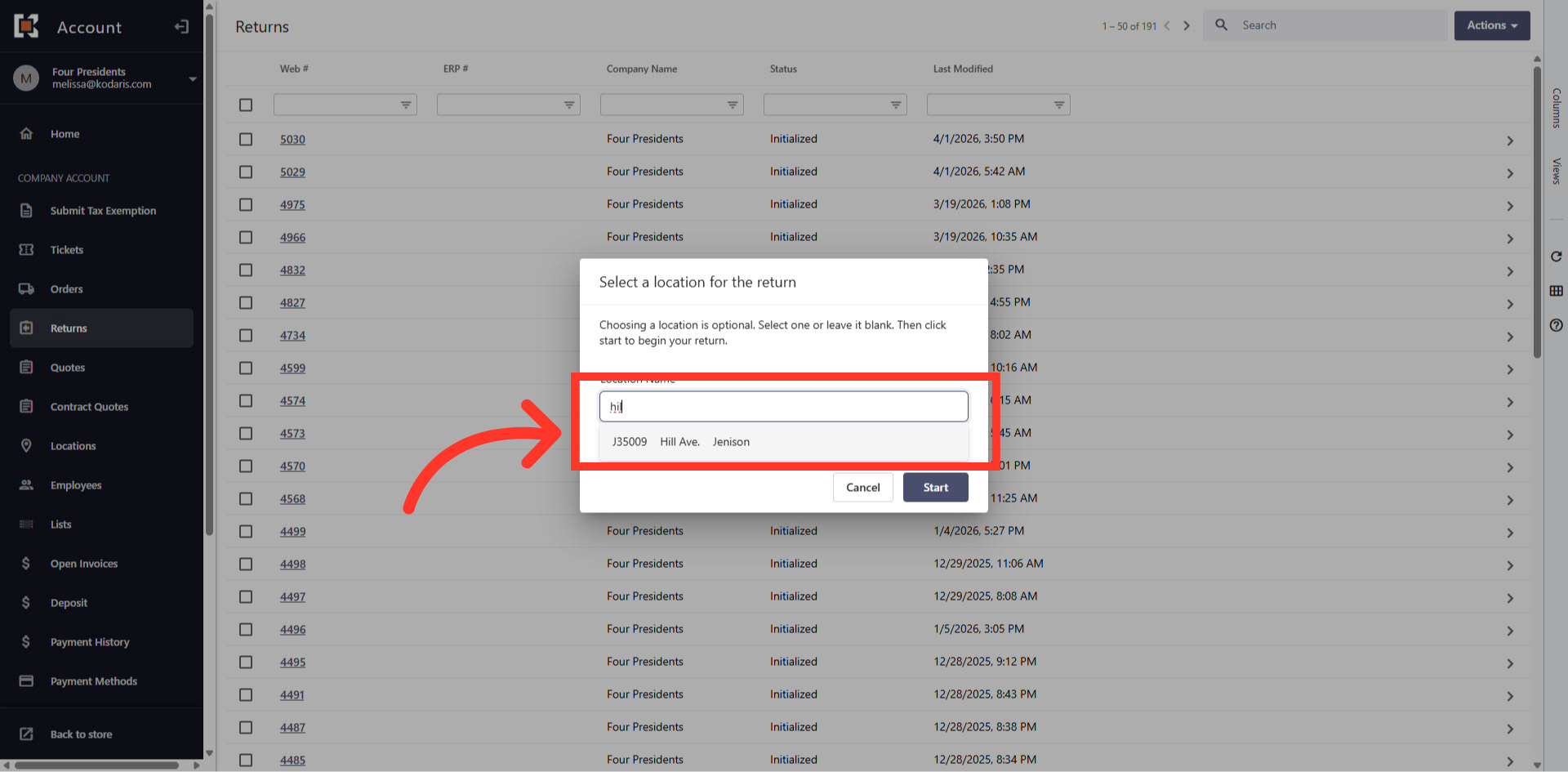
Type to search for the "Location Name"
Finally, type to search the delivery location in the "Location Name" field and select it from the options.
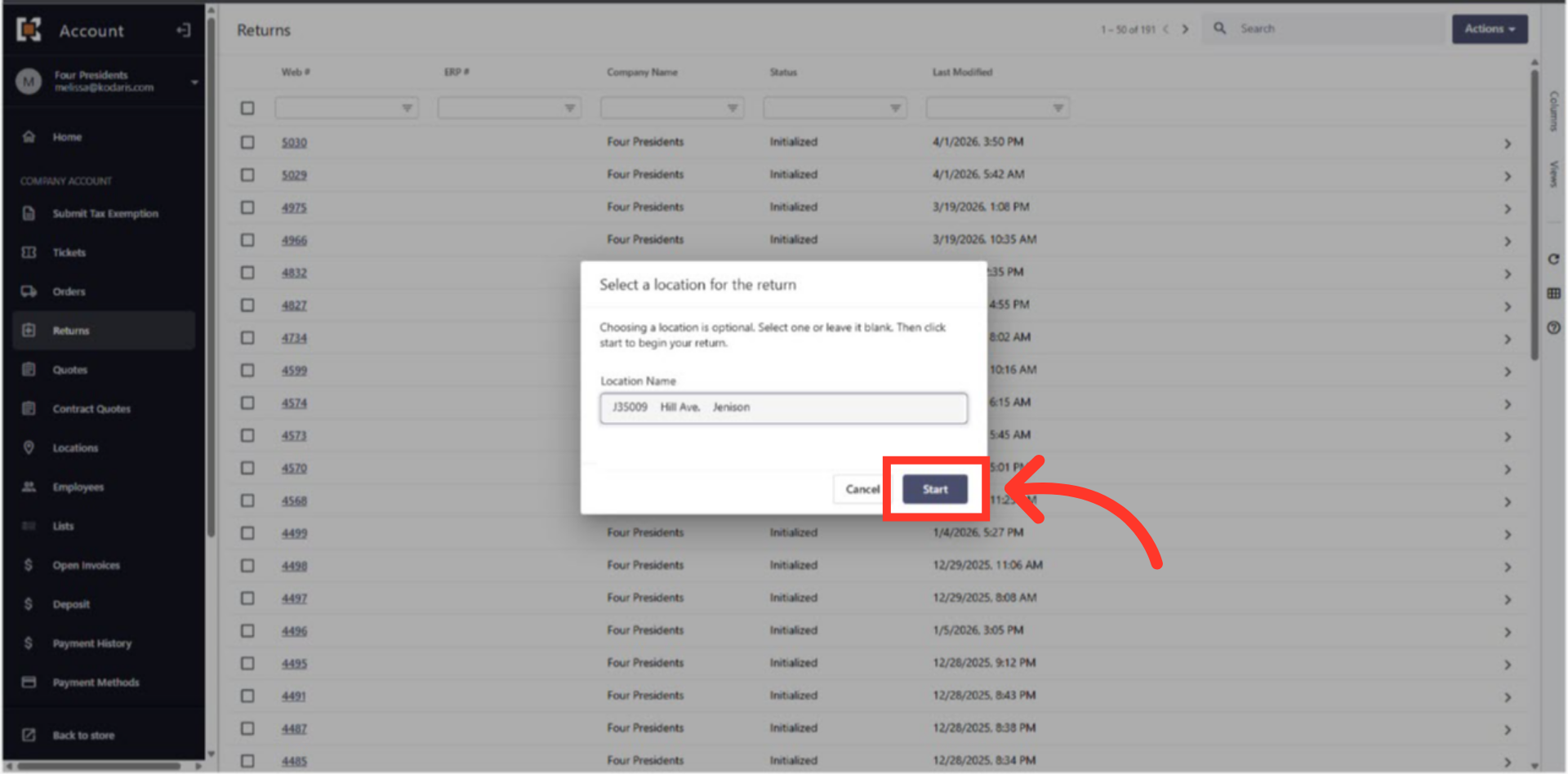
Click "Start"
Now that the Delivery Location has been selected, click on "Start" to start a new return.
In this article