
Customer Portal - Export Quotes
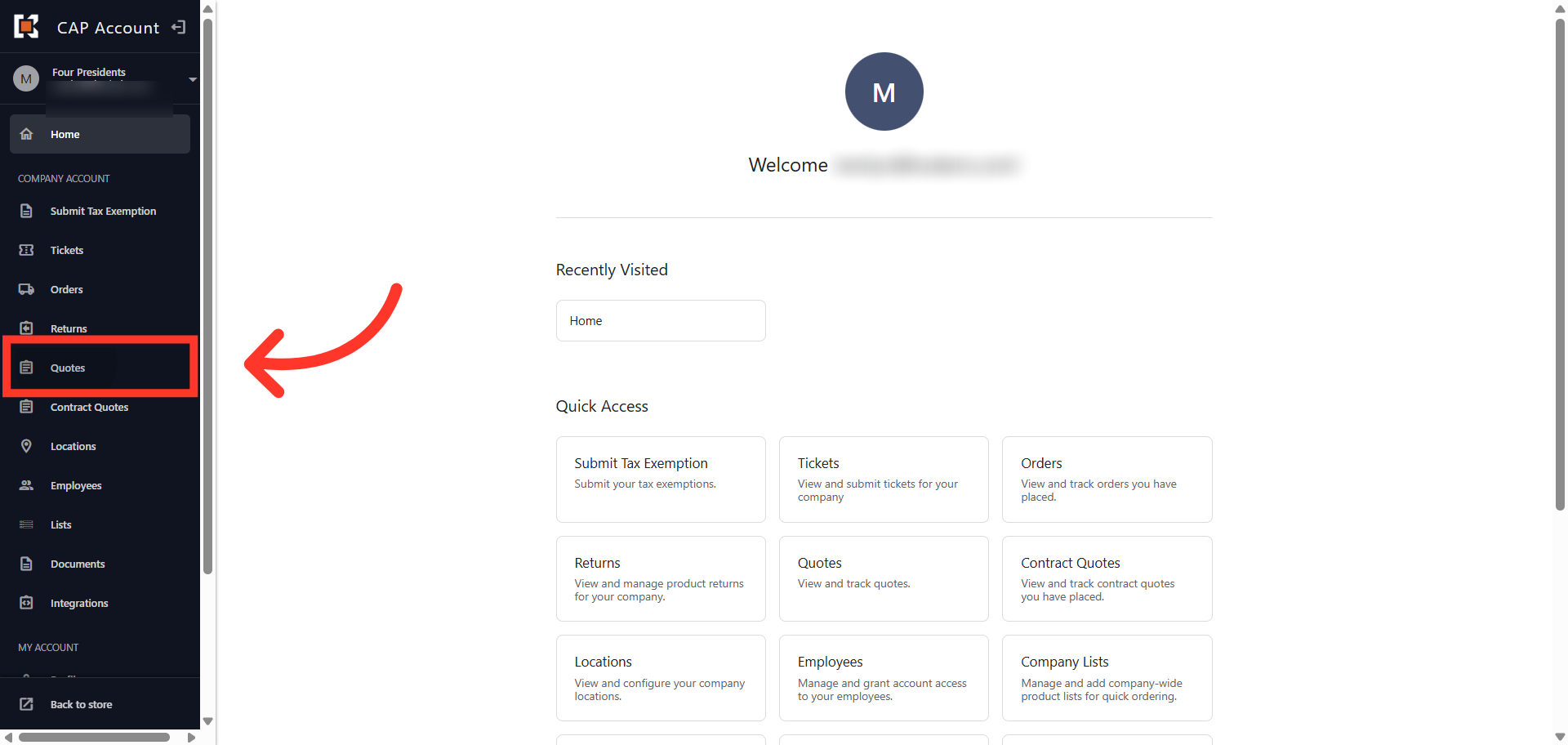
Navigate to "Quotes"
To export quotes from the Customer Portal, navigate to the "Quotes" section. In order to export quotes, the "View All Quotes" permission will need to be assigned.
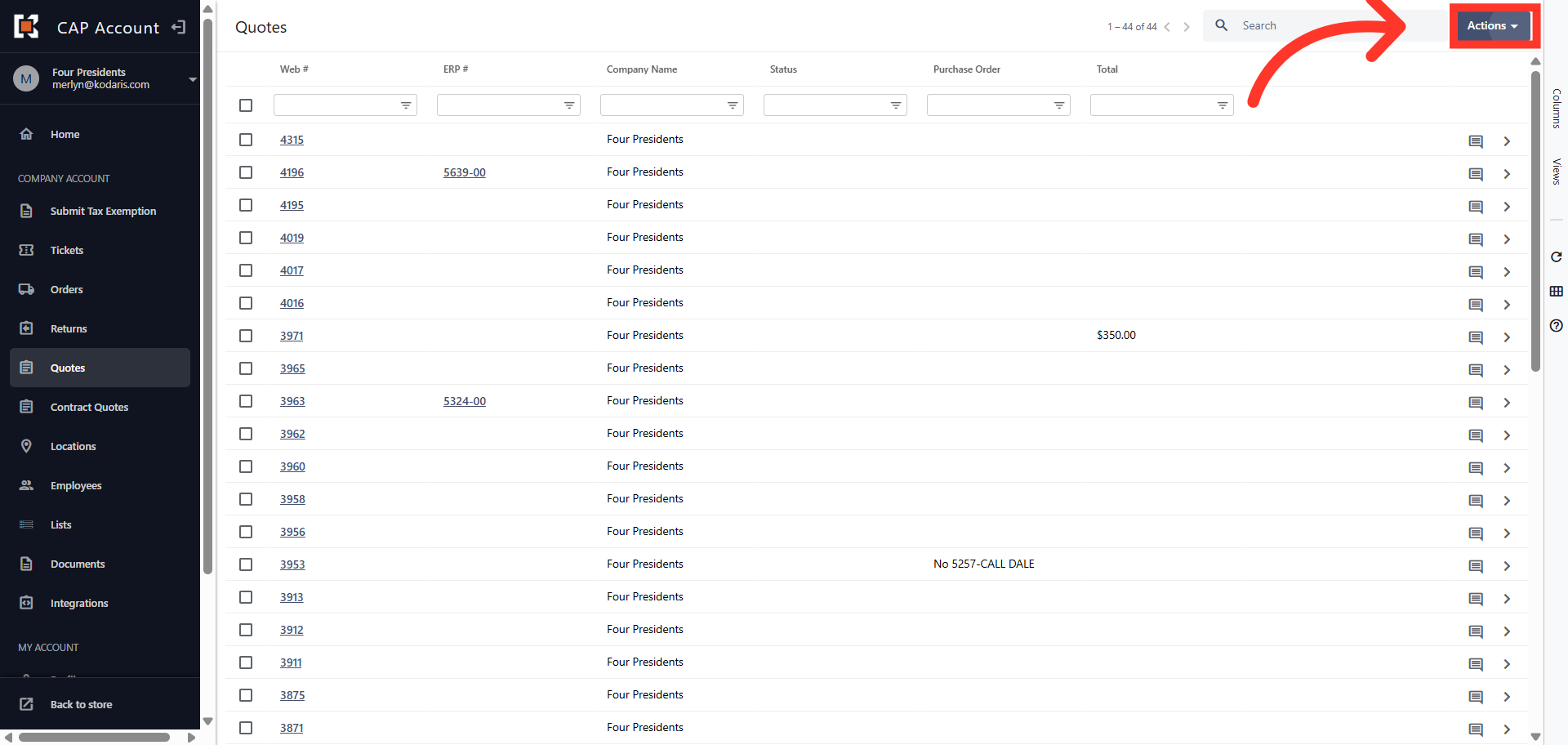
Click "Actions"
Click "Actions".
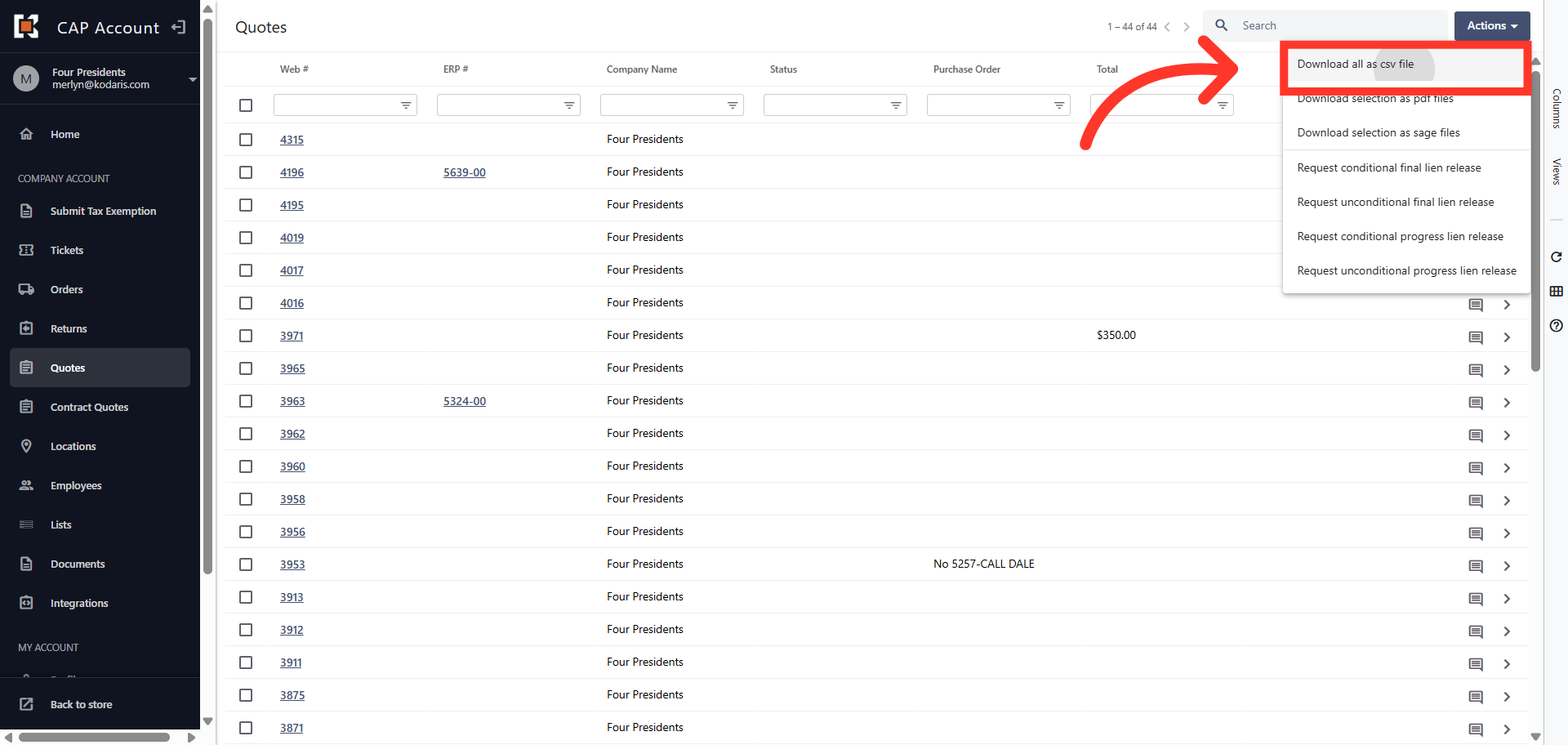
Select "Download all as csv file"
Select "Download all as csv file".
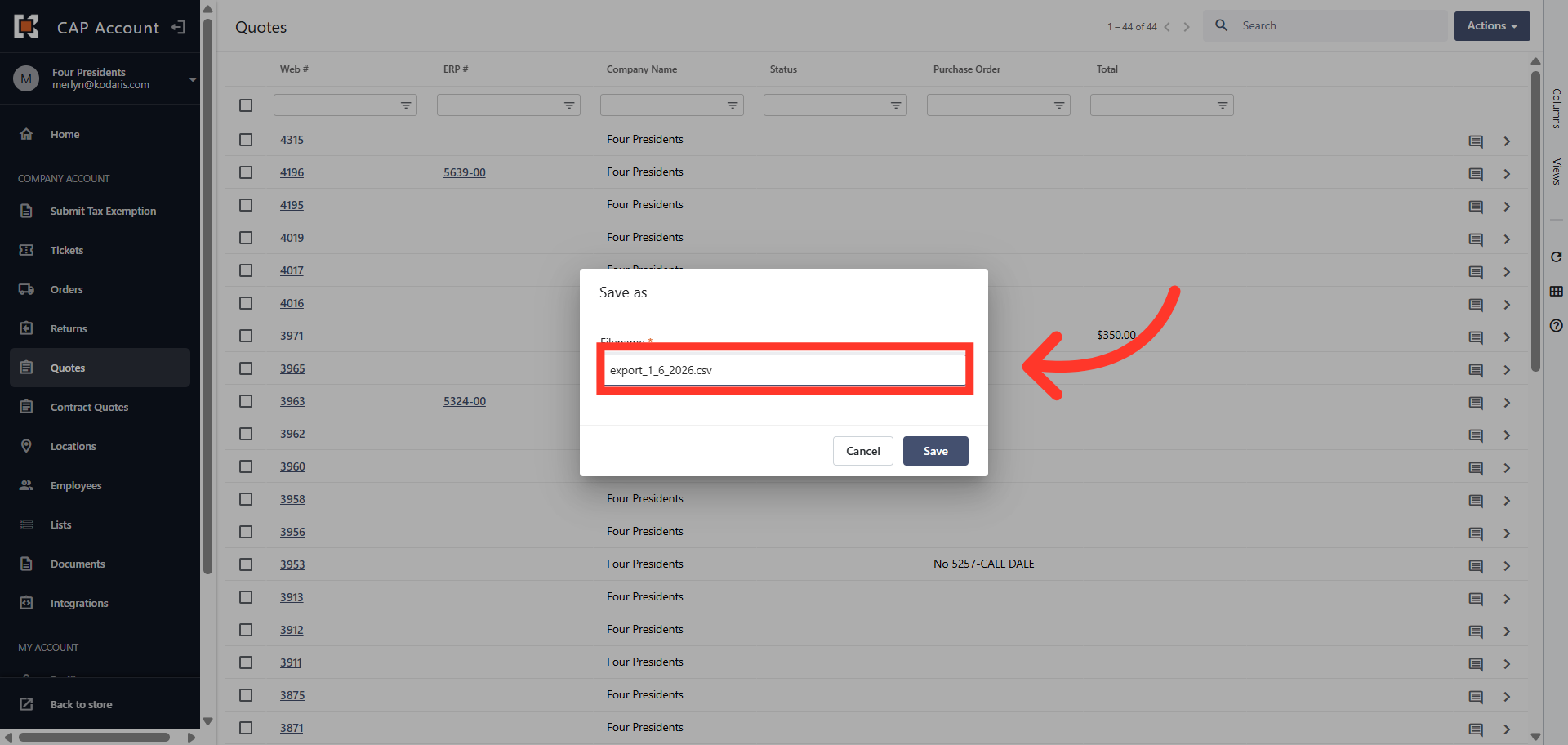
Name export
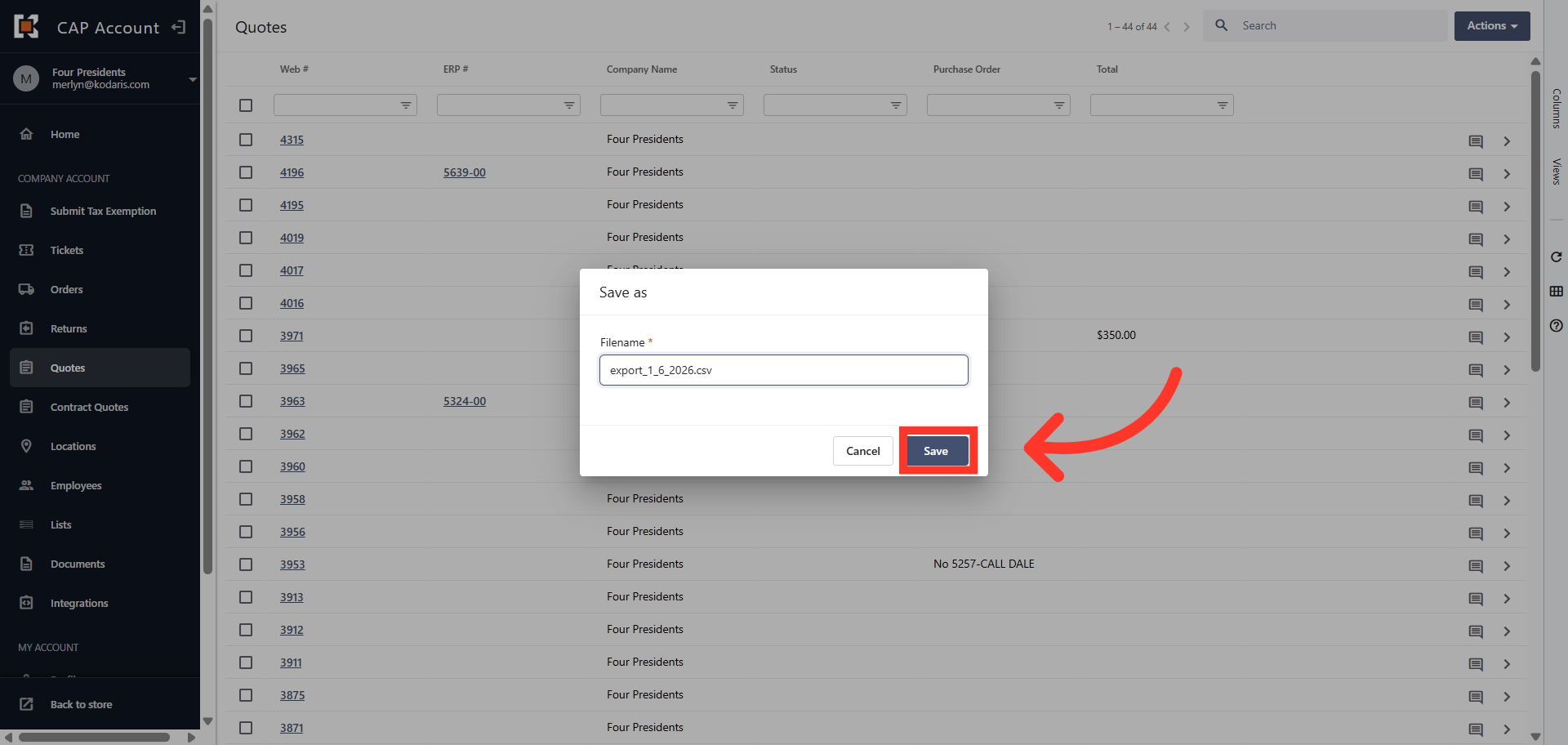
If you would like to rename your export, click into the filename field and type to update the name.
Click "Save"
To save your file, click "Save". The file will be downloaded and saved to your computer.
Change screen view
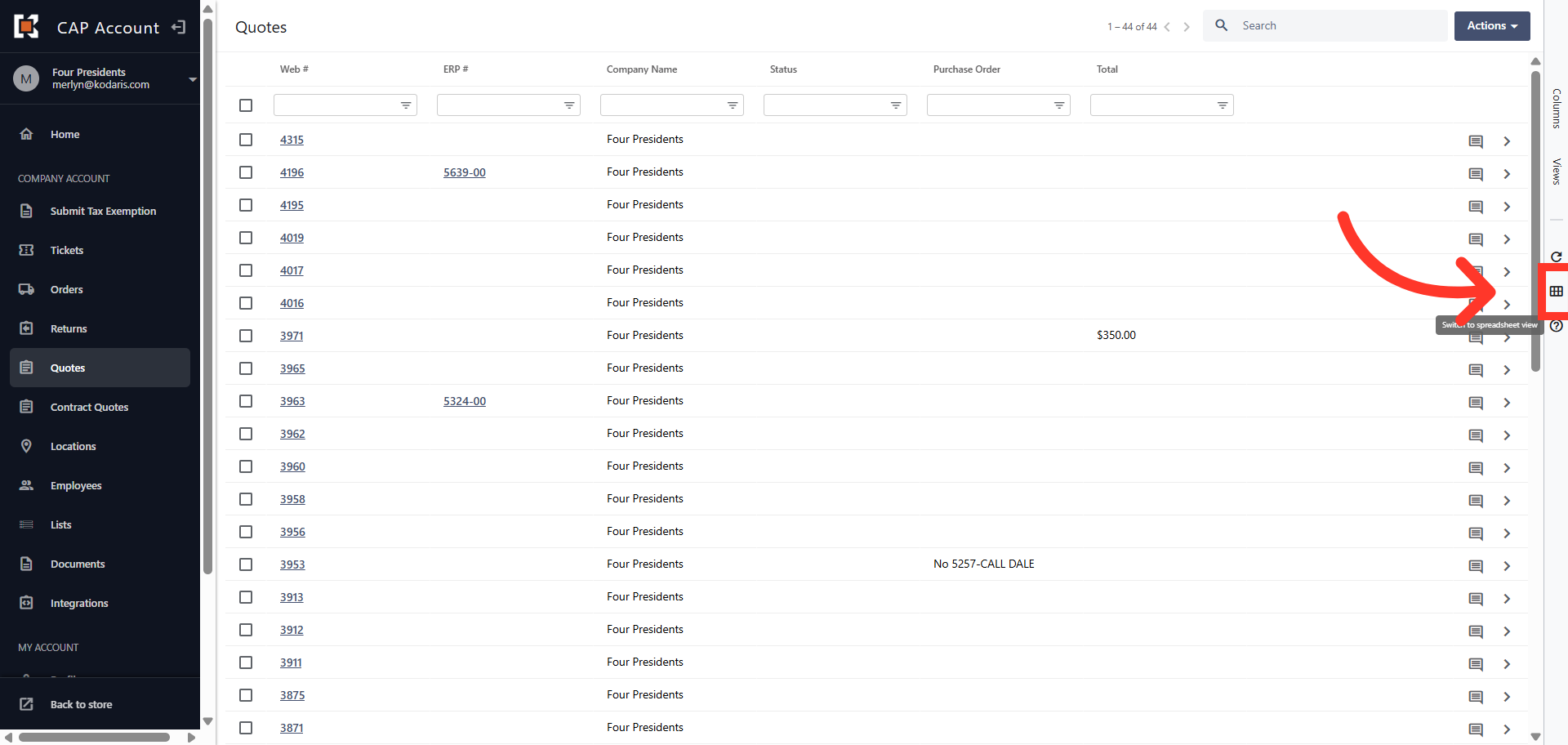
You also have the option to change the view of your screen to "Spreadsheet View". To do this, click the "Switch to spreadsheet view" icon and export as shown in the above steps.
In this article