Abandoned Cart Feature
The Abandoned Cart feature automatically sends email reminders to customers who have added items to their cart but have not completed the checkout process. This feature supports notifications for both customers with an account and guest users, with timeframes to send the email configurable per user type.
This help page covers:
- Feature configuration
- How abandoned cart notifications work
- Customer unsubscribe option
Configuration
As part of enabling the Abandoned Cart feature, multiple settings will need to be configured.
The following are required settings to enable the feature.
| Setting | Description | Required Value |
|---|---|---|
| enableGuestSavedCarts | Enables saved cart functionality for guest customers. You’ll enable this if you’d like the Abandoned Cart email to be sent to guest users. Once enabled, it will send for created guest abandoned carts going forward. If this setting is left off, the Abandoned Cart email will only be sent to customers registered with an account. | Set to 1 to enable |
| jobGenerateAbandonedCartEvents | Enables the job that generates abandoned cart events | Set to 1 to enable |
| jobProcessAbandonedCartEvents | Enables the job that processes abandoned cart events | Set to 1 to enable |
| optOutTypes | List of available opt-out types | For this feature, you’ll want to include "AbandonedCart" to allow customers to opt out of receiving abandoned cart notifications if preferred |
The following settings have default values, but can be adjusted to your preference for frequency of the notification.
| Setting | Description | Default Value | Notes |
|---|---|---|---|
| abandonedCartEmailGuestHours | Number of hours before an abandoned cart reminder is sent to guest users | 10 | Must be > 0 |
| abandonedCartEmailAccountHours | Number of hours before an abandoned cart reminder is sent to registered customers with a login | 10 | Must be > 0 |
| guestSavedCartExpirationDays | Days before guest carts expire and are no longer visible | 90 | Must be > 0 |
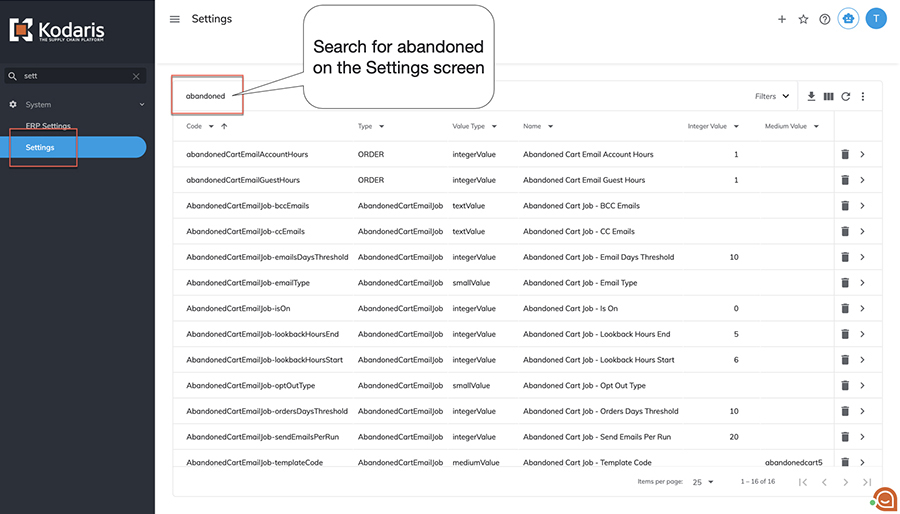
All settings can be found on the "Settings" screen of the Operations Portal. The majority of these can easily be found by searching on "abandoned".
Abandoned Cart Notification
Completing Purchase
When a customer starts a cart and proceeds to the Delivery & Payment step at checkout, but doesn’t place their order, an abandoned cart email will be generated and sent.
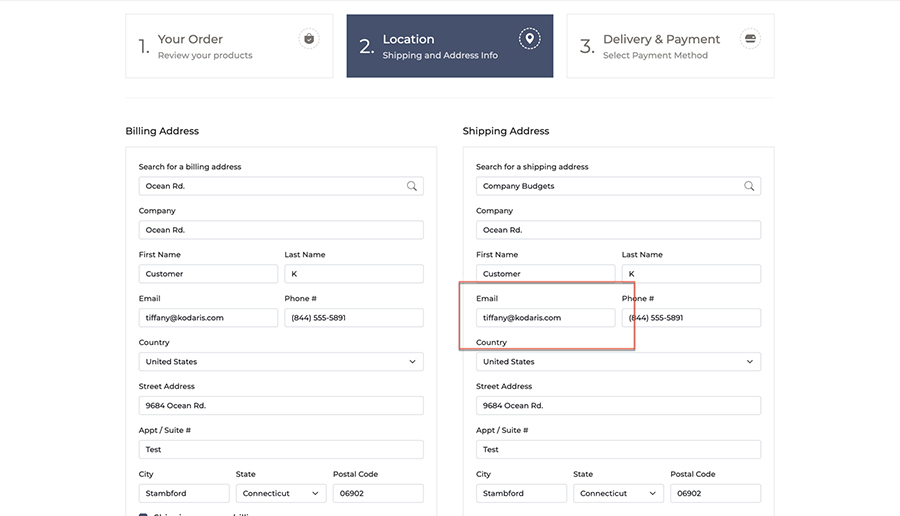
If a guest orders, the abandoned cart follow up will go to the email address entered under the Shipping Address on the Location screen. Otherwise, it will go to the email address of the customer logged into their account.
Once a certain number of hours pass, depending on your configuration, the customer will receive an email letting them know they have items in their cart.
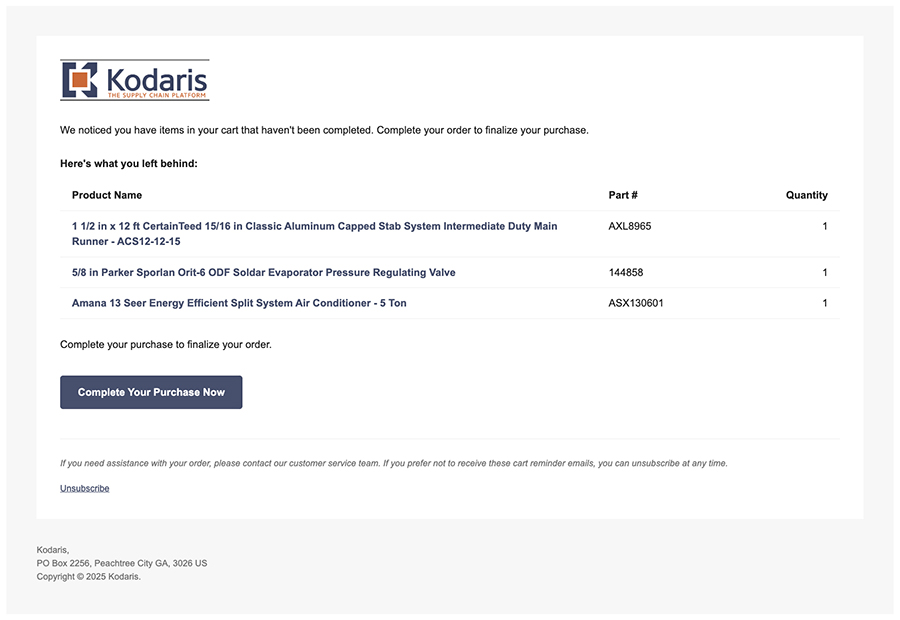
If they are a guest customer, clicking on "Complete Your Purchase Now" will take them directly to their cart to complete checkout.
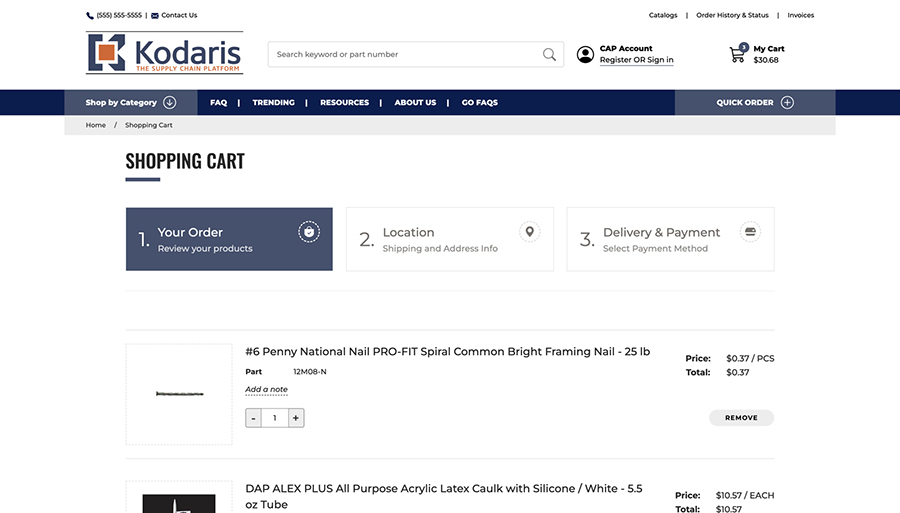
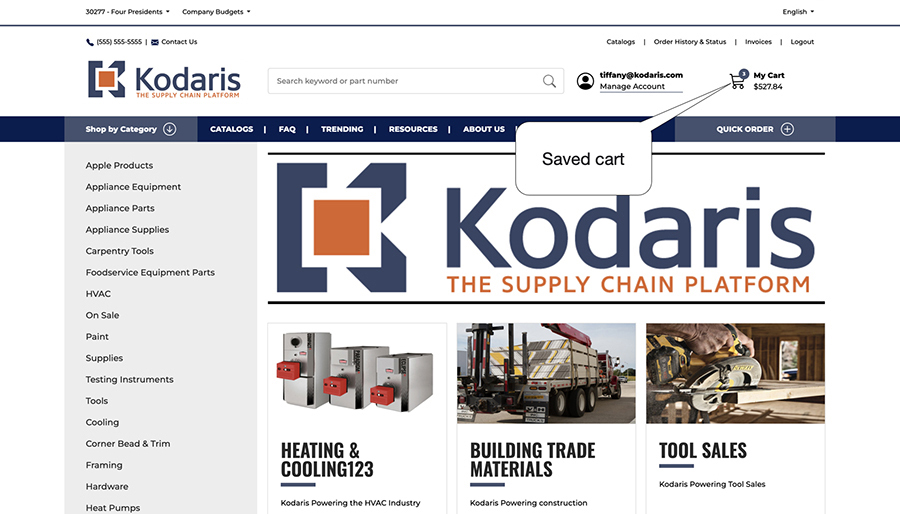
If they are a registered customer, they will be directed to log in. Once logged in, they’ll be directed to the homepage, with their saved card available.
Unsubscribe Option
Customers also have an Unsubscribe link available if they prefer not to receive reminders that they have a cart waiting.
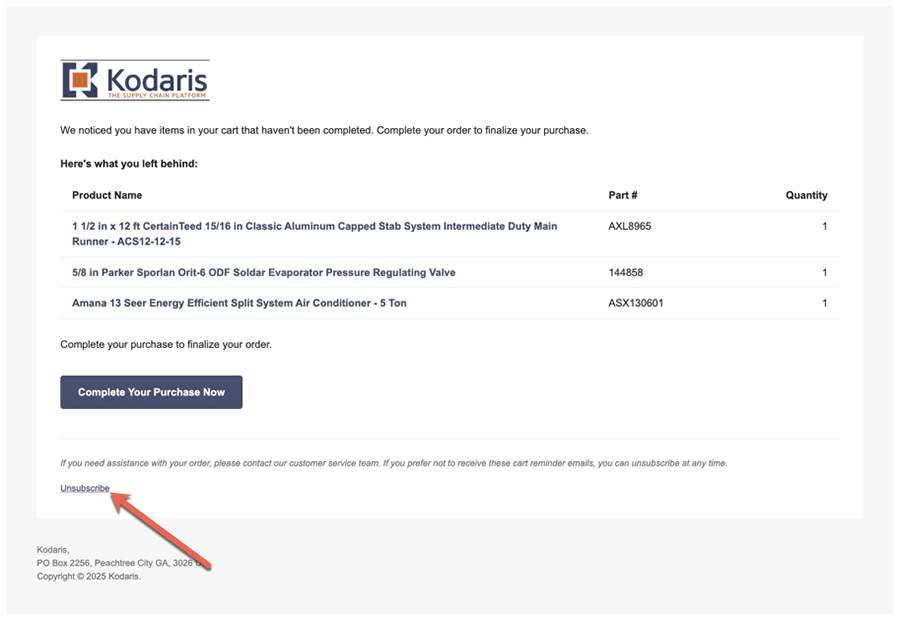
- Clicking on the link will take them to a page to confirm they’d like to unsubscribe.
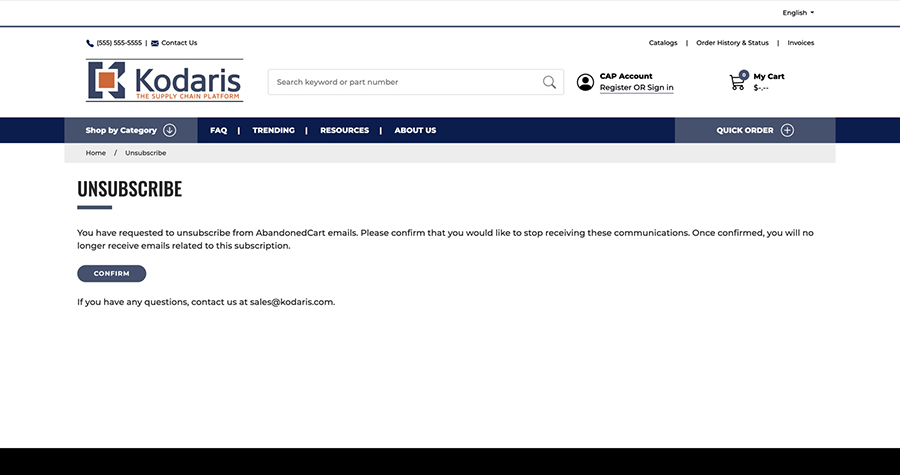
- Once they click "CONFIRM" a success message will be displayed.
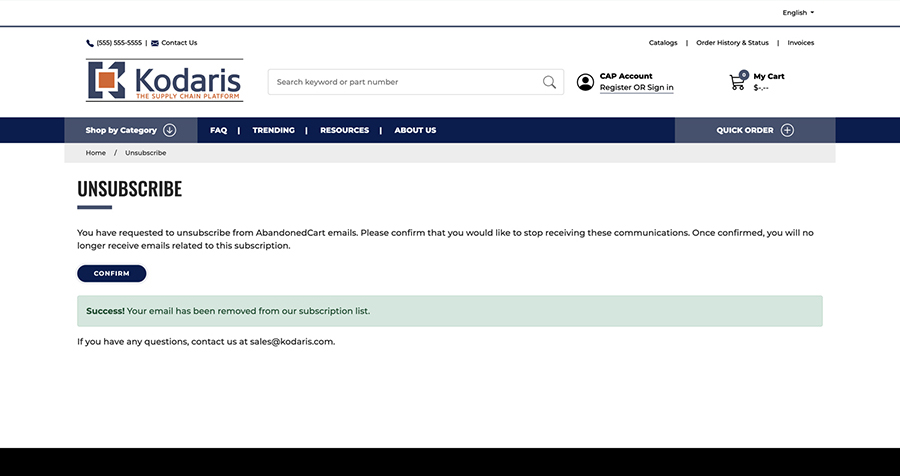
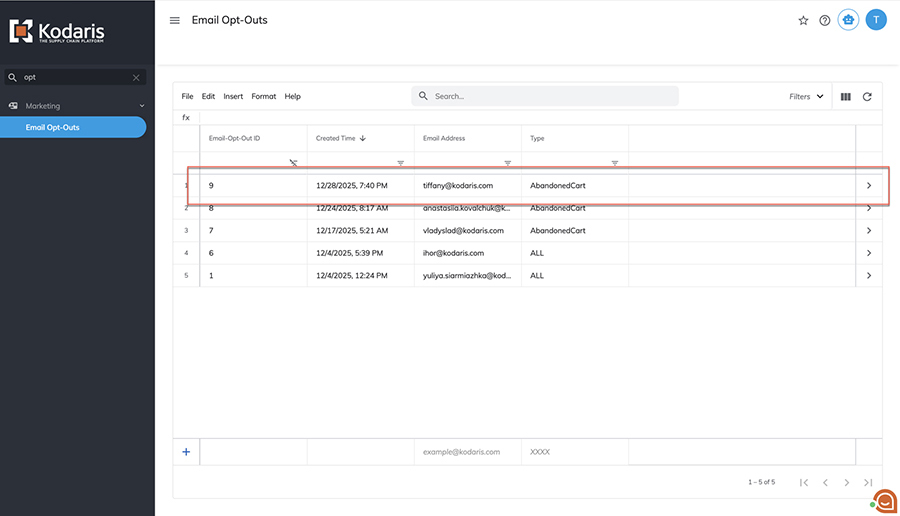
- A record will be created and visible on the Email Opt-Outs screen in the Operations Portal, with a timestamp, the customer’s email address, and tagged with "AbandonedCart" as the Type.