
Operations Locations - Filter Locations by Company Code
Navigate to "Operations" section
You can filter or search for locations assigned to specific companies by filtering on the "Company Code". To do this, navigate to the "Operations" section in the Operations Portal.

Click "Locations"
Then, click "Locations".

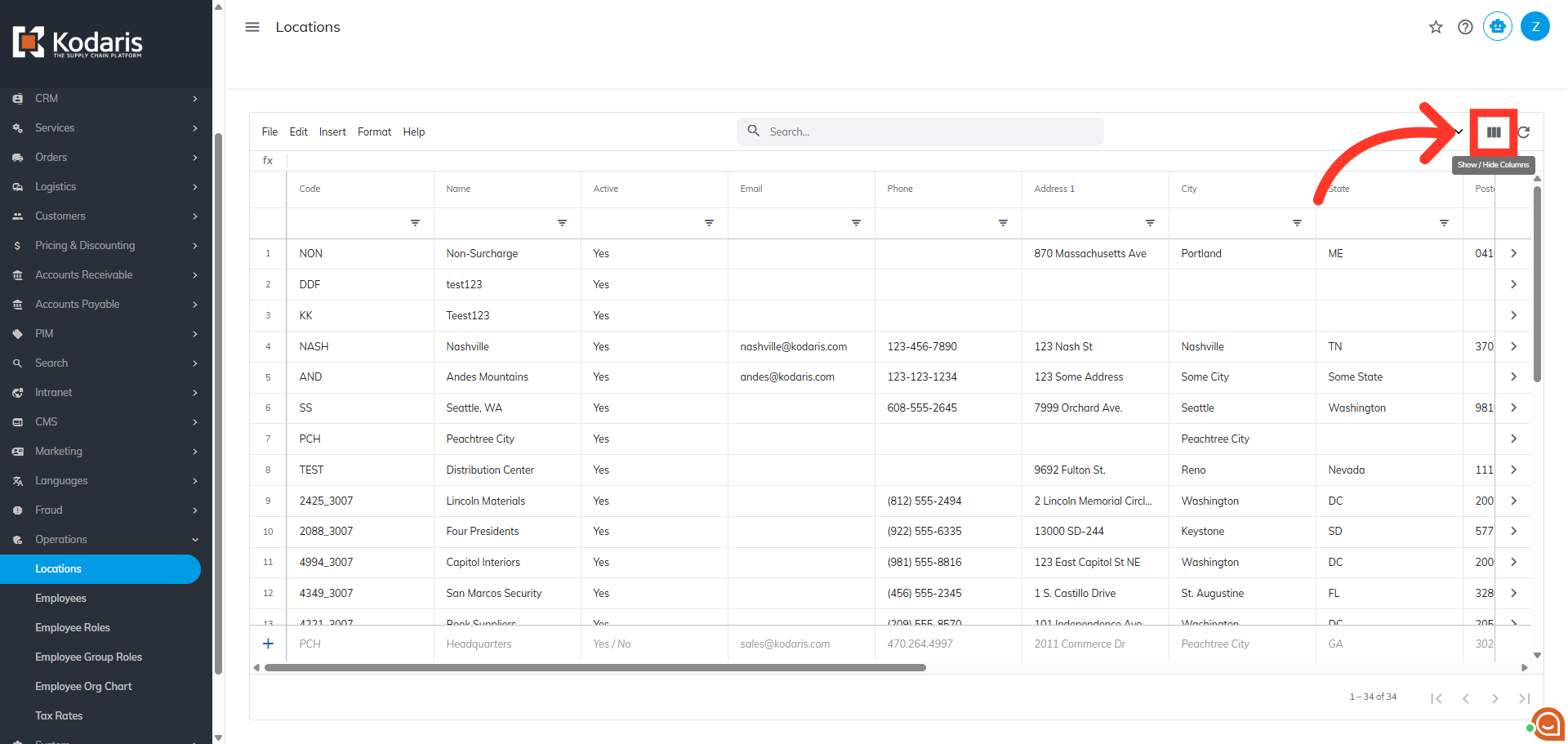
Click "Show/Hide Columns" icon
To view the "Company Code" column, click the "Show/Hide Columns" icon to add the column to your view.
Select "Company Code" Column
Select the "Company Code".

Change Filter Condition
Use the filters to find the company code you would like to view.

Click "Apply"
Enter the value of the company code you would like to view and click "Apply".

Verify Results
The locations for the specified company code are now displayed.

Click "x" icon
Click the "x" icon to remove the applied filters and reset the view.

In this article