
Commerce - Add Notes to Company Catalog Products
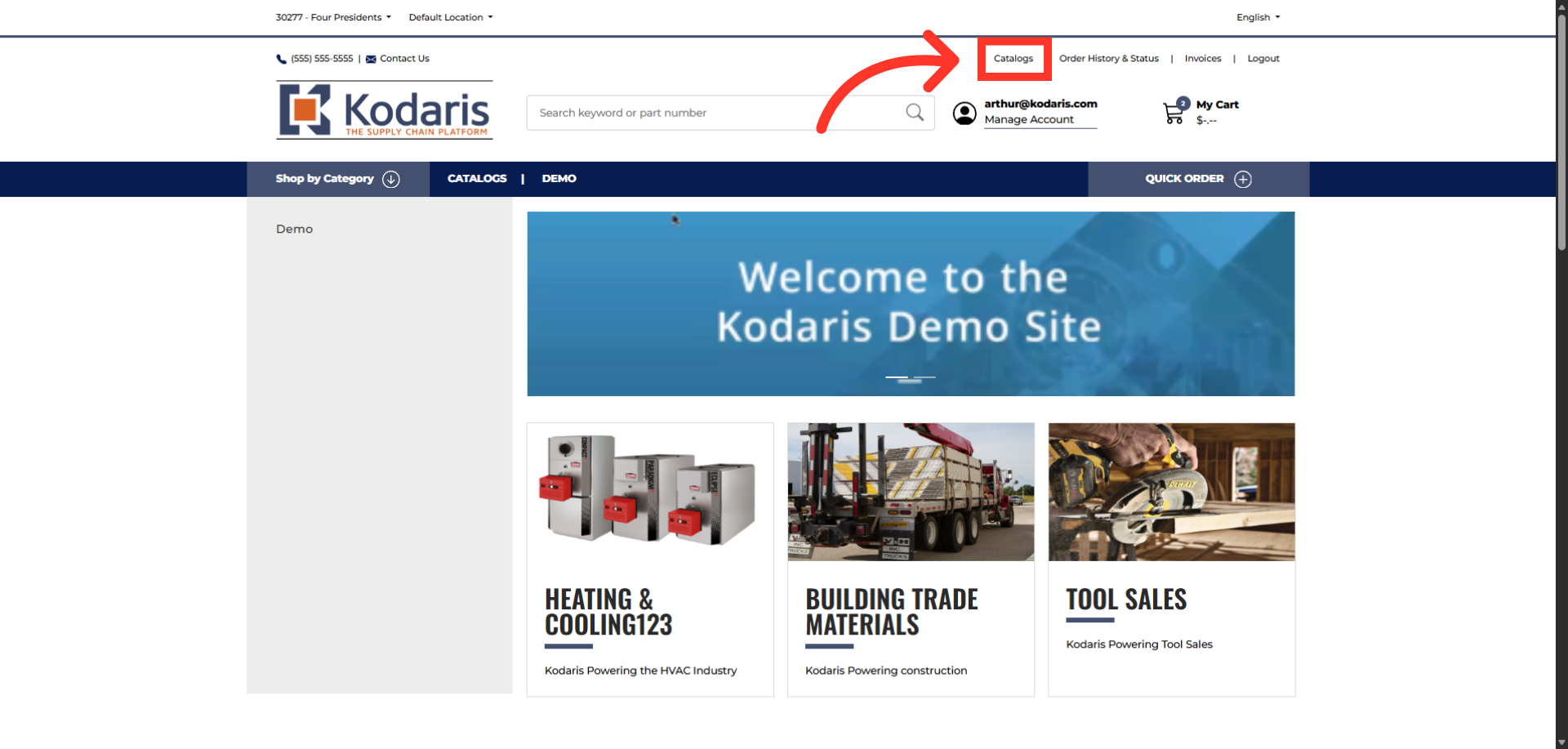
Navigate to "Catalogs"
To add notes to company catalog products, log in your company portal and go to "Catalogs" screen.
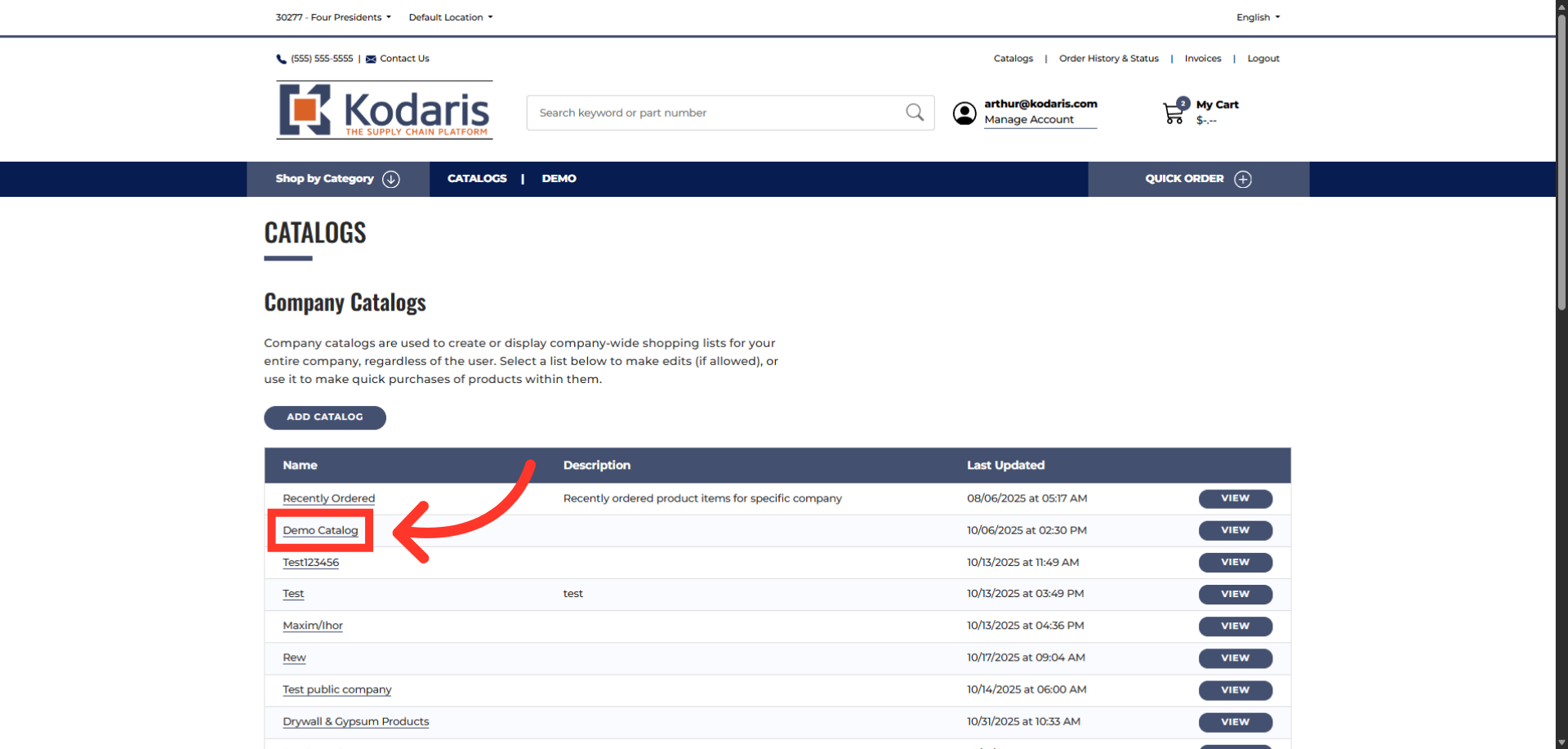
Select a Catalog
Click the catalog you want to open.
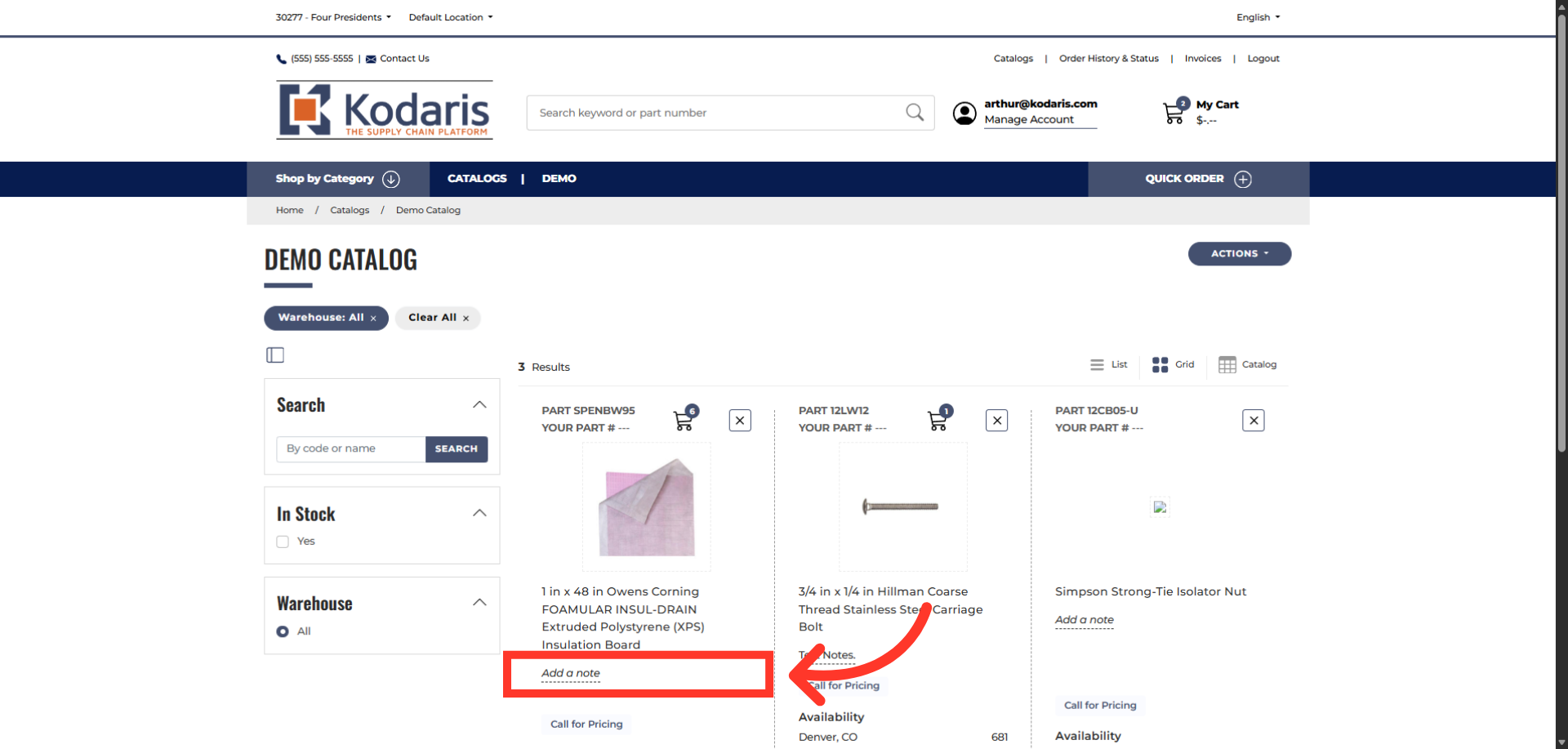
Click "Add a note"
Click the "Add a note" field on the product you want to add a note.
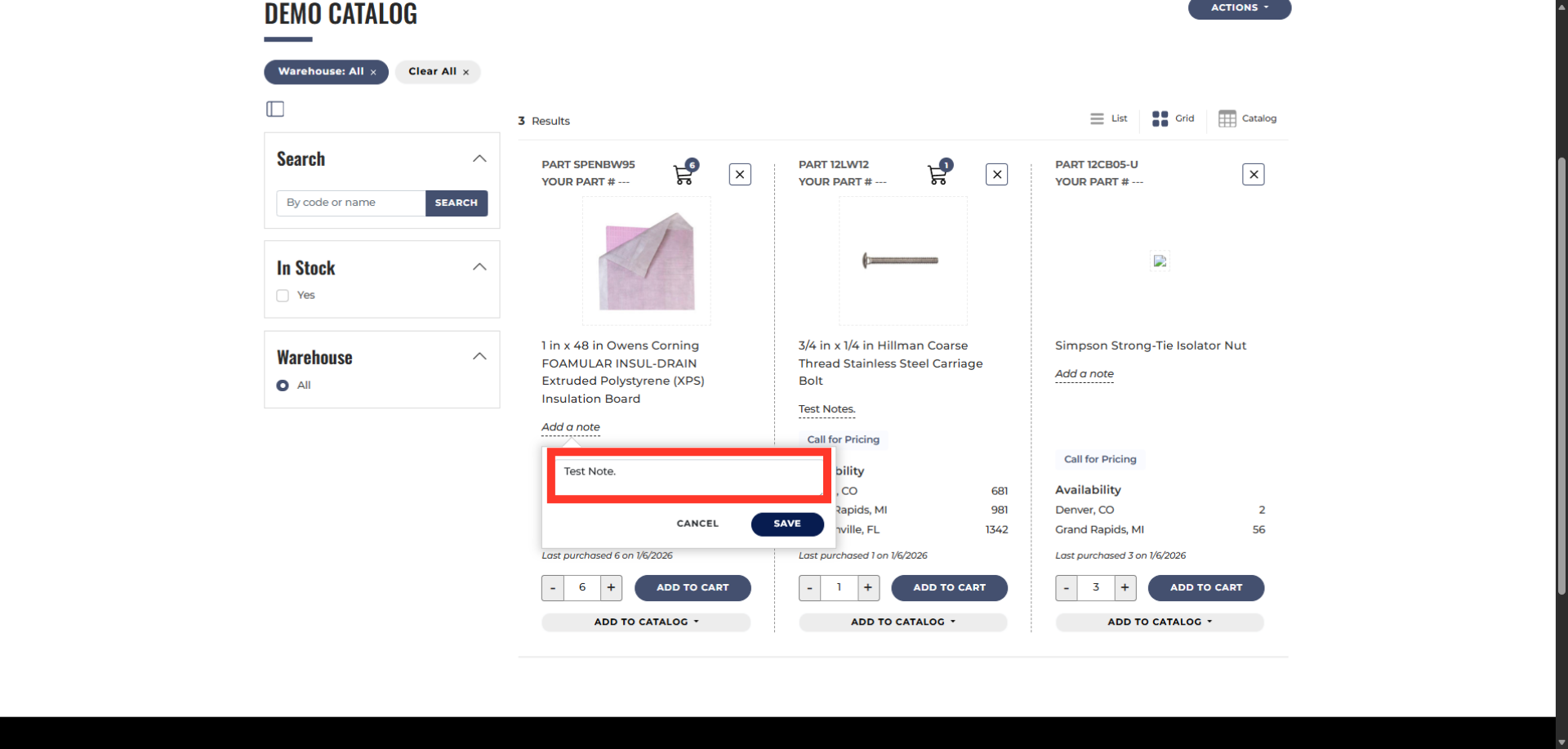
Enter note
Add your note to the product.
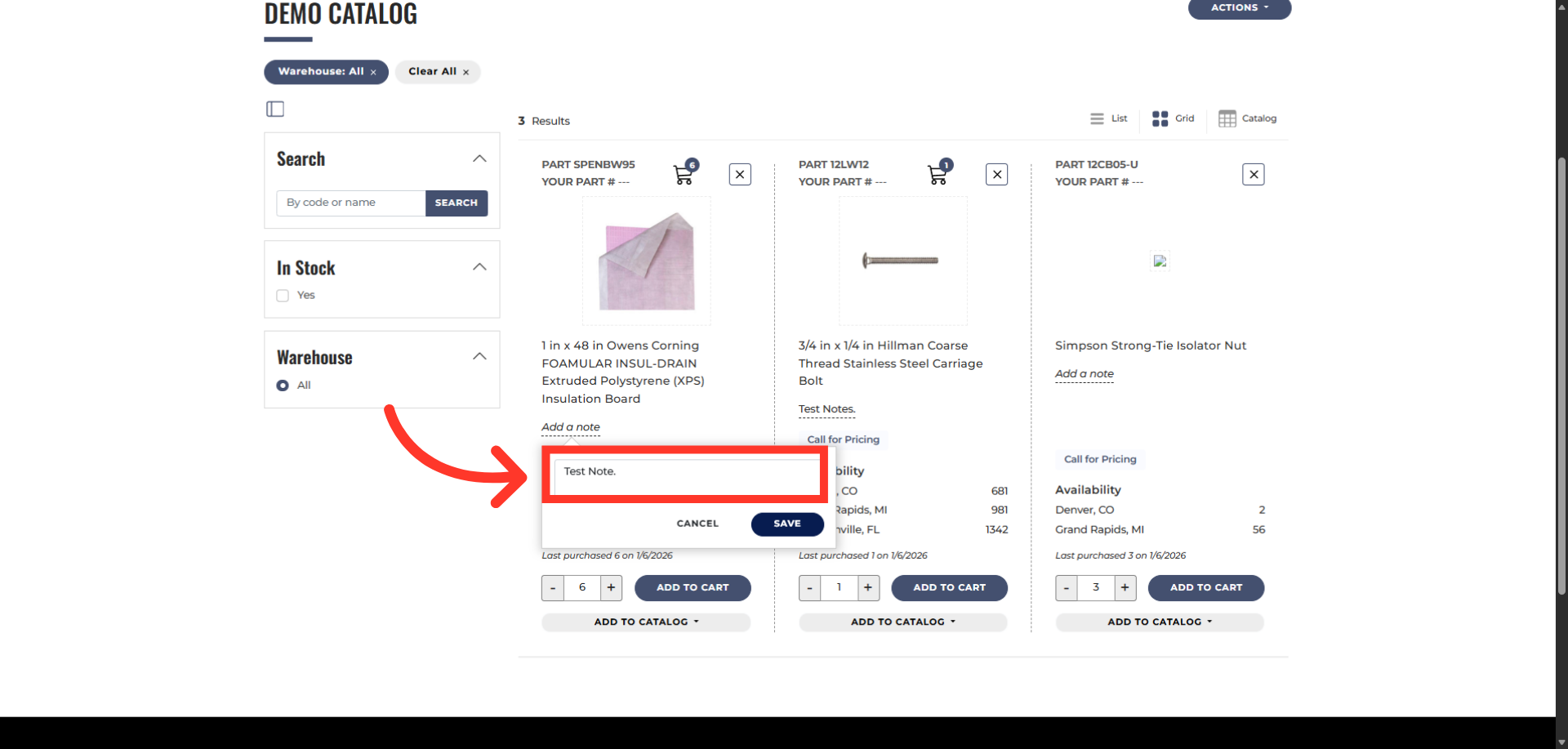
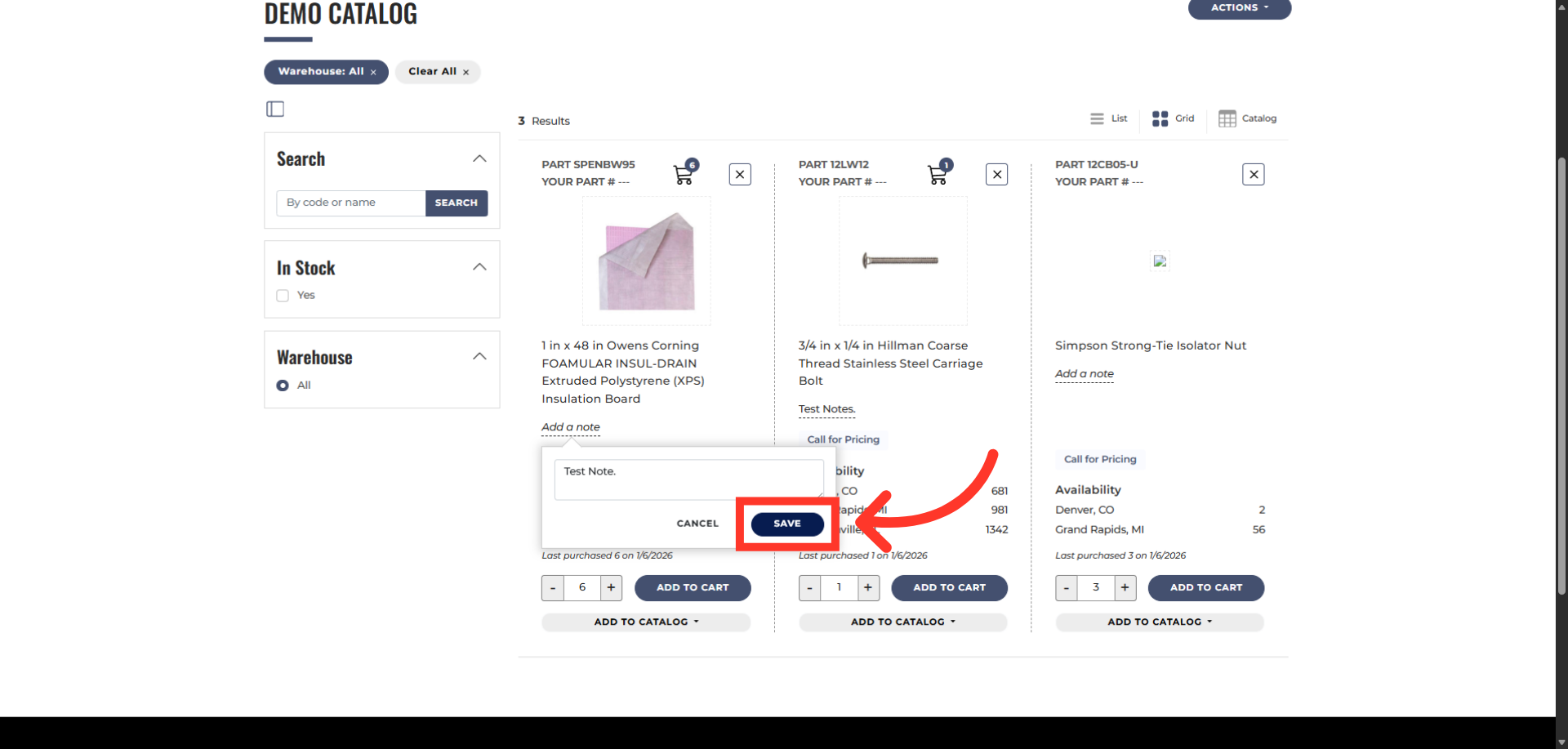
Click "Save"
Click "Save".
Saved note
Notes will appear right below the product name.
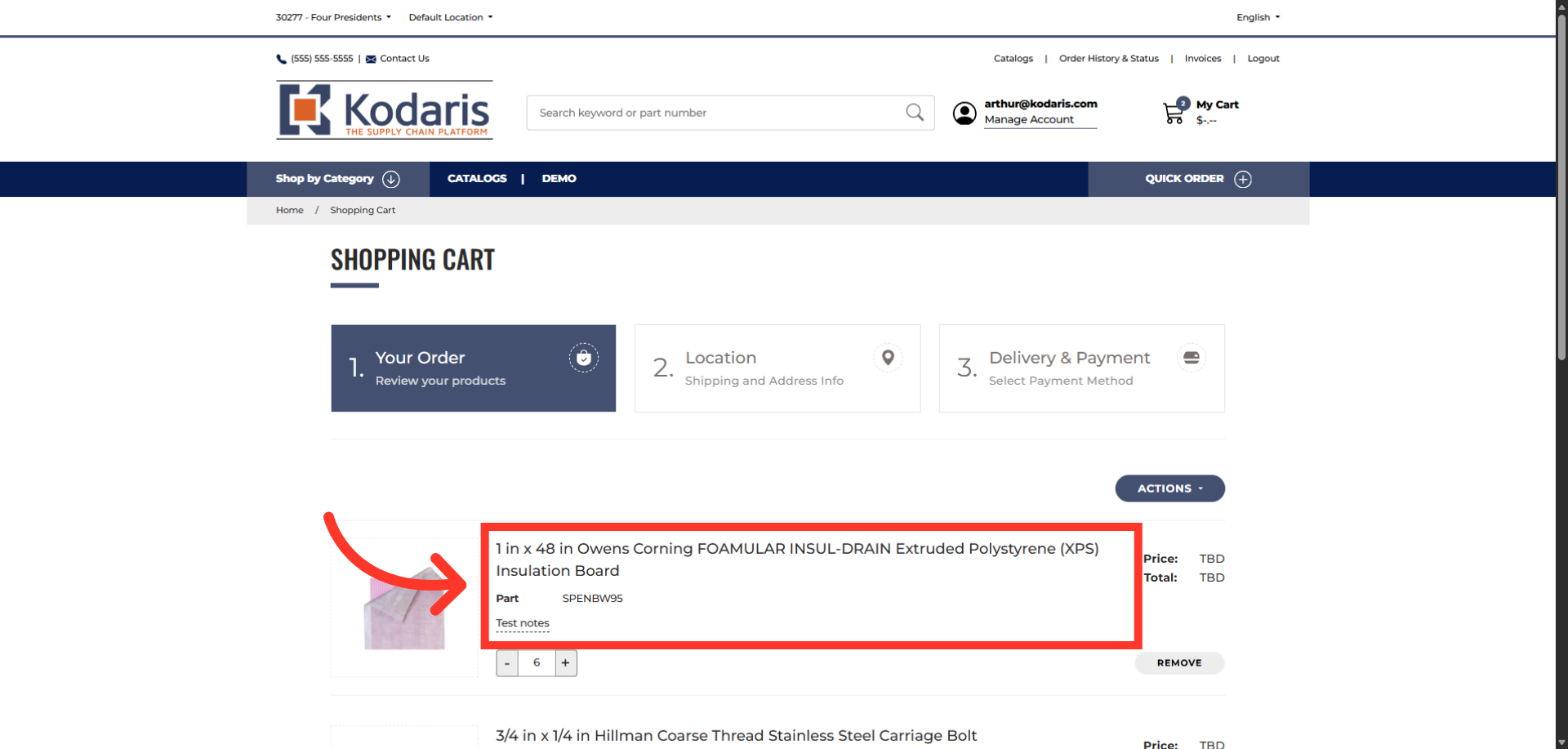
Product with note added to cart
If you added the product to your shopping cart.
In this article