
Commerce - Unsubscribe from Abandoned Cart Notifications
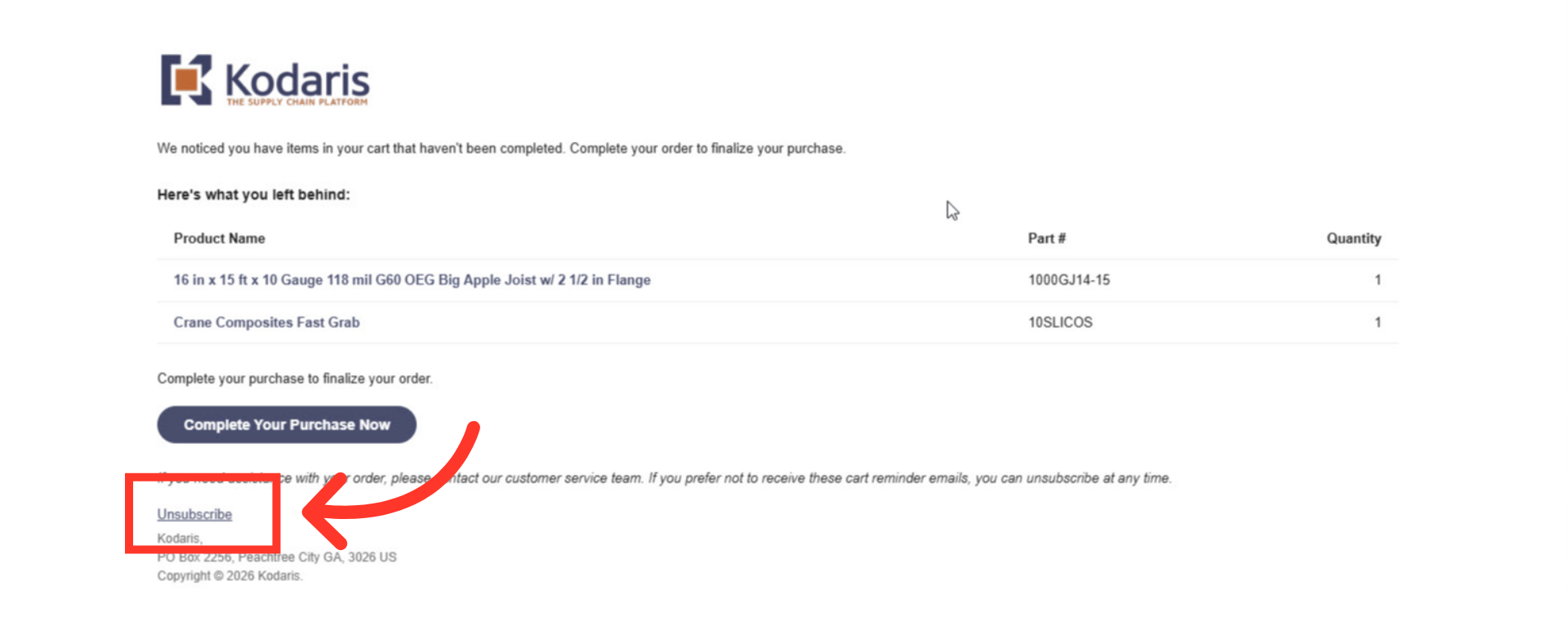
Click "Unsubscribe"
With the Abandoned Cart feature, customers have the option to unsubscribe from reminders that there is a cart waiting. To unsubscribe, go to the email that was sent notifying you that there were items in your cart that have not been completed. Click "Unsubscribe" in the abandoned cart email.
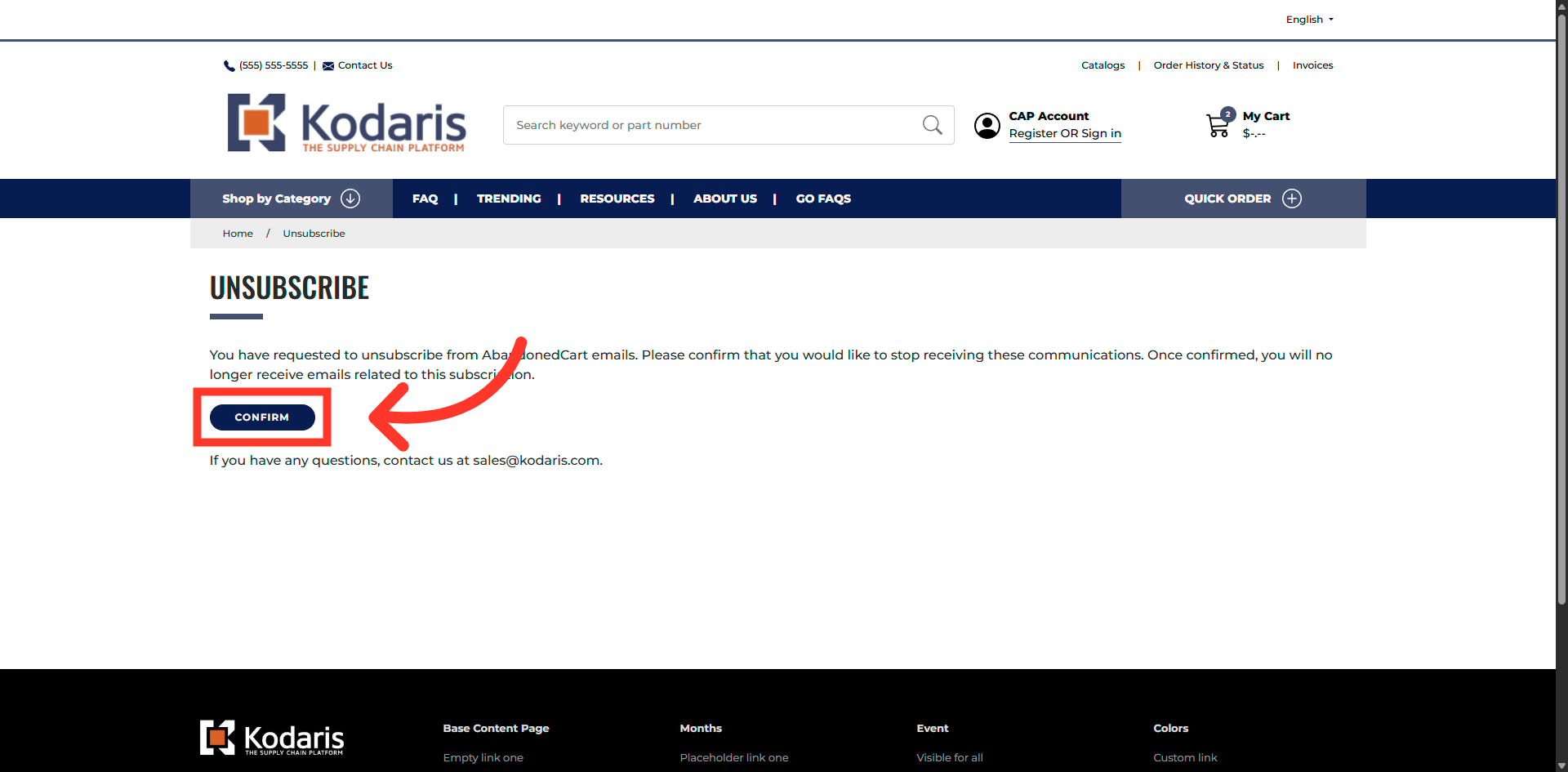
Click Confirm Button
Click the "Confirm" button to initiate your request to unsubscribe from these email notifications.
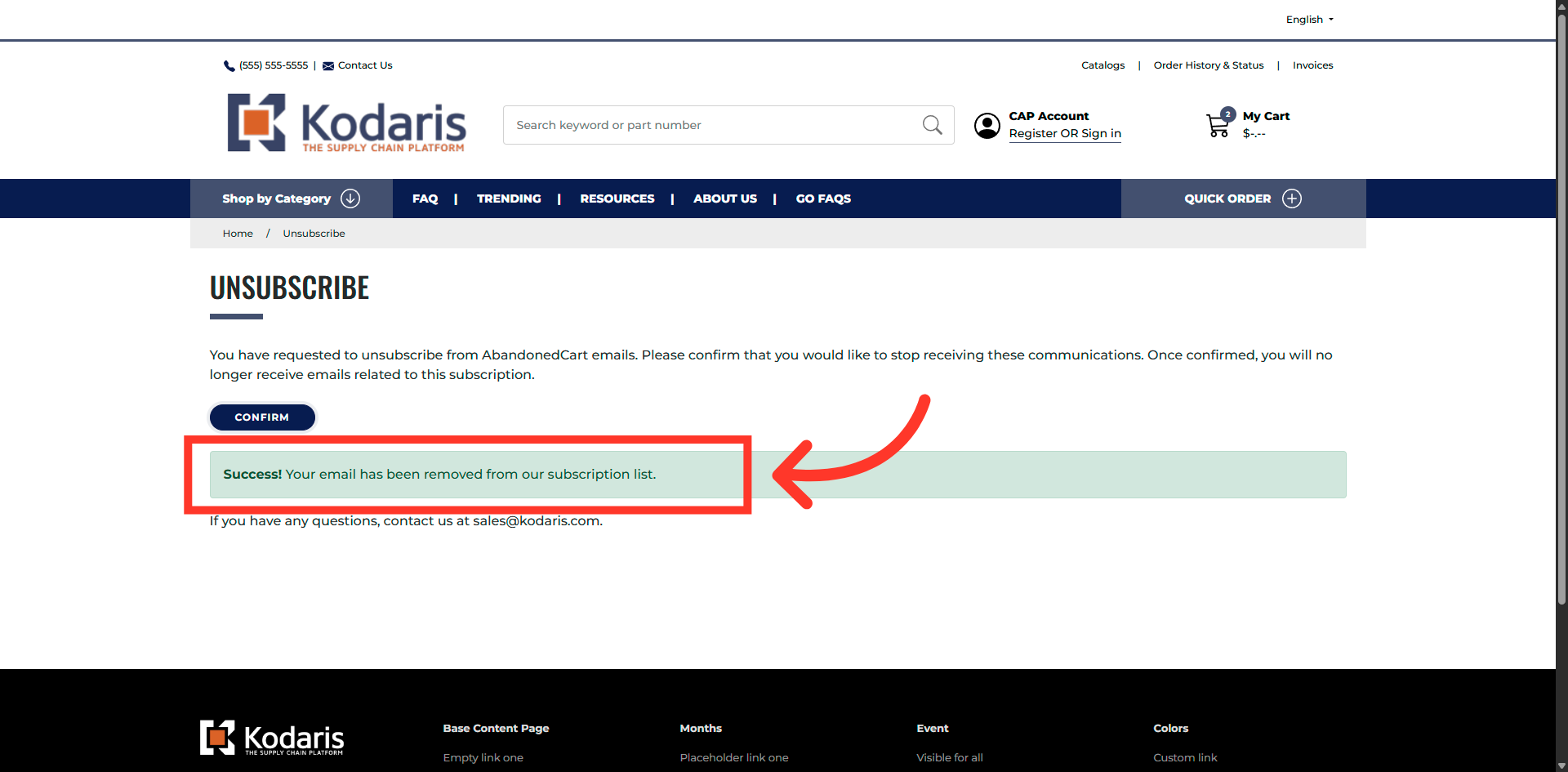
A success message will appear
A success message will appear that your email has been removed from the subscription list.
In this article