Operations AR - Disable Card Payment Receipt Emails
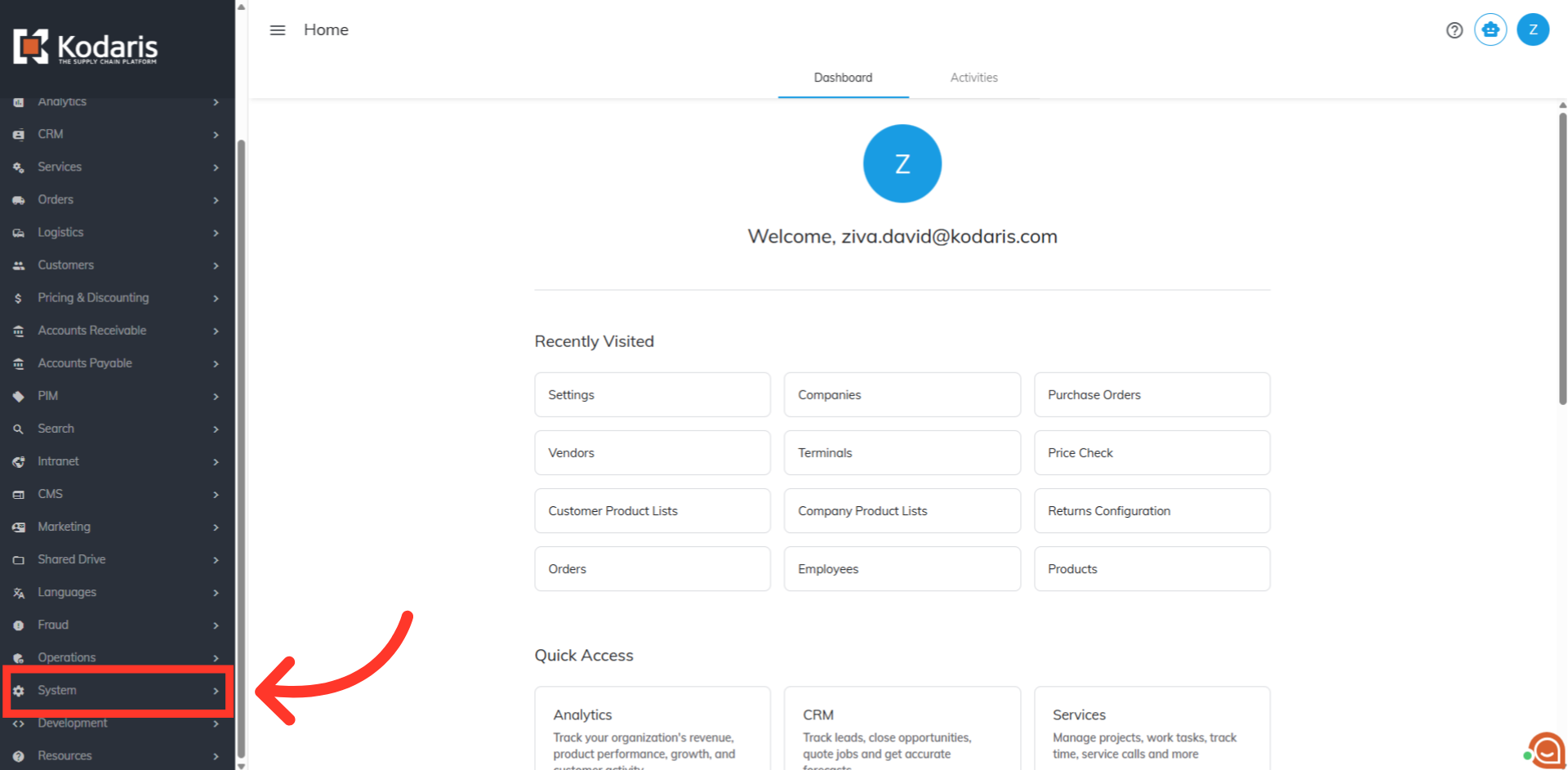
Navigate to "System" section
When entering a credit card payment, you'll see a field where you can add the customer's email address so a receipt can be automatically sent once the payment is completed. If you prefer not to offer this option, you can easily turn it off by disabling card payment receipt emails. Please Note: The email receipt feature should not be disabled if your company is surcharging credit card payments. If you are using the surcharge feature, receipt emails are used to maintain regulatory compliance. First, navigate to "System" section in the Operations Portal.
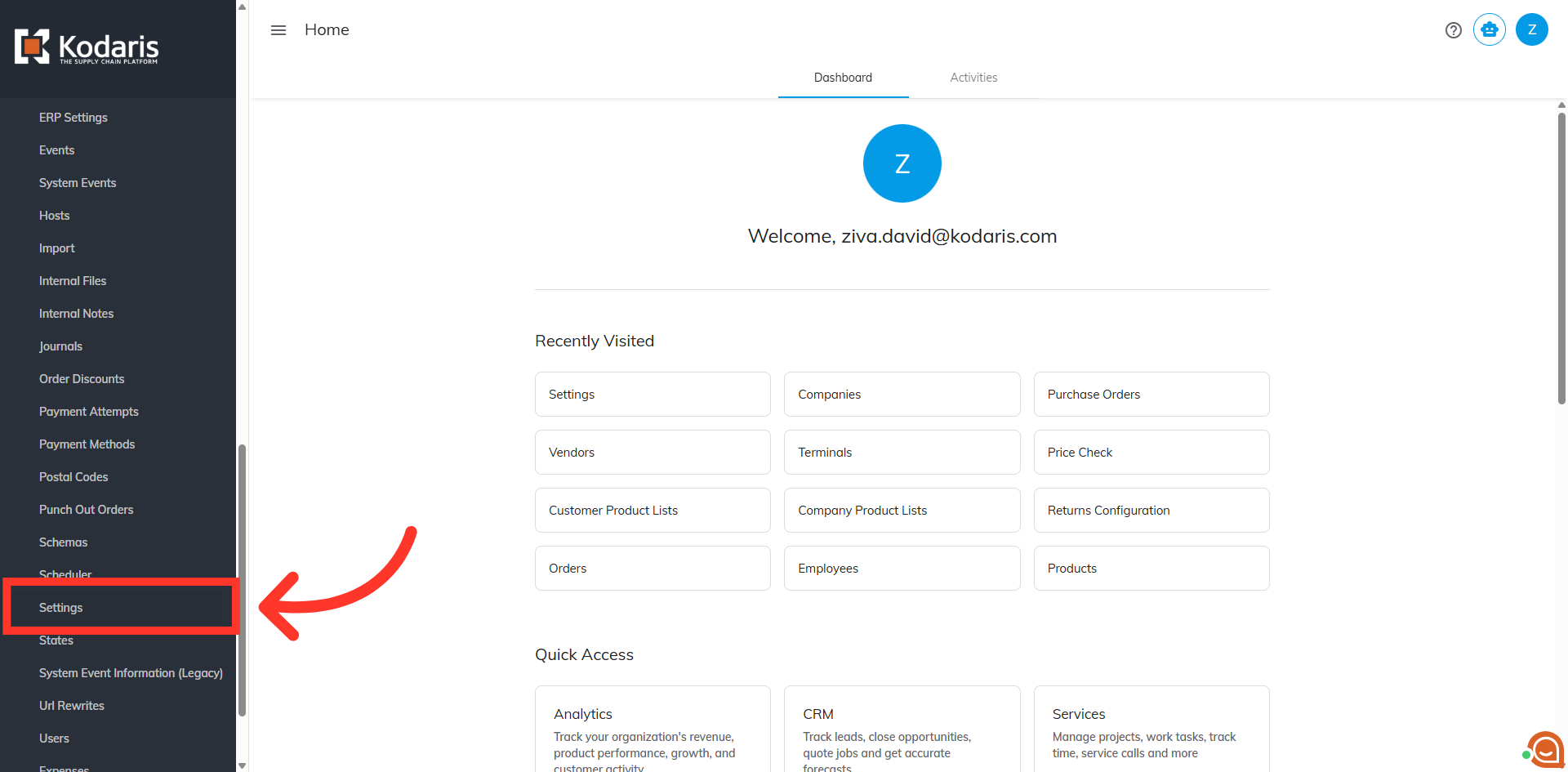
Click "Settings"
Then, click "Settings". In order to access and edit settings, you will need to be set up either as an “administrator” or a "superuser", or have the following roles: "settingEdit" and "settingView".
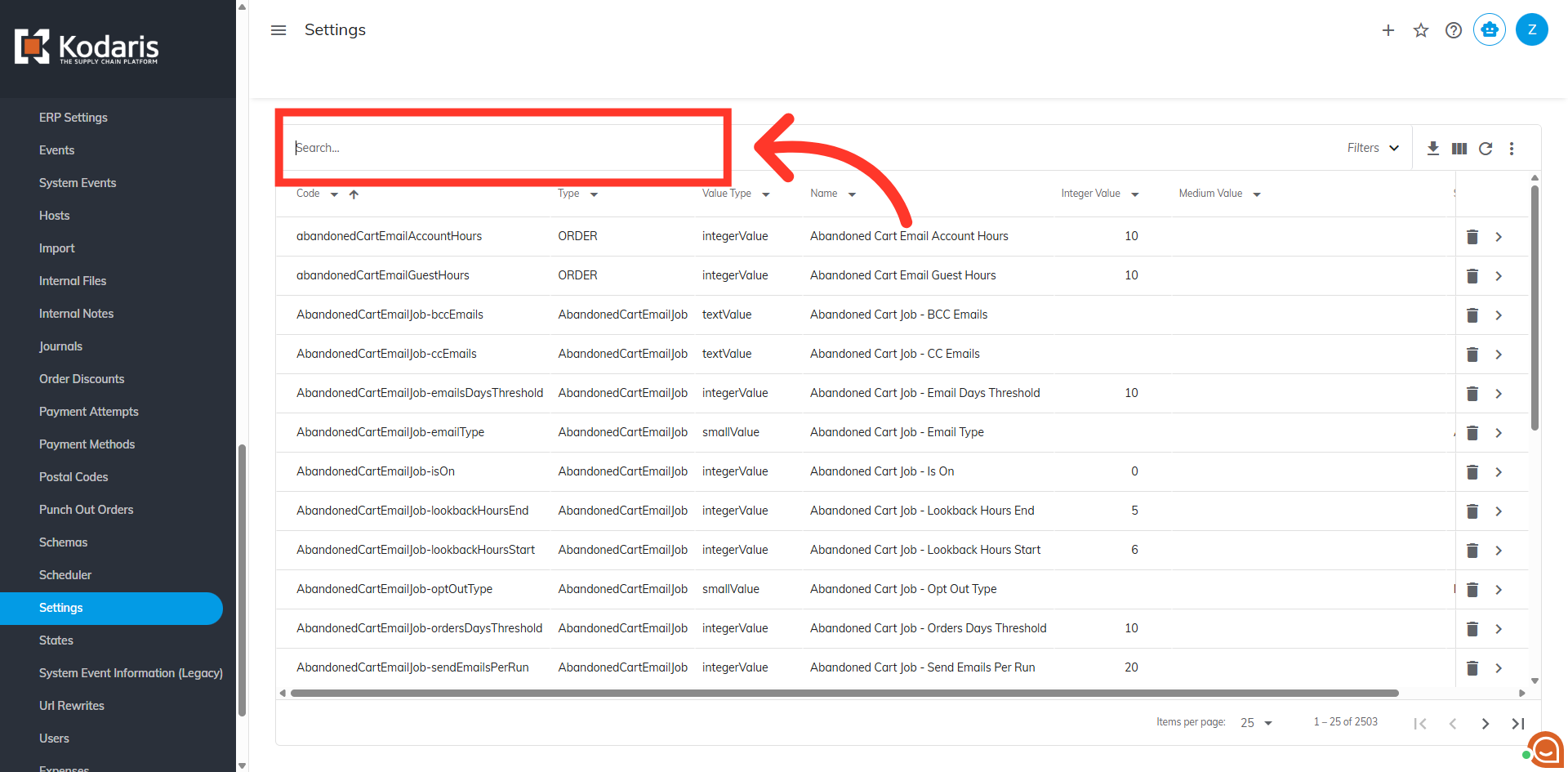
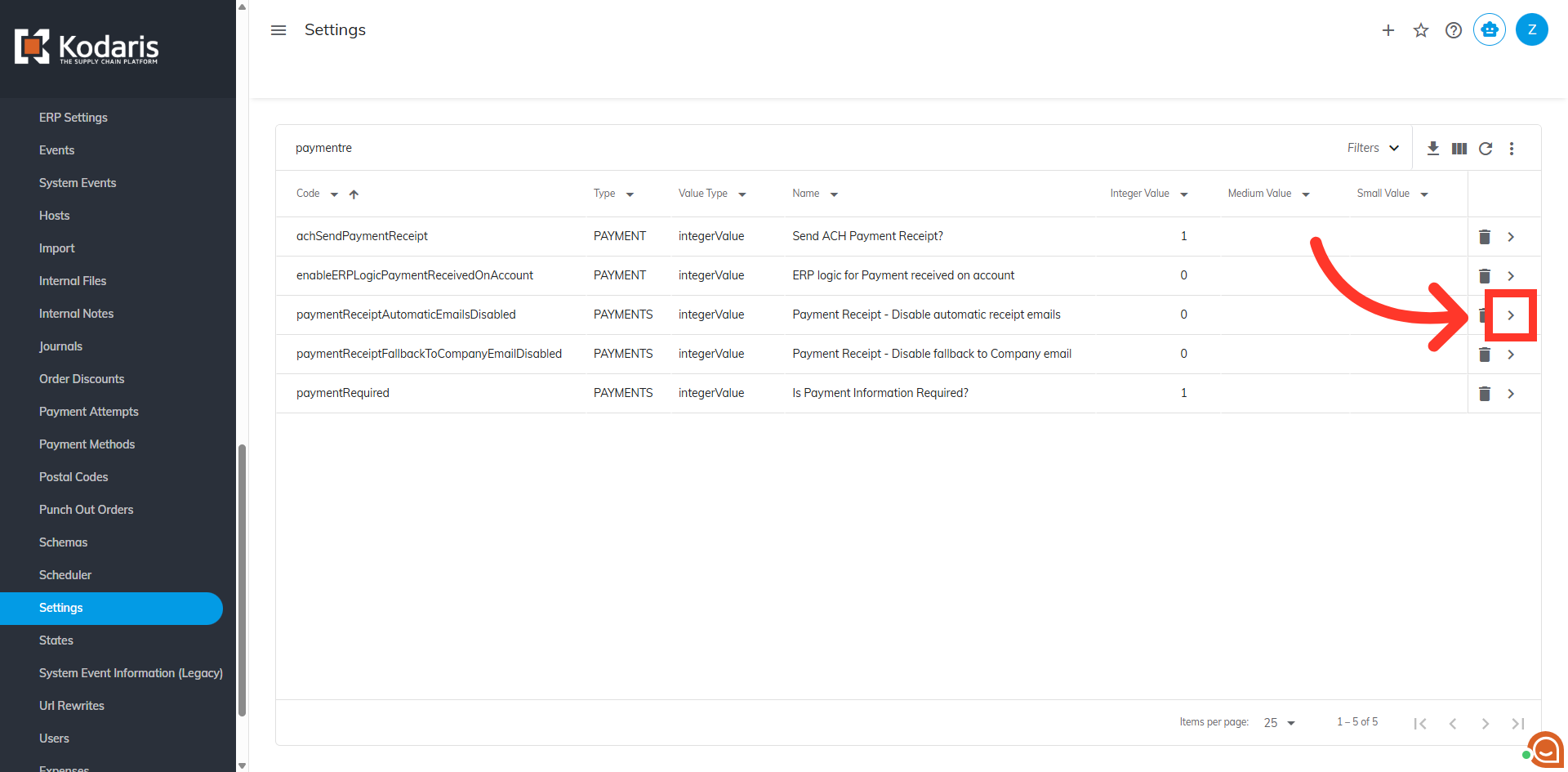
Search for “paymentReceiptAutomaticEmailsDisabled”
Using the Search field, search for the setting “paymentReceiptAutomaticEmailsDisabled”.
Click the more details icon
Next, click the more details icon to view the configuration screen.
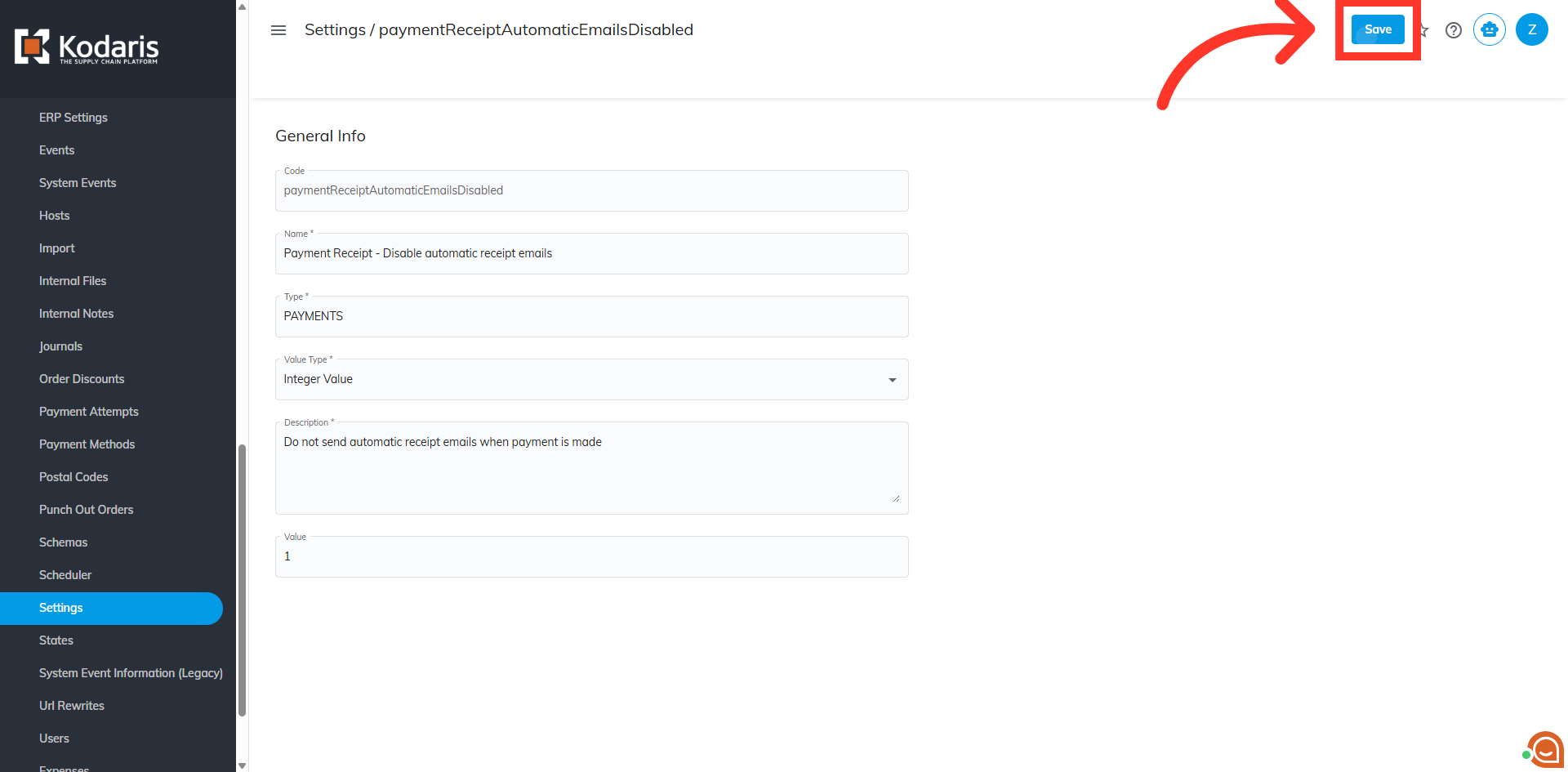
Update the "Value" Field
Then, click the "Value" field to change the default value from 0 to 1.
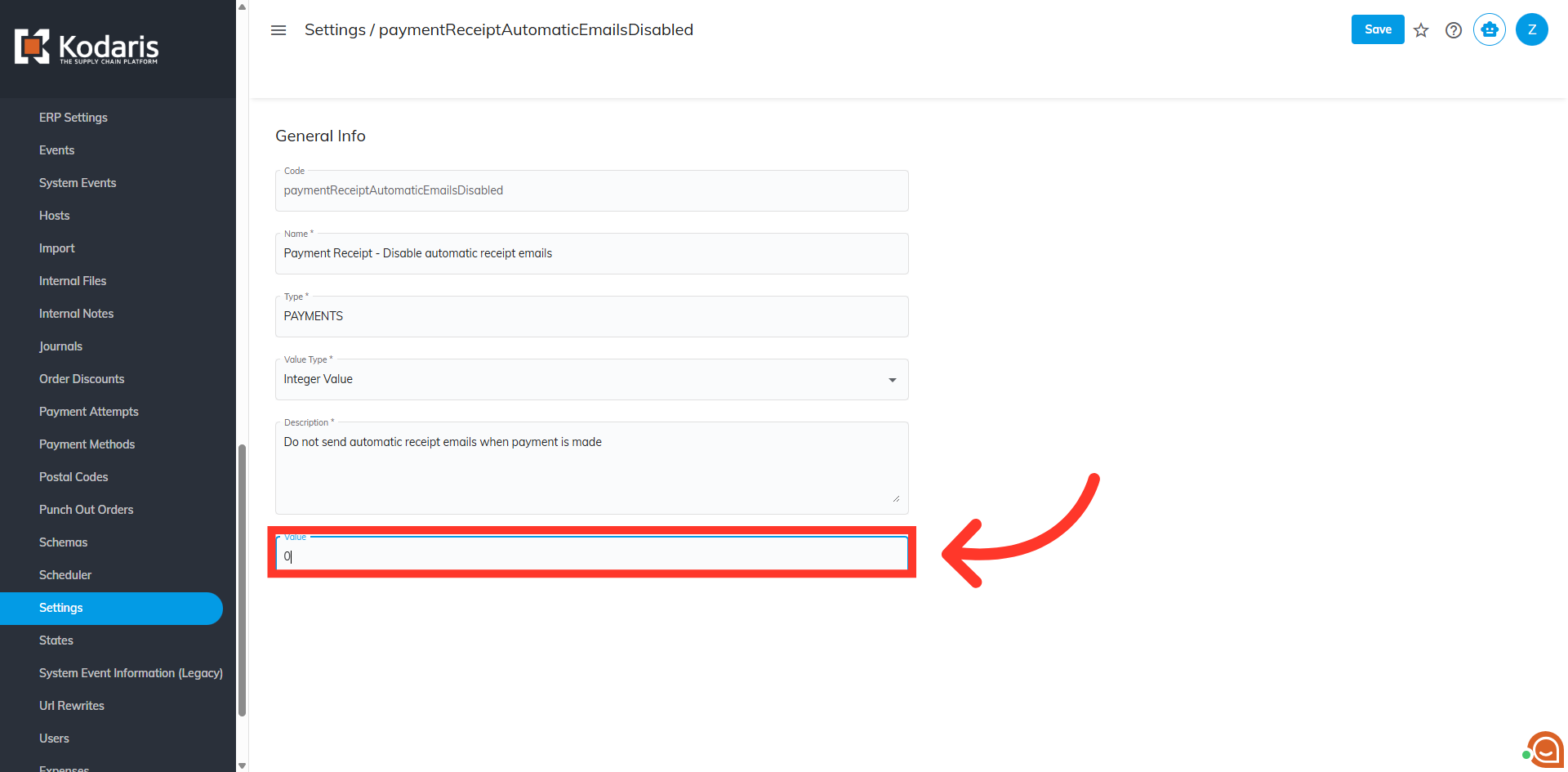
Click "Save"
Finally, click the "Save" button to apply the change, disabling card payment receipt emails.