
Operations Portal: Set Up Notifications - Notify when Customer Submits Return
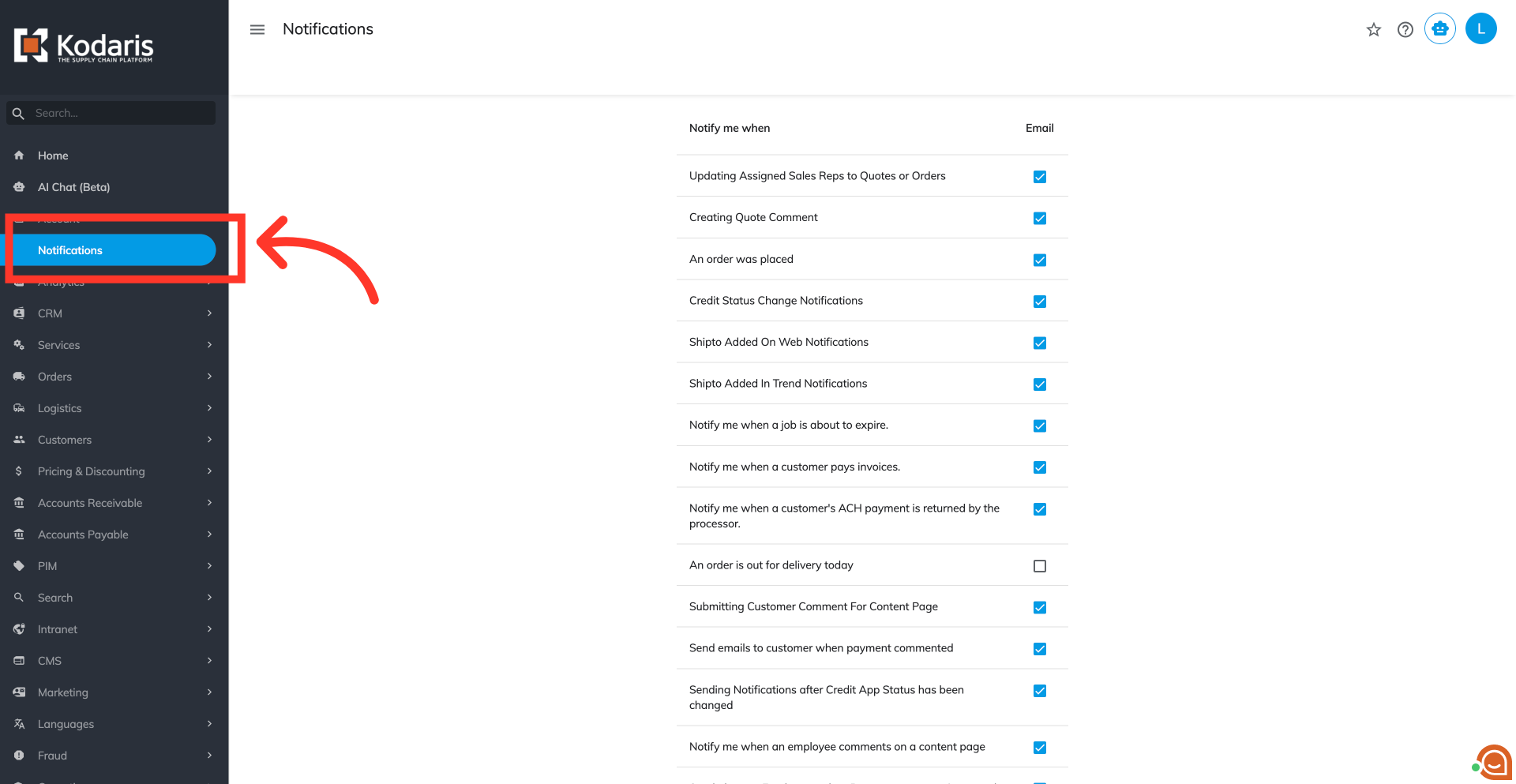
Access "Notifications" screen
To receive email notifications when a customer submits a return, navigate to "Notifications" screen within the "Accounts" menu in your operations portal.
Locate and enable notification
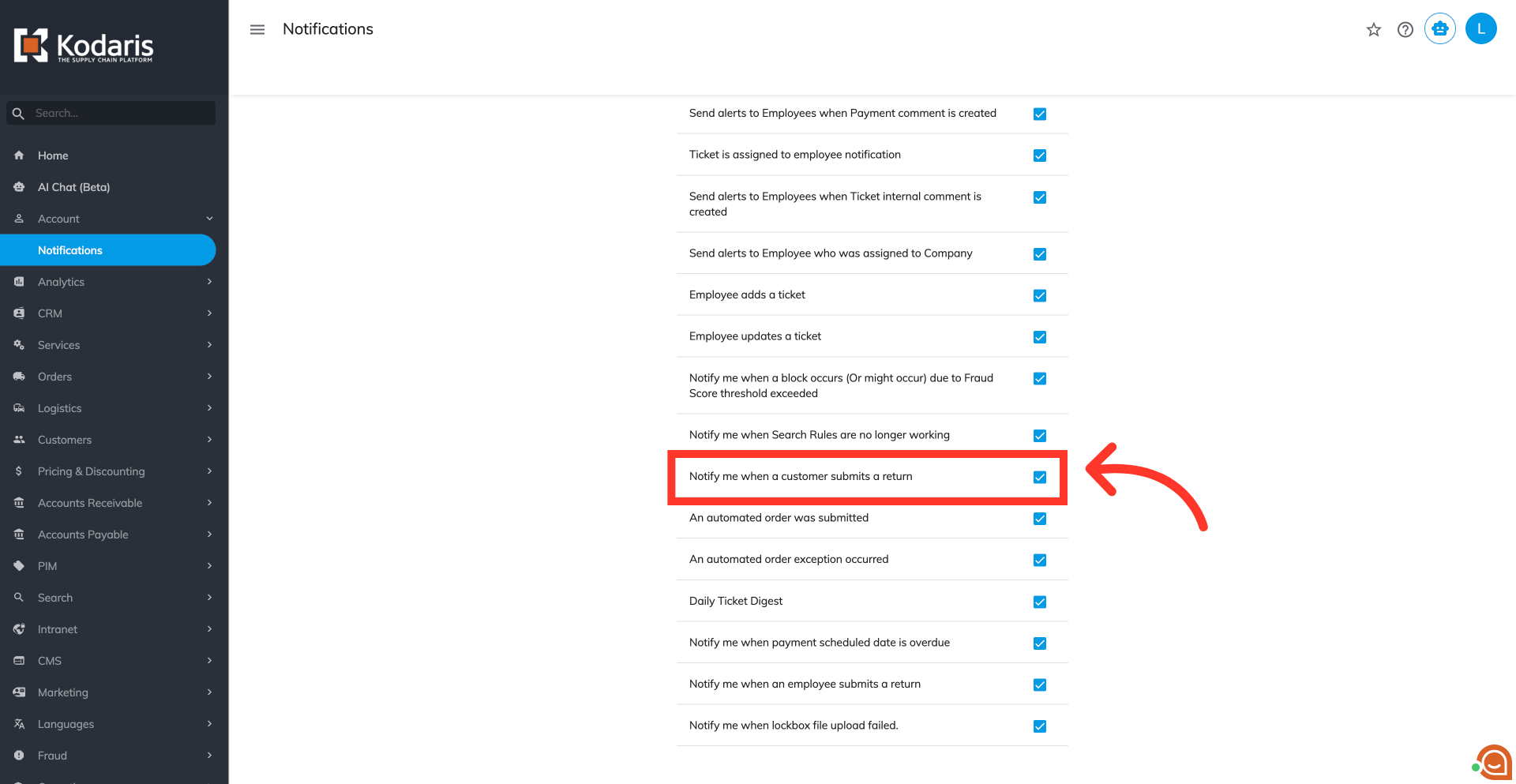
Locate the "Notify me when a customer submits a return" setting. Activate this setting to ensure you receive email alerts whenever a new customer return is submitted.
In this article