
Operations Customers - Sort Product Lists by Customer ID
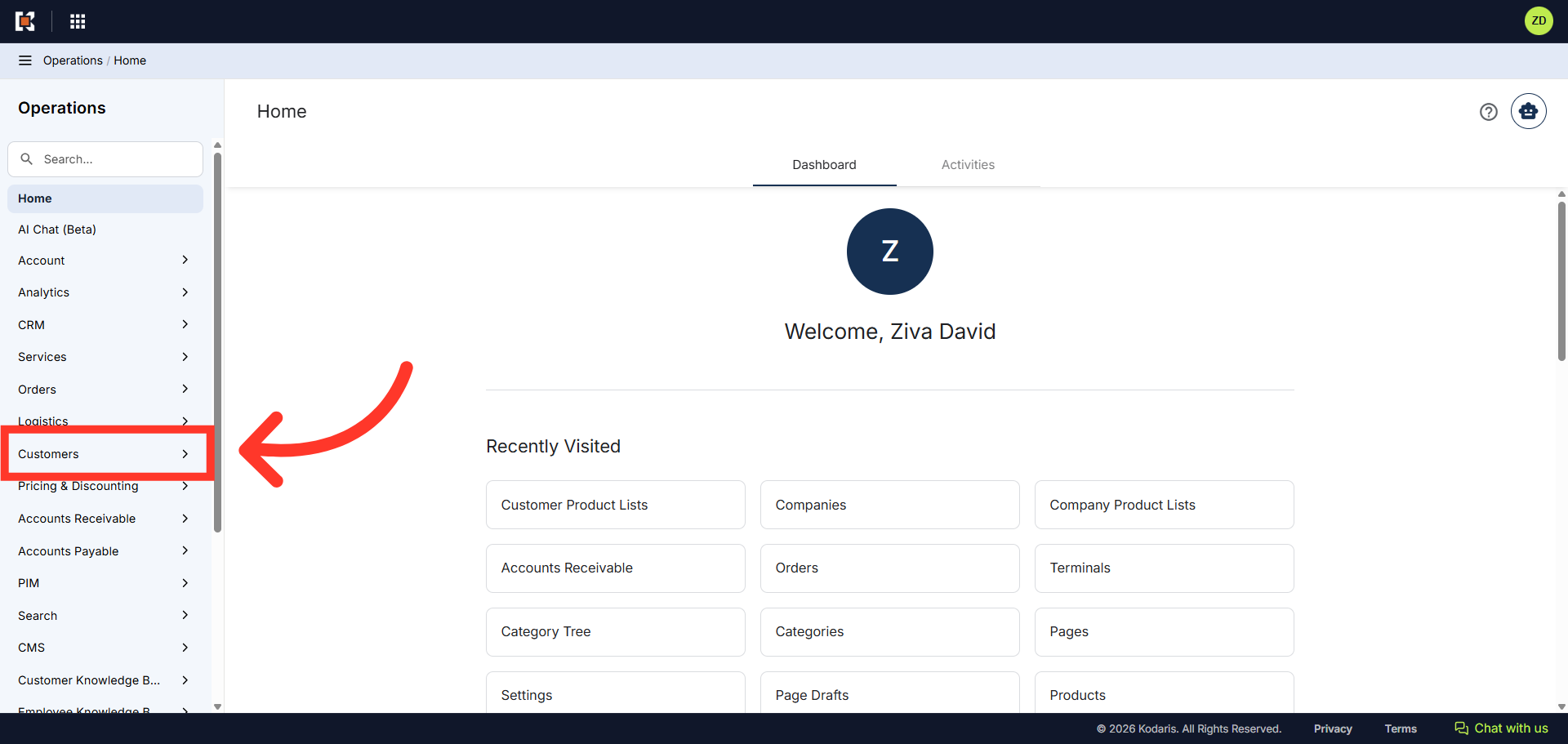
Navigate to "Customers"
To sort product lists by Customer ID, first navigate to the "Customers" section in the Operations Portal.
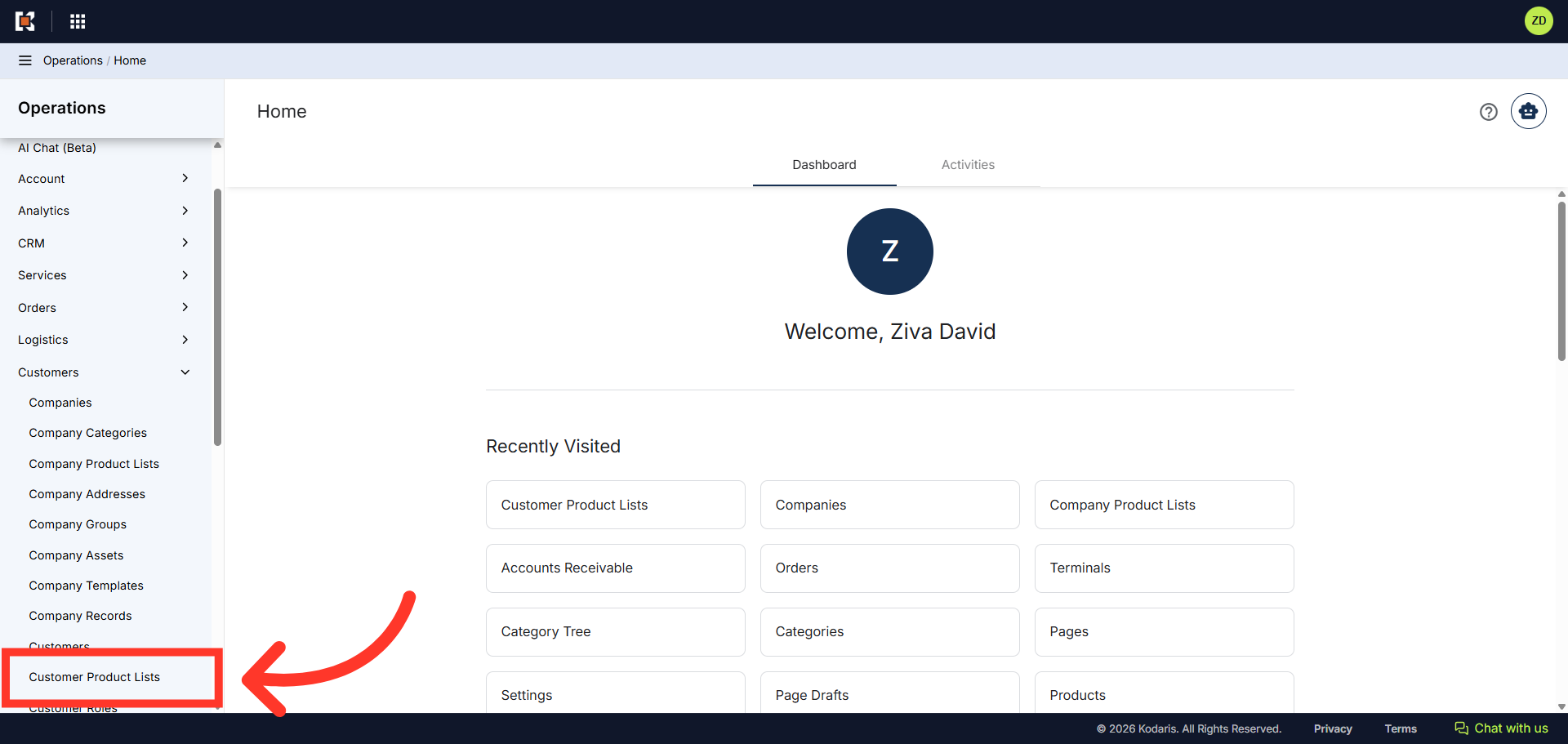
Click "Customer Product List"
Then, click on "Customer Product List". In order to access and update the "Customer Product List" you will need to be set up either as an "administrator" or a "superuser", or have the appropriate role: "customerWishListEdit".
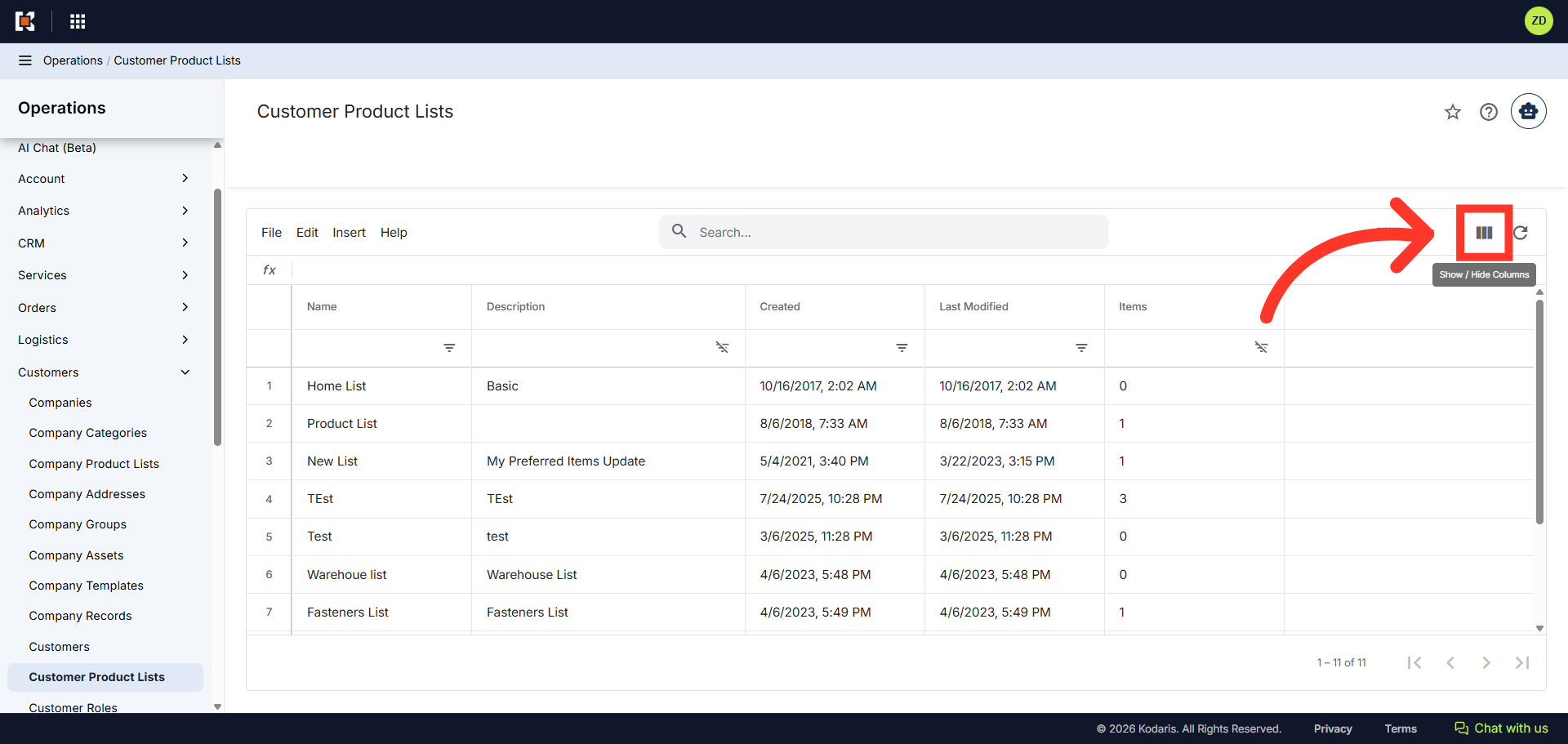
Click the "Show/Hide Columns" icon
Next, in the "Customer Product List" grid view, click the "Show/Hide Columns" icon.
Select "Customer ID" column
Select the "Customer ID" column to add to your grid view.

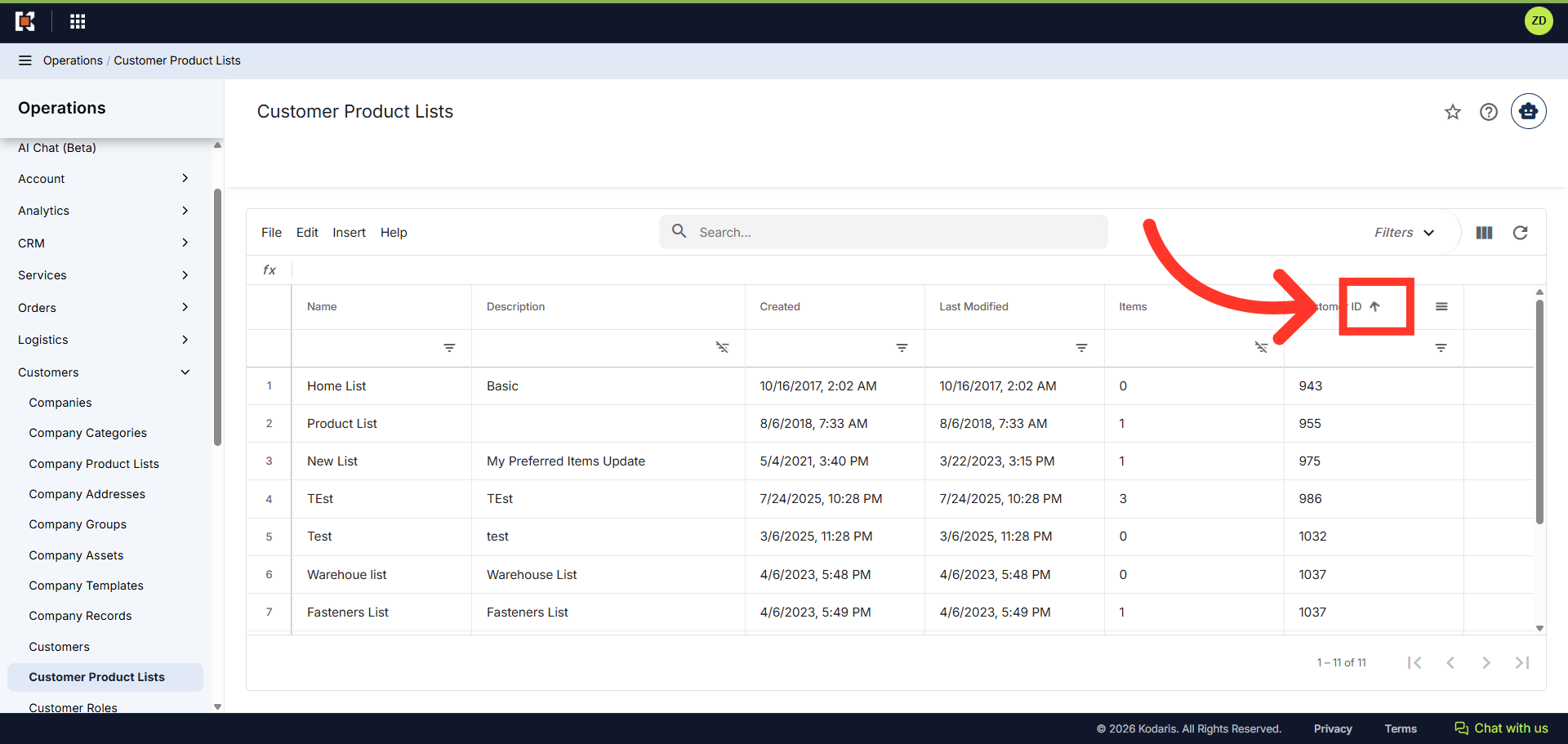
Click the "Sort" icon
In the "Customer ID" column, click the "Sort" icon to sort the list by ascending or descending order.
In this article