
Operations CRM - Add a New Opportunity
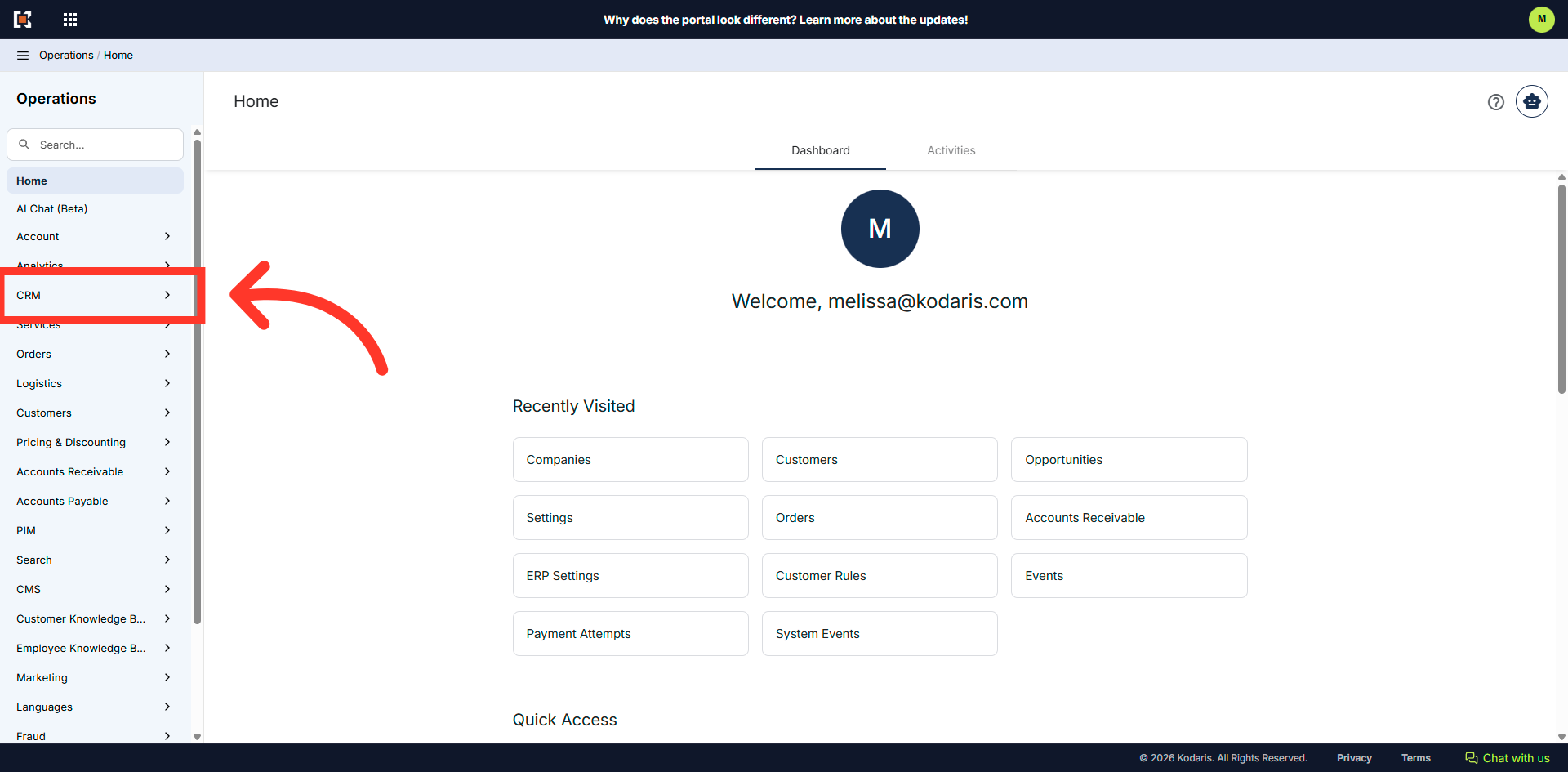
Navigate to the "CRM" section
In order to add a new opportunity, navigate to the "CRM" section in the operations portal.
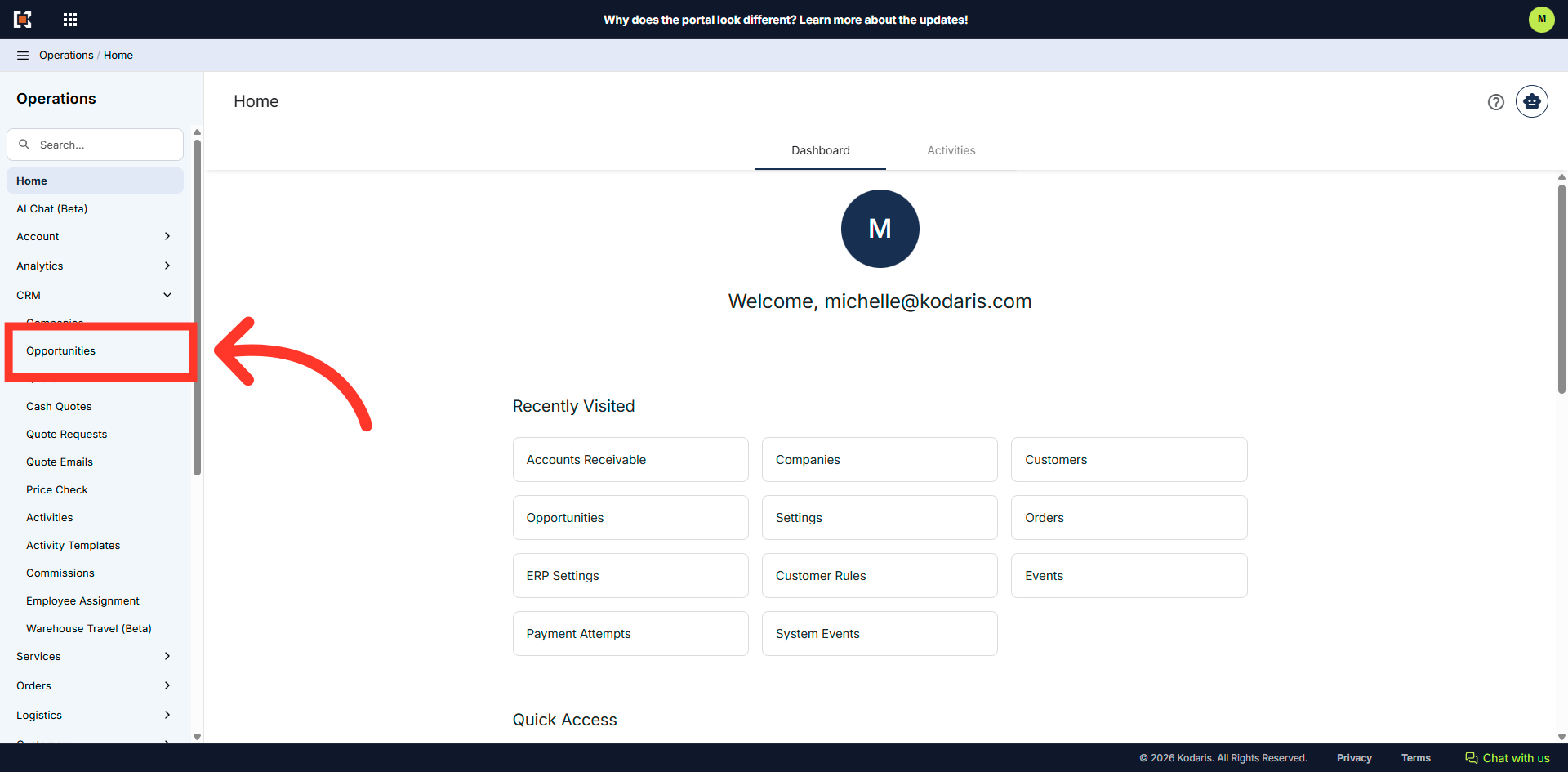
Click "Opportunities"
Click "Opportunities". In order to access and update "Opportunities" you will need to be set up either as an "administrator" or a "superuser", or have the roles of: "accountQuoting" and "dashboardSearch".
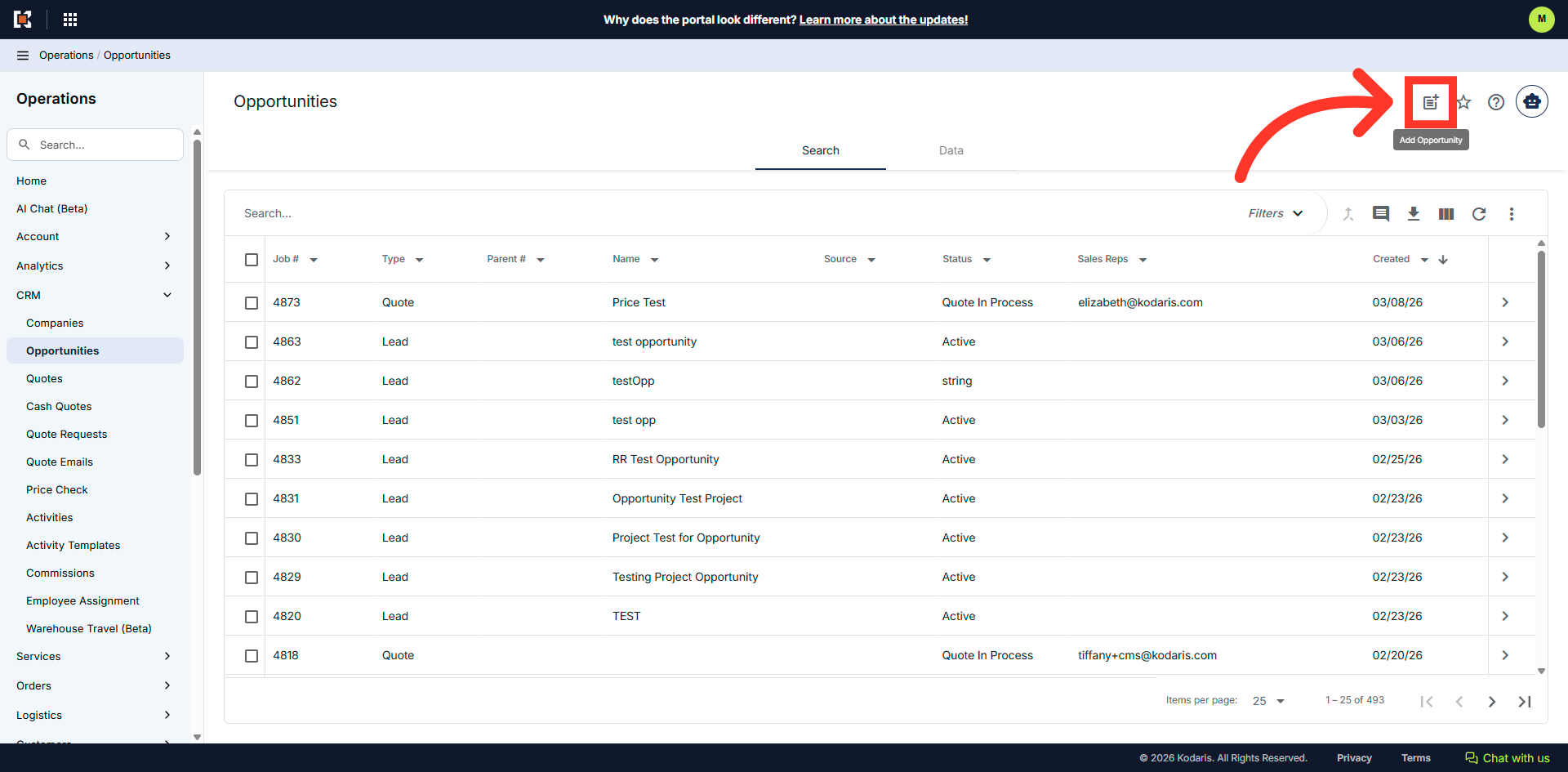
Click the "Add Opportunity" icon
Click the "Add Opportunity" icon.
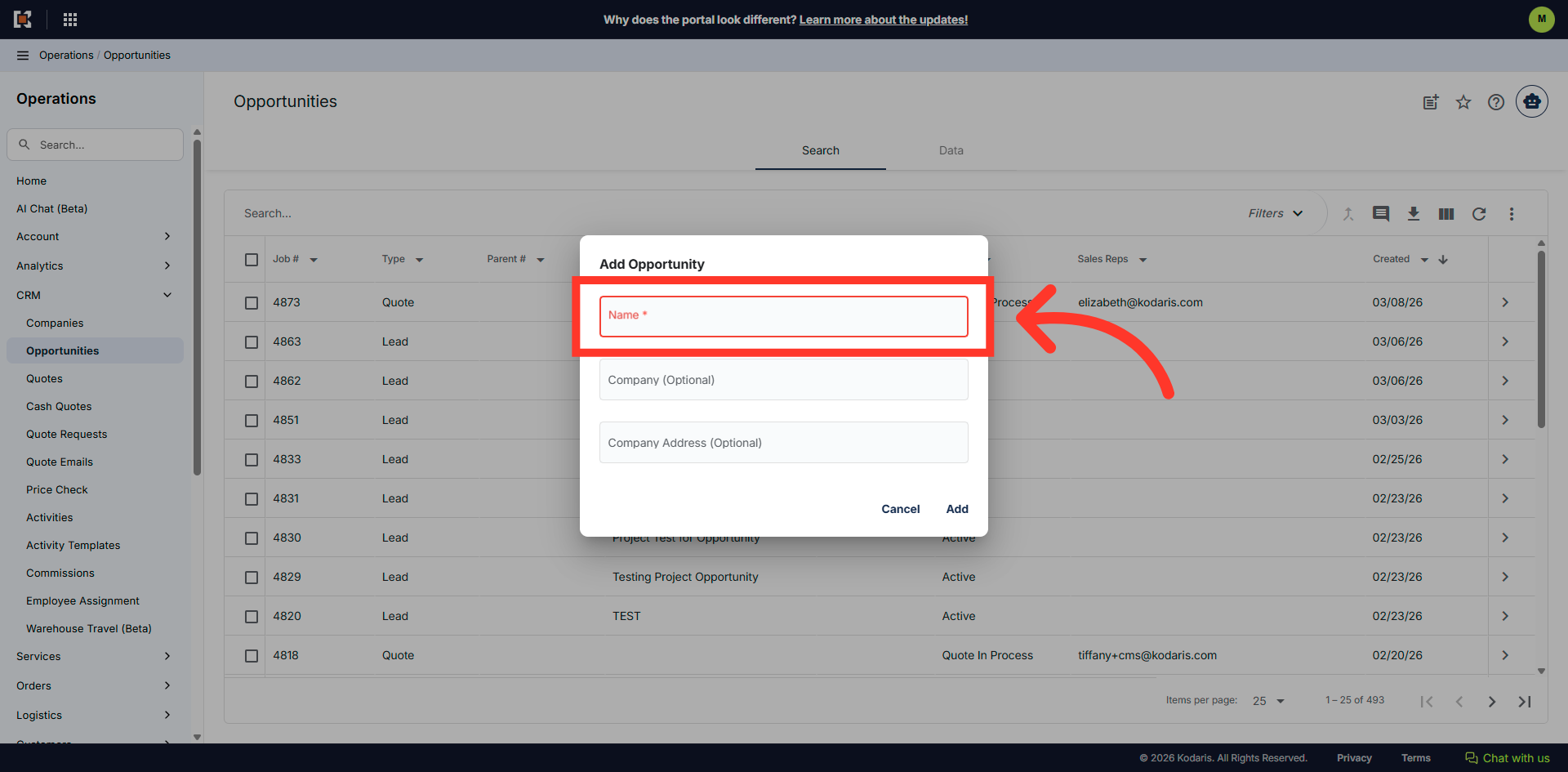
Fill in the "Name" field
Fill in the "Name" field.
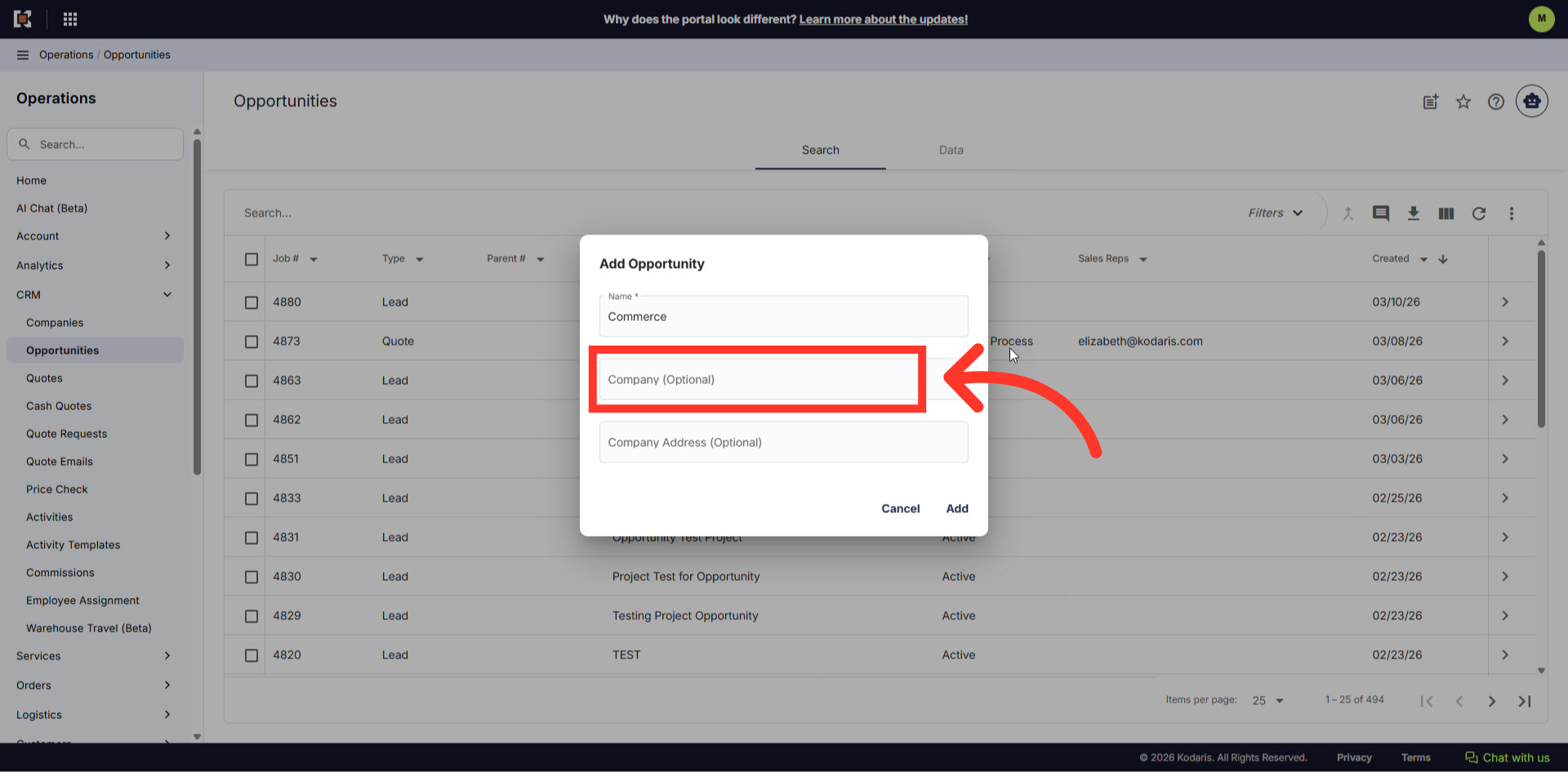
Fill in the "Company" field
Enter the company in the field. This field is optional
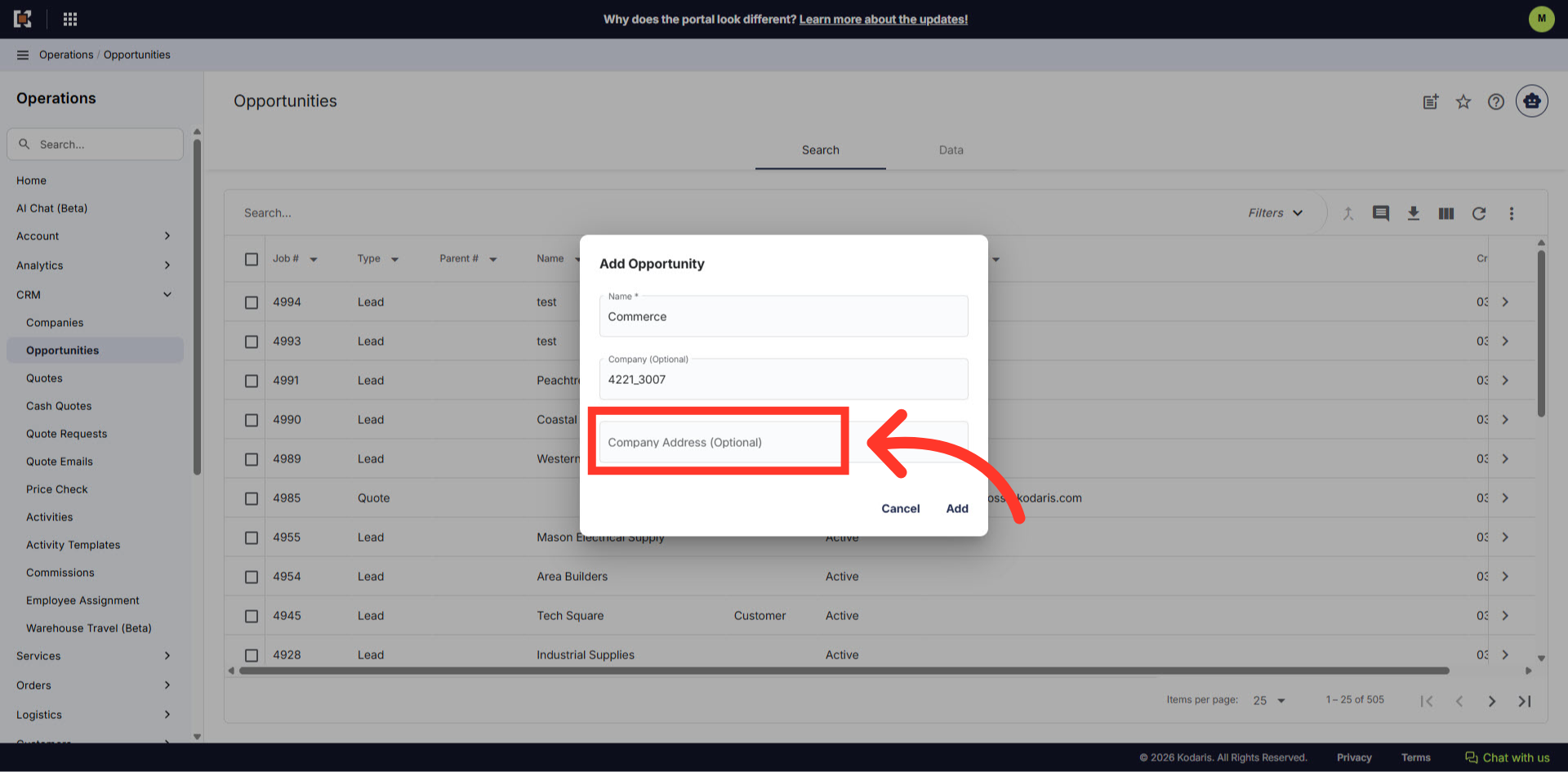
Fill in the "Company Address" field
Enter the company address field. This field is optional.
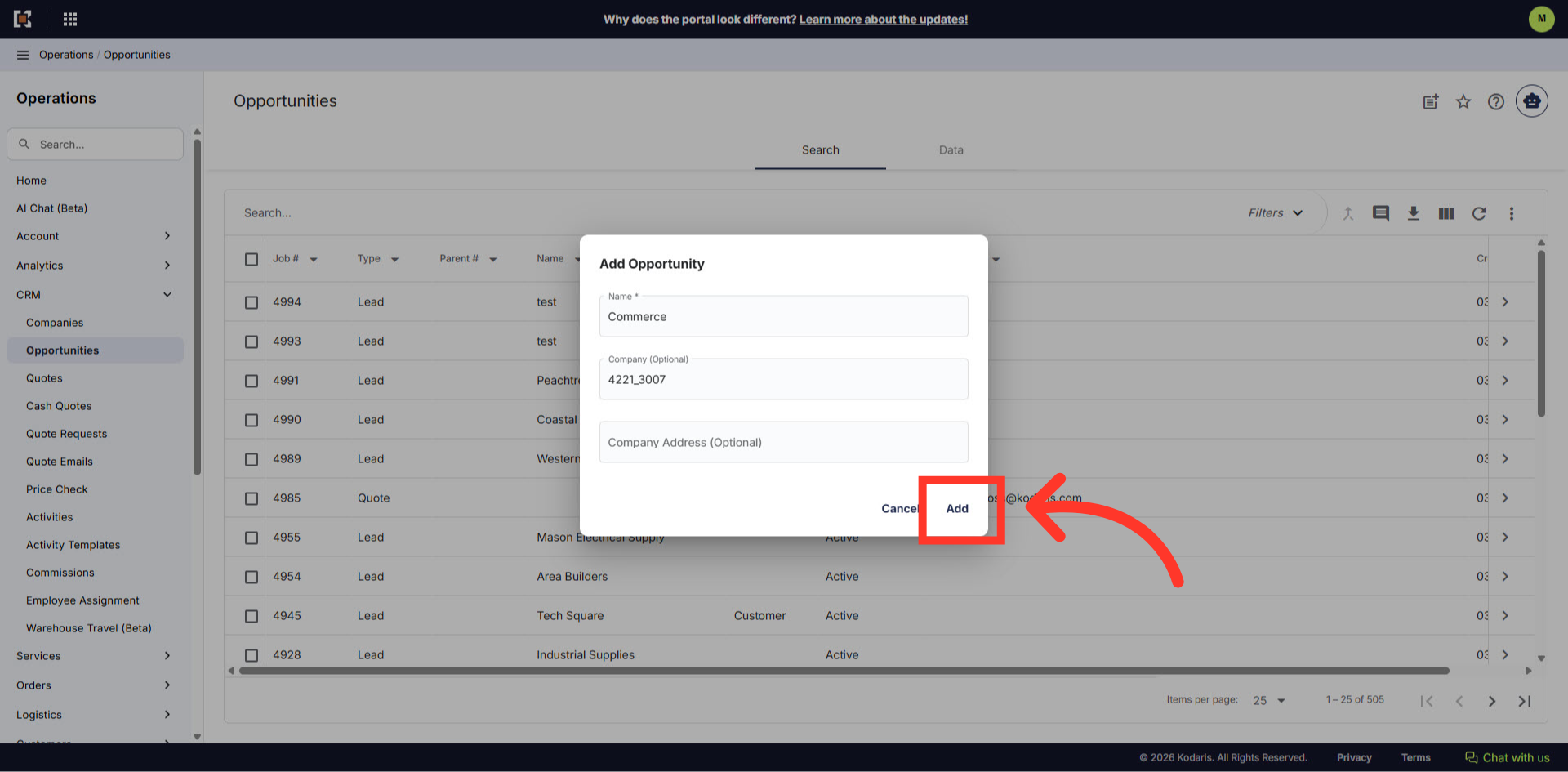
Click "Add"
Click the "Add" button to create the opportunity.
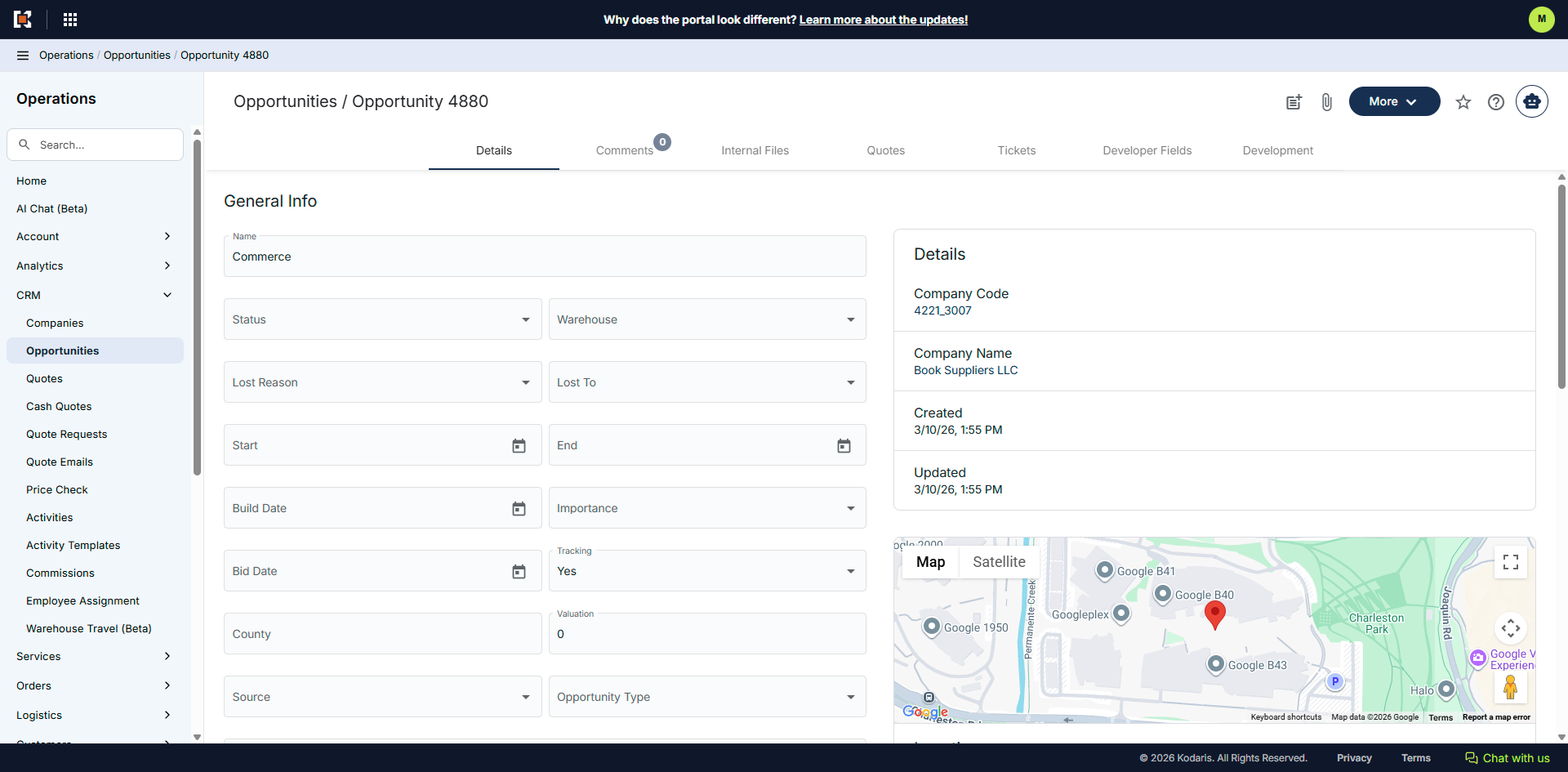
New opportunity created
Additional details can be updated on the "Details" screen. Opportunities can be updated and edited at any time.
In this article