
Operations Portal - View Sent Emails
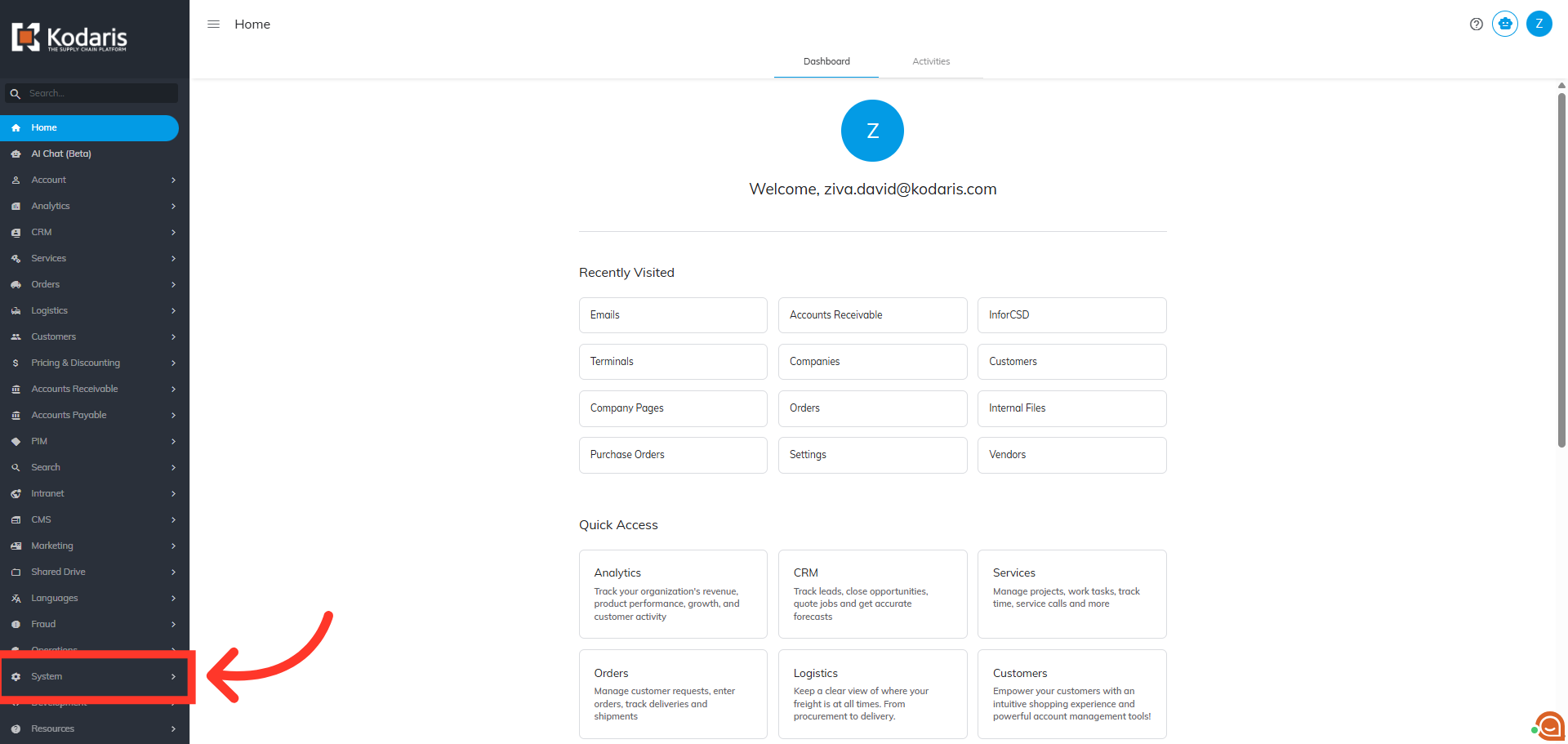
Navigate to "System"
To view emails that have been sent from the operations portal, first navigate to "System" in the Operations Portal.
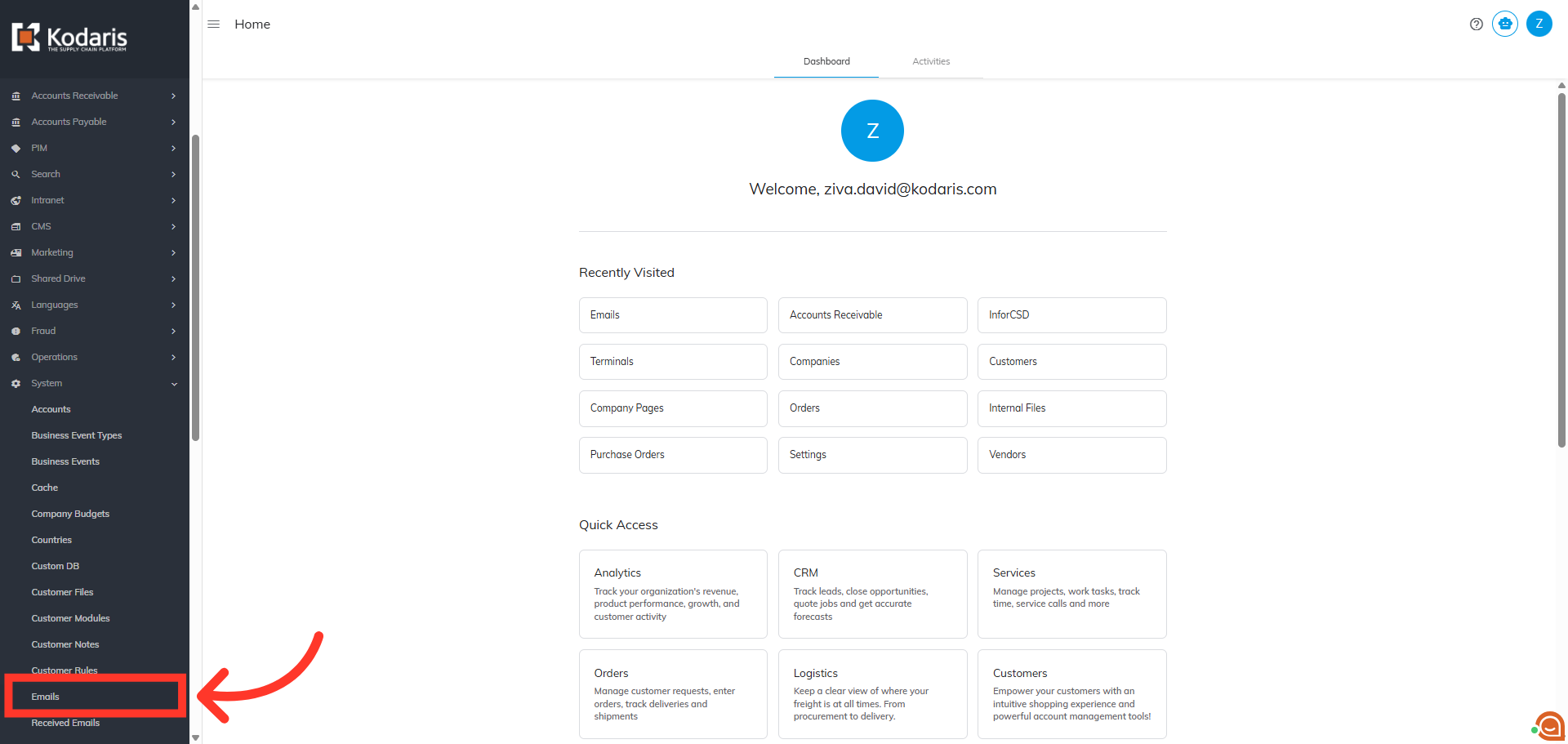
Click "Emails"
Then, click "Emails". In order to access and update “Emails” you will need to be set up as an “administrator” or “superuser” or have the roles of: “emailView” and “emailEdit”.
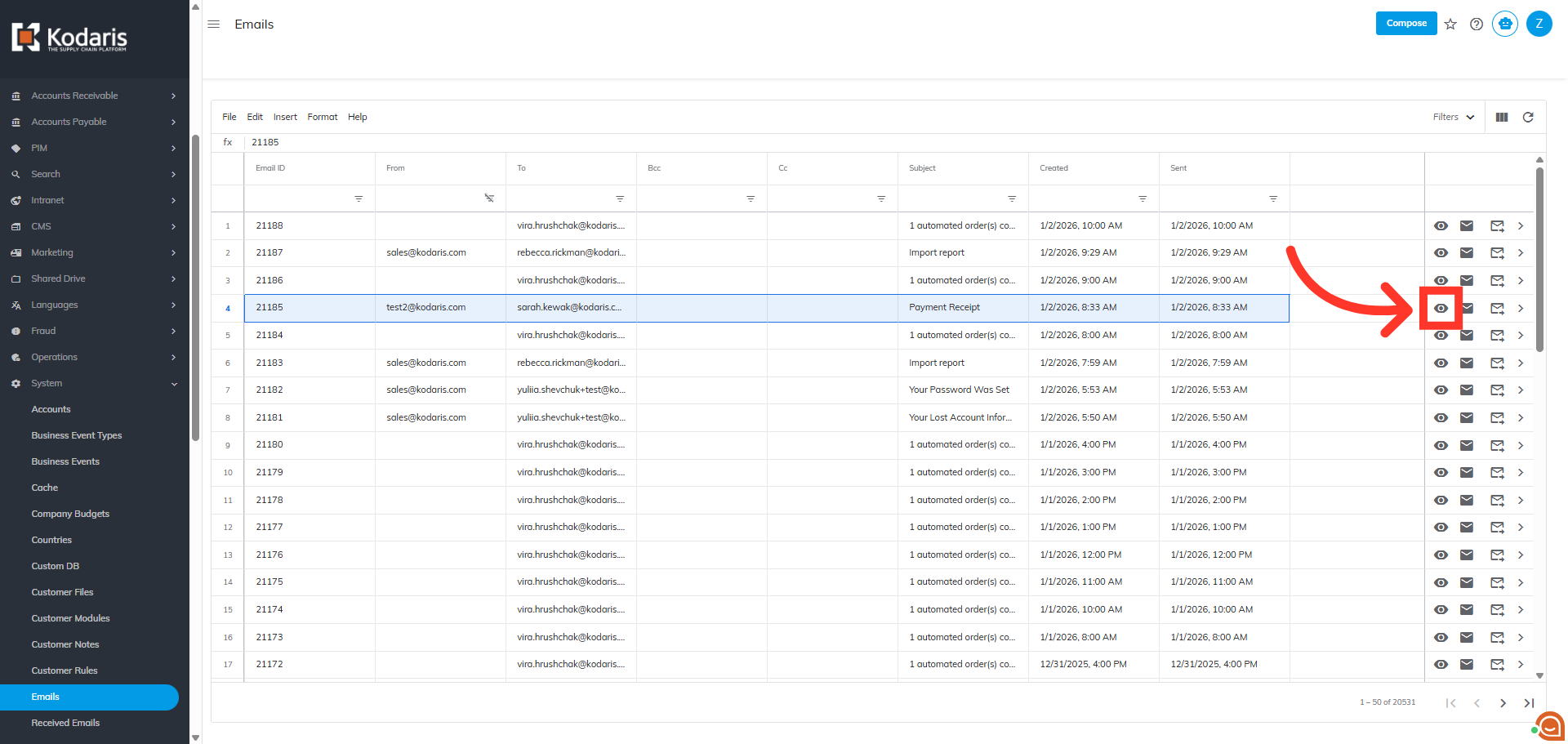
Click the "Preview" Icon
Locate the email you wish to view and click the "Preview" icon.
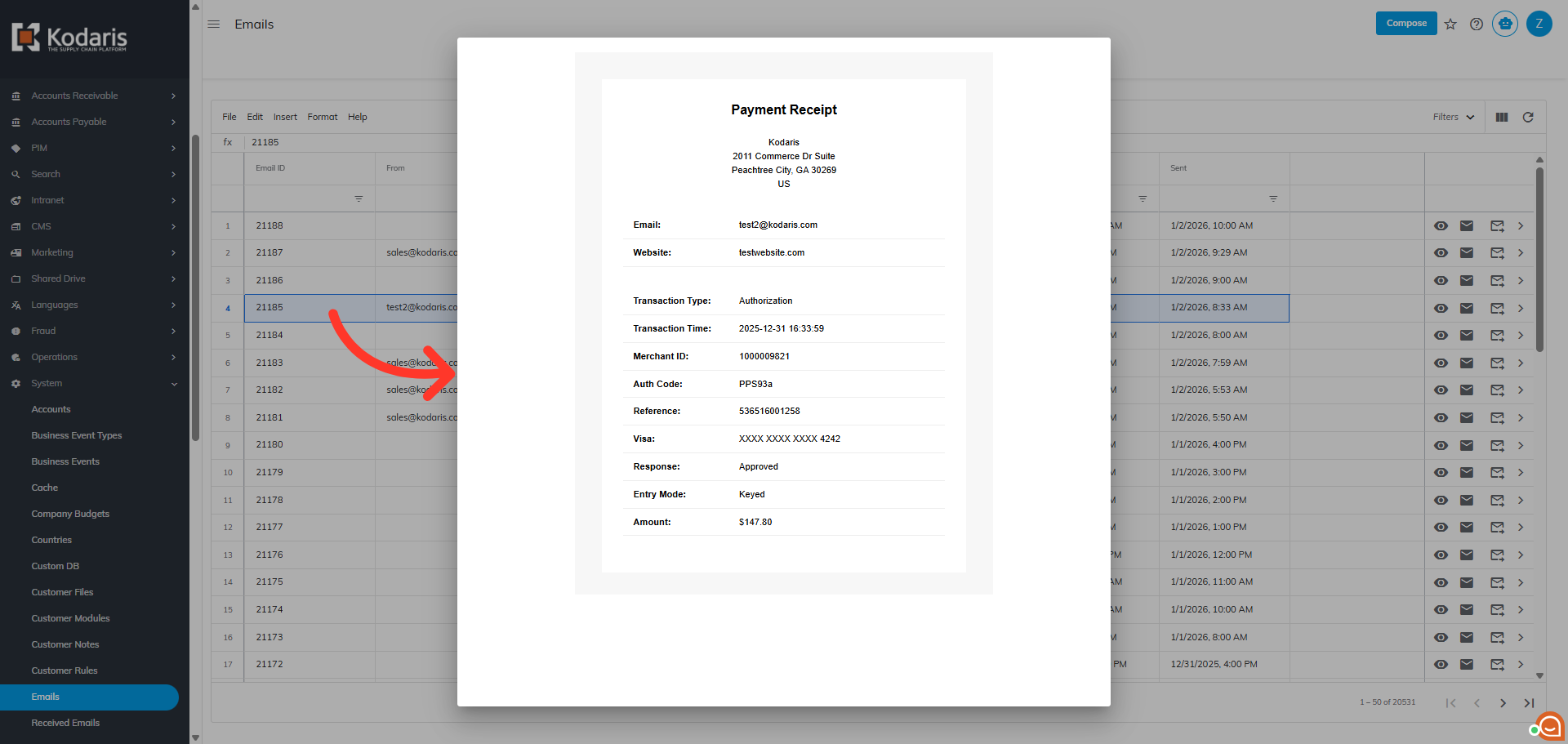
Email Preview
The preview window displays a copy of the email that was sent.
In this article